AI Summarizer: Summarize Long Text, Articles and Documents in Seconds (2026 Guide)
Use a free AI summarizer to condense long articles, reports and documents into clear, accurate summaries instantly. Step-by-step guide, use cases, tips and 8 FAQs.
ToolNest AI Team
Author
Published
Reading is the bottleneck of knowledge work. A research paper is 8,000 words. The report your manager sent is 40 pages. Your inbox has twelve long emails. The article someone shared looks relevant, but you don't have 20 minutes to find out.
The problem isn't that you can't read fast enough. It's that the volume of written information that requires your attention has outgrown any reasonable reading schedule. Professionals spend an average of 2.5 hours per day just reading and answering emails — and that doesn't count reports, documents, or research.
An AI summarizer changes the equation. Paste any text and get a clear, accurate summary in under ten seconds. Key points are extracted, filler is removed, and what's left is exactly what you need to know — in the format that works for you.
Table of Contents
- What Is an AI Summarizer?
- How AI Summarization Works
- The 4 Summary Formats Explained
- How to Summarize Text: Step by Step
- Who Benefits Most?
- Manual Reading vs. AI Summarizer
- Pros and Cons
- Common Mistakes to Avoid
- FAQ
What Is an AI Summarizer?
An AI summarizer is a tool that reads a piece of text and produces a condensed version that captures the main ideas, key points, and essential conclusions — without the padding, repetition, or background detail that fills out the original.
Unlike simple keyword extraction, a good AI summarizer understands meaning. It can tell the difference between a sentence that establishes background and a sentence that states a finding. It understands which details are central to the argument and which are supporting examples that can be compressed or cut.
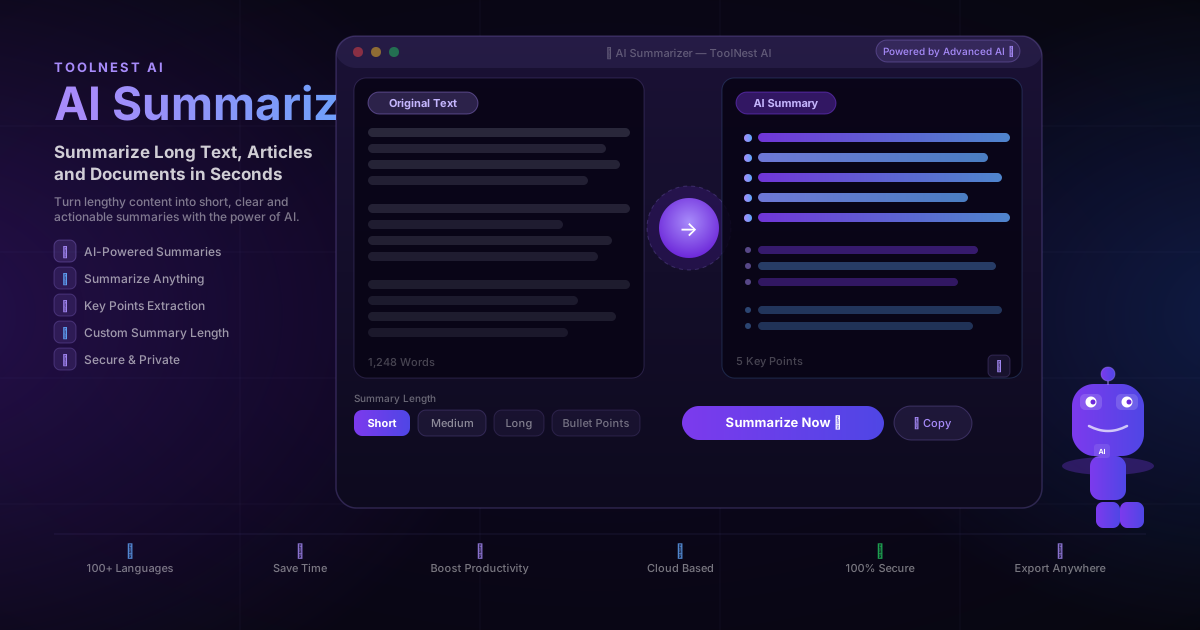
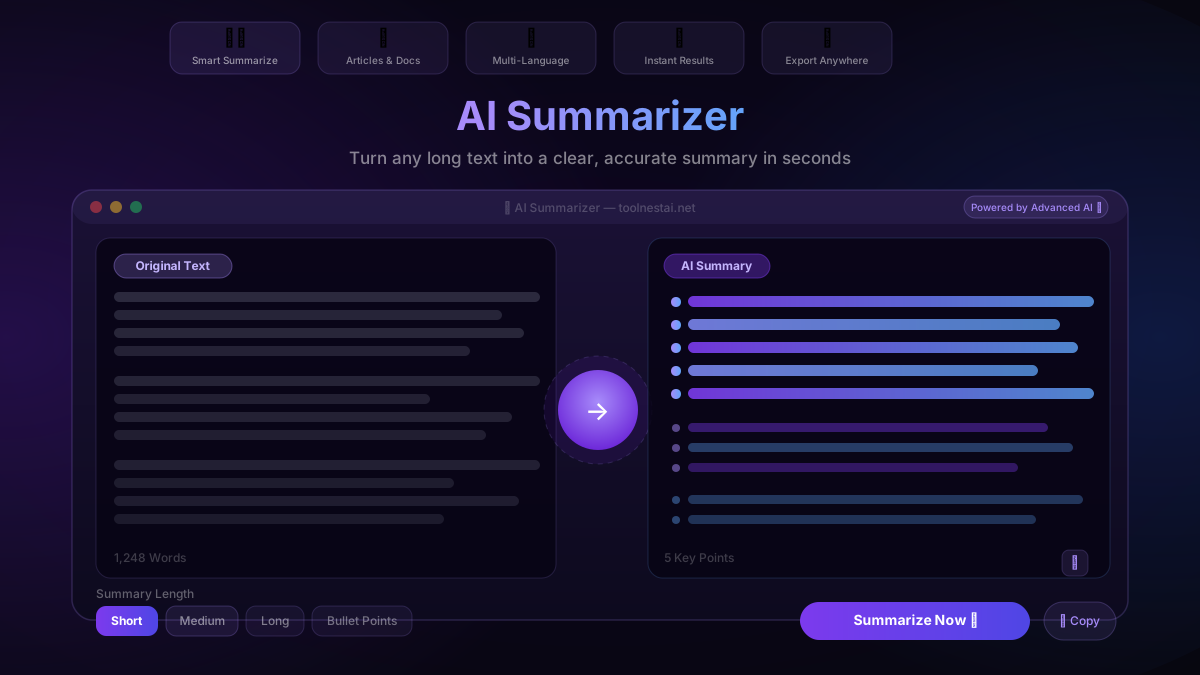
ToolNest AI's free summarizer offers four output formats — Short, Medium, Long, and Bullet Points — so you can match the summary to how you'll actually use it. Works in 100+ languages, requires no sign-up, and produces results in under ten seconds.
How AI Summarization Works
The summarizer analyzes your text using a large language model trained to understand semantic content — not just keywords or sentence position. This is what separates AI summarization from older extractive tools that simply pulled "important" sentences based on word frequency.
The process has three stages:
Comprehension — The model reads the full text and builds an internal understanding of the structure: what the main argument is, which sections provide evidence, which parts are introductory, and which contain the core conclusions.
Compression — The model determines what to keep, what to condense, and what to drop. Repetition is removed. Background context is compressed. The central claims and findings are preserved.
Generation — The model writes a new summary in natural language — not a copy-paste of sentences from the original, but a freshly written condensation that reads coherently on its own.
The result is accurate, readable, and calibrated to the format you selected.
The 4 Summary Formats Explained
Different tasks call for different summary depths. Choosing the right format makes the output immediately useful without further editing.
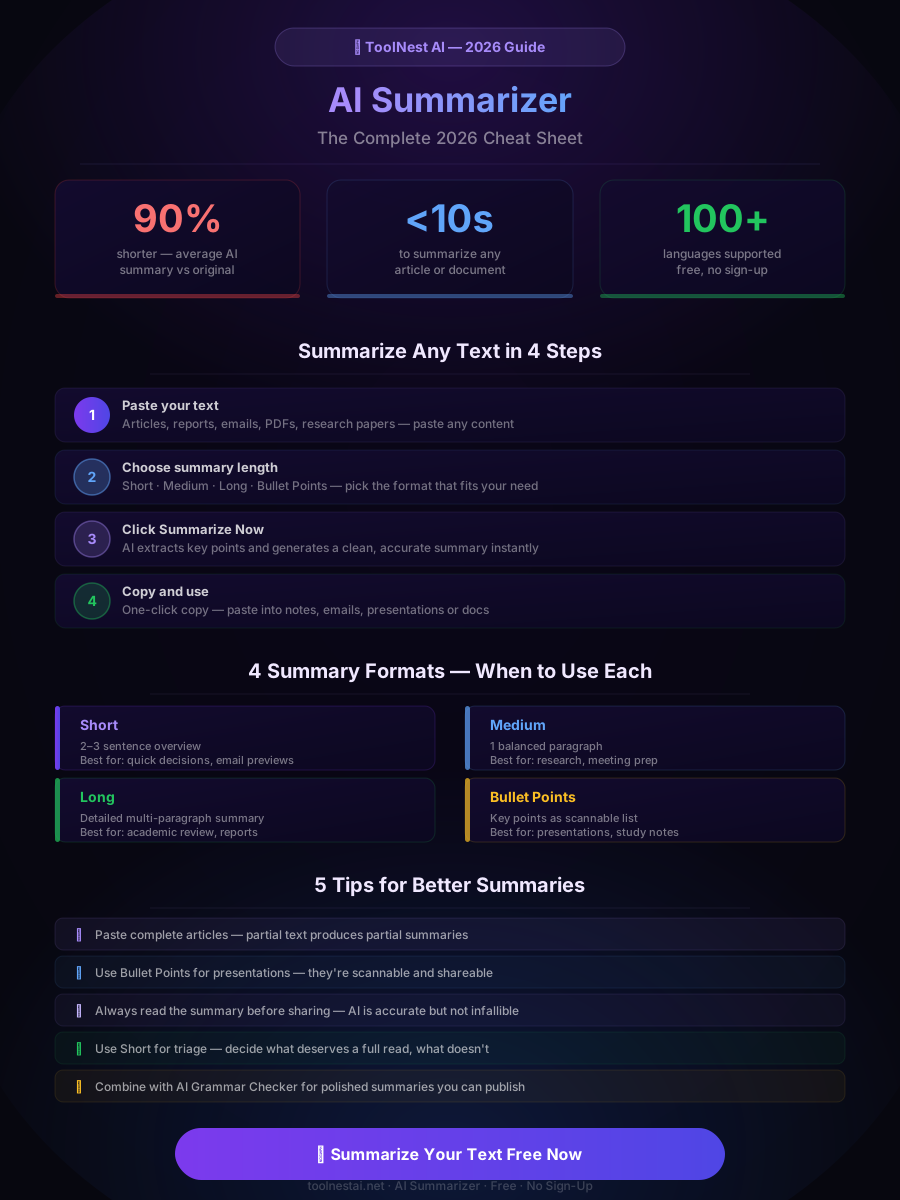
Short produces a 2–3 sentence overview. Use this when you need to decide whether a document is worth reading in full, or when you need a one-paragraph brief to share with someone quickly. Ideal for email previews, news articles, and initial research triage.
Medium produces a balanced single paragraph that covers the main argument and key supporting points. The right choice for meeting preparation, research notes, and most professional reading tasks. It gives you enough to engage with the topic without overwhelming you with detail.
Long produces a detailed multi-paragraph summary that preserves nuance, sub-arguments, and important supporting evidence. Use this for academic review, complex reports, or when you need to present a thorough brief to stakeholders who need the full picture.
Bullet Points extracts the key points as a scannable list. The most versatile format — paste it directly into a presentation, use it as study notes, or share it in a team update. When you need to communicate findings quickly and clearly, Bullet Points is usually the right choice.
How to Summarize Text: Step by Step
ToolNest AI's free summarizer is straightforward to use:
Step 1: Paste your text Copy the article, report, email thread, research paper, or any other written content and paste it into the input field. The tool handles any length.
Step 2: Choose your summary length Select Short, Medium, Long, or Bullet Points based on how you'll use the output. If you're unsure, start with Medium — it works well for most tasks.
Step 3: Click Summarize Now The AI reads the full text, identifies the key points, and generates a clean summary in seconds. A 1,000-word article typically processes in under 5 seconds.
Step 4: Review the summary Read through the output. For most content, the summary will be accurate and ready to use. For highly technical or specialized content, a quick review ensures nothing critical was compressed too aggressively.
Step 5: Copy and use One click copies the summary to your clipboard. Paste it into your notes, email, presentation, or document — no reformatting required.
After summarizing, run the output through the AI Grammar Checker if you're publishing or sharing it formally. The two tools work well together.
Who Benefits Most?
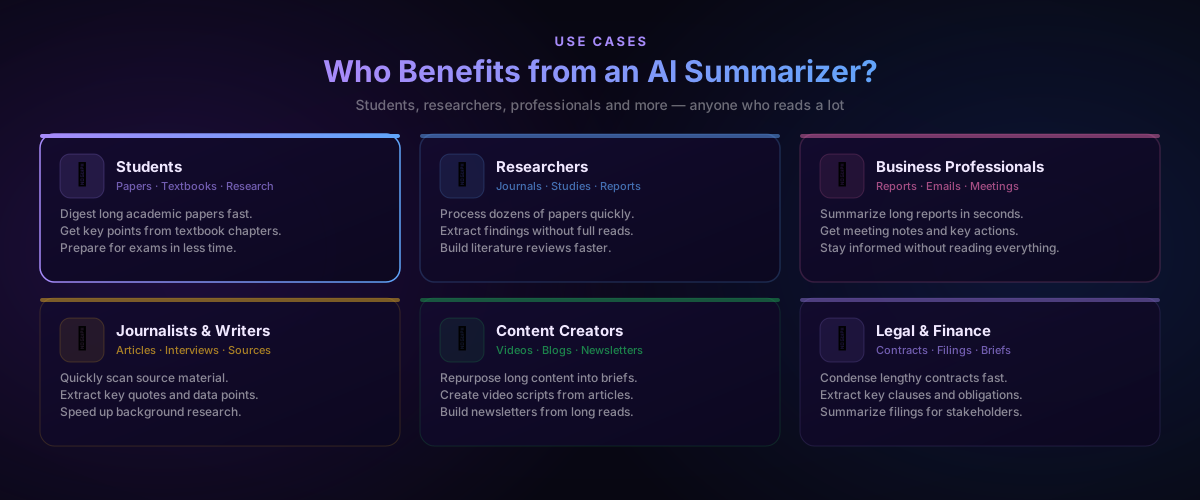
The AI summarizer is useful for anyone who reads professionally, but six groups see the biggest gains:
Students use it to process textbook chapters, academic papers, and research articles faster. Getting the key points from a 30-page paper before diving in helps prioritize where to focus — and exam preparation becomes significantly more efficient when you can process multiple sources quickly.
Researchers deal with the highest volume of dense text. Scanning 20 papers to find the 4 relevant ones takes hours manually. Summarizing each one first reduces that to minutes, and building a literature review from summaries is far faster than rereading everything.
Business professionals receive long reports, lengthy email threads, and dense briefing documents daily. Summarizing these before meetings means arriving prepared without spending your morning reading. Key actions and decisions surface immediately.
Journalists and writers use the summarizer to scan source material quickly, extract key quotes and data points, and identify the most newsworthy angle before committing to a full read.
Content creators repurpose long-form content into newsletter briefs, video scripts, and social summaries. A 3,000-word article becomes a tight 150-word newsletter item in seconds.
Legal and finance professionals condense lengthy contracts, filings, and compliance documents into actionable summaries that can be shared with clients or reviewed by non-specialists.
Manual Reading vs. AI Summarizer
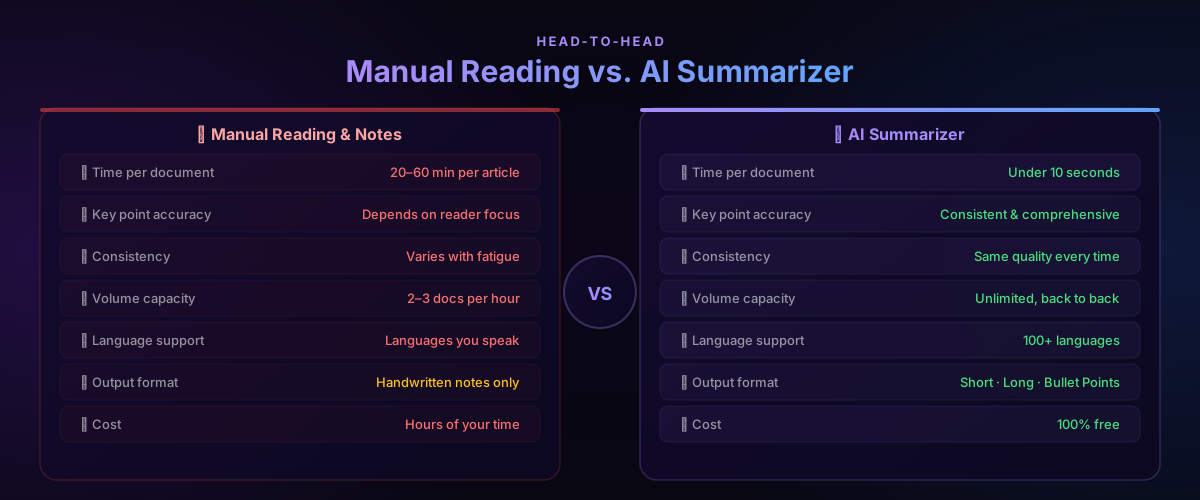
The productivity difference is significant across every dimension:
| Factor | Manual Reading | AI Summarizer |
|---|---|---|
| Time per document | 20–60 min per article | Under 10 seconds |
| Key point accuracy | Depends on reader focus | Consistent and comprehensive |
| Consistency | Varies with fatigue | Same quality every time |
| Volume capacity | 2–3 docs per hour | Unlimited, back to back |
| Language support | Languages you speak | 100+ languages |
| Output format | Handwritten notes | Short · Long · Bullet Points |
| Cost | Hours of your time | 100% free |
The time difference alone justifies the switch. If you read ten documents per week and each takes 20 minutes, summarizing first saves over 3 hours — every week.
Pros and Cons
Every tool has tradeoffs. Here's an honest breakdown:
Pros
Dramatically faster reading workflow — Processing a 2,000-word article in 8 seconds instead of 15 minutes isn't a marginal improvement — it's a complete change in how much you can stay on top of.
Consistent quality regardless of volume — Human readers get tired, lose focus, and miss things. The AI applies the same level of attention to the twentieth document as the first.
Four output formats — Short for triage, Medium for notes, Long for detailed briefs, Bullet Points for presentations. One tool covers every summarization need.
100+ languages — Summarize content from international sources without needing to translate first. The AI reads and summarizes directly in the source language or in English, depending on your preference.
Completely free — No sign-up, no daily limits, no premium tier required for the core functionality.
Works on any text type — News articles, academic papers, business reports, email threads, contracts, meeting transcripts — paste anything.
Cons
Not a substitute for deep reading — A summary captures the main argument but compresses supporting detail. For academic work, legal review, or any context where nuance matters, the summary is a starting point — not a replacement for reading the original.
Highly specialized content needs review — Technical papers, legal documents, and medical content can contain important distinctions that a general-purpose summarizer may flatten. Always review summaries of high-stakes content.
Accuracy depends on the source — The summarizer accurately reflects what the original text says. If the source contains errors, the summary will too. It doesn't fact-check the content it summarizes.
Common Mistakes to Avoid
Summarizing fragments instead of full documents. Pasting a few paragraphs from the middle of an article produces an incomplete summary. Always paste the full text for an accurate result.
Using Short format for complex content. A 50-page report summarized to 3 sentences will miss important nuance. Match the format to the complexity — use Long or Bullet Points for detailed documents.
Publishing summaries without reviewing them. The AI is accurate, but not infallible. If you're sharing a summary with a client, in a report, or as a public-facing document, spend 60 seconds reading it first. Pair it with the AI Grammar Checker before publishing.
Treating the summary as the source. A summary captures the main points — it doesn't replace the original for citation, quotation, or detailed analysis. Use it to decide what to read fully, not to avoid reading entirely.
Ignoring the Bullet Points format for collaboration. If you're sharing information with a team, Bullet Points is almost always more useful than a paragraph summary. People skim bullets, they scroll past paragraphs. Use the format that actually gets read.
For a complete content workflow: summarize source material → draft with the AI Prompt Generator → humanize with the AI Humanizer → finalize with the AI Paraphrasing Tool.
FAQ
Is the ToolNest AI Summarizer completely free?
Yes — completely free with no sign-up required and no daily usage limits. Paste your text, choose a length, click Summarize Now, and copy. No account needed, no subscription, no paywalls.
What types of content can the AI summarizer handle?
The summarizer works with any text content: news articles, academic papers, business reports, email threads, blog posts, contracts, meeting transcripts, and more. Paste any text and the AI adapts to the content type.
How accurate are the AI summaries?
The summaries are highly accurate for most content types. The AI identifies main arguments, key findings, and central claims reliably. For highly technical, legal, or medical content with specialized terminology, a quick review of the summary is recommended before relying on it for important decisions.
Does the AI summarizer work in languages other than English?
Yes — the summarizer supports 100+ languages. You can summarize content written in French, Spanish, German, Chinese, Japanese, and many other languages. The summary can be produced in the same language as the original.
What is the difference between Short, Medium, Long and Bullet Points?
Short gives a 2–3 sentence overview for quick triage. Medium gives a balanced paragraph covering the main argument and key points. Long produces a detailed multi-paragraph summary preserving nuance and supporting evidence. Bullet Points extracts key takeaways as a scannable list — best for presentations, notes, and team sharing.
Is there a word limit for text I can summarize?
There is no strict word limit. The tool handles articles, research papers, and reports of any length. For very long documents, splitting them into sections and summarizing each separately can produce more precise results.
Can I use the summaries commercially?
Yes. Summaries you generate are yours to use for any purpose — internal reports, client deliverables, content creation, research, or commercial projects.
How is an AI summarizer different from a paraphrasing tool?
A paraphrasing tool rewrites text at roughly the same length in a different style. An AI summarizer compresses text, extracting only the key points and discarding supporting detail, background, and repetition. They serve different purposes — summarizing for comprehension and brevity, paraphrasing for rewriting and style.
Read Less. Know More.
The amount of written content that demands your attention will not decrease. What can change is how efficiently you process it.
ToolNest AI's AI Summarizer turns any long text into a clear, accurate summary in seconds — free, unlimited, and requiring no account. Paste your content, choose your format, and get the information you need without the time cost.
→ Summarize Your Text Free Now
Then complete your workflow: use the AI Grammar Checker before sharing summaries formally, the AI Paraphrasing Tool to restructure summaries for different audiences, and the AI Prompt Generator to draft content based on what you've read.
About the author
ToolNest AI Team
The ToolNest AI editorial team covers AI tools, productivity, and the future of online work.
Related Articles
AI Paraphrasing Tool: Rewrite Text Naturally Without Losing Meaning (2026 Guide)
Learn how to use a free AI paraphrasing tool to rewrite text naturally in seconds. Step-by-step guide, 5 paraphrase modes, best practices, common mistakes, and 8 expert FAQs.
AI Humanizer: Convert AI Text into Natural Human Writing (2026 Guide)
Learn how to humanize AI text instantly with a free AI humanizer. Make ChatGPT, Gemini and Copilot content sound natural, bypass AI detectors, and improve engagement.
AI Grammar Checker: Fix Grammar, Spelling and Writing Instantly (2026 Guide)
Discover how an AI grammar checker can fix grammar mistakes, spelling errors, punctuation issues and improve your writing style instantly — free and accurate.