AI Prompt Generator: Create Better AI Prompts for ChatGPT, Claude & Gemini (2026 Guide)
Learn how to use a free AI prompt generator to create optimized prompts for ChatGPT, Claude and Gemini. Step-by-step guide, prompt examples, tips and 8 FAQs.
ToolNest AI Team
Author
Published
Most people use AI tools the same way they used search engines in 2002 — typing short, vague queries and hoping for the best. "Write a blog post about coffee." "Summarize this report." "Make this email better." The AI responds, the output disappoints, and the user assumes the tool isn't that good.
The tool is fine. The prompt is the problem.
The quality of what you get from ChatGPT, Claude, or Gemini depends almost entirely on the quality of what you put in. A structured, specific, well-framed prompt produces results that are genuinely useful. A vague one produces generic filler that still needs a full rewrite.
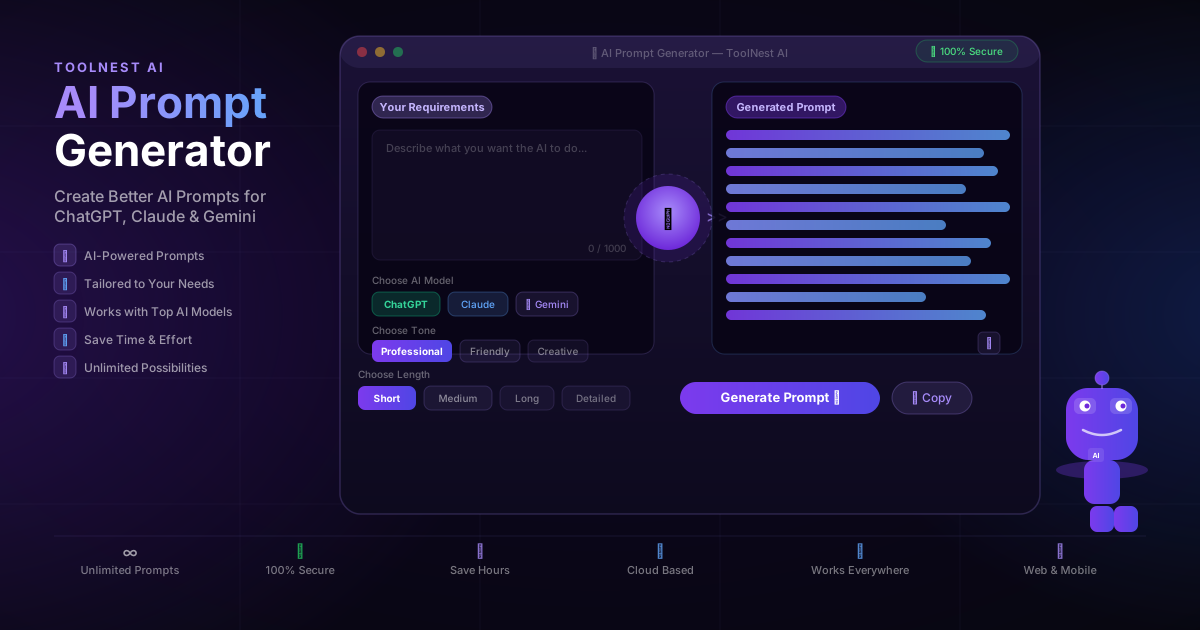
An AI prompt generator solves this at the source. Instead of guessing what makes a good prompt, you describe your goal and the tool builds the prompt for you — structured, optimized for your chosen AI model, and ready to use in seconds.
Table of Contents
- What Is an AI Prompt Generator?
- Why Prompt Quality Changes Everything
- Anatomy of a Great Prompt
- How to Use the AI Prompt Generator: Step by Step
- Prompt Examples for ChatGPT, Claude and Gemini
- What Can You Generate Prompts For?
- Basic Prompting vs. AI-Generated Prompts
- Pros and Cons
- Common Mistakes to Avoid
- FAQ
What Is an AI Prompt Generator?
An AI prompt generator is a tool that takes your goal — described in plain language — and converts it into a structured, optimized prompt ready to use in an AI model. It handles the parts of prompt engineering that most people don't know about: role assignment, context framing, output formatting, length calibration, and tone matching.
The result is a prompt that gets the AI to produce exactly what you need on the first or second try, rather than after six rounds of frustrated iteration.
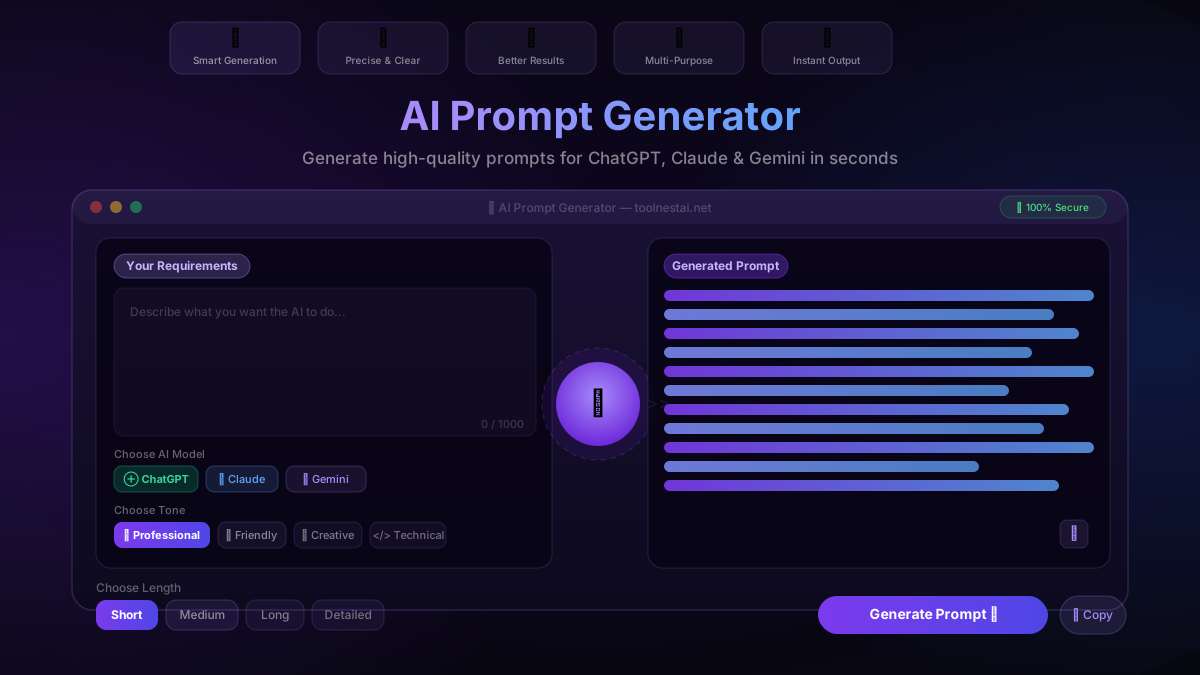
ToolNest AI's prompt generator works with the three major AI models — ChatGPT, Claude, and Gemini — and optimizes differently for each. You can also choose from four tone settings (Professional, Friendly, Creative, Technical) and four length options (Short, Medium, Long, Detailed) to match the output to your actual use case.
Why Prompt Quality Changes Everything
The same AI model produces dramatically different results depending on how it's asked. This isn't a quirk — it's fundamental to how large language models work. They predict likely continuations of your input. Give them a detailed, structured input and they continue it in a structured, useful way. Give them a vague input and they fill the space with the most statistically likely generic response.
Consider these two prompts for the same task:
Basic prompt: "Write about project management."
AI-generated prompt: "You are a senior project manager with 15 years of experience in software delivery. Write a 600-word practical guide for junior project managers on the top five mistakes that derail sprint planning — written in a direct, no-jargon tone for an audience of developers who've just moved into PM roles. Format as numbered tips with a one-sentence summary under each."
The second prompt takes the same goal and adds role, audience, format, tone, length, and specific angle. The output will be vastly more useful — and you didn't have to know any of that to achieve it. The prompt generator figured it out from your goal description.
Anatomy of a Great Prompt
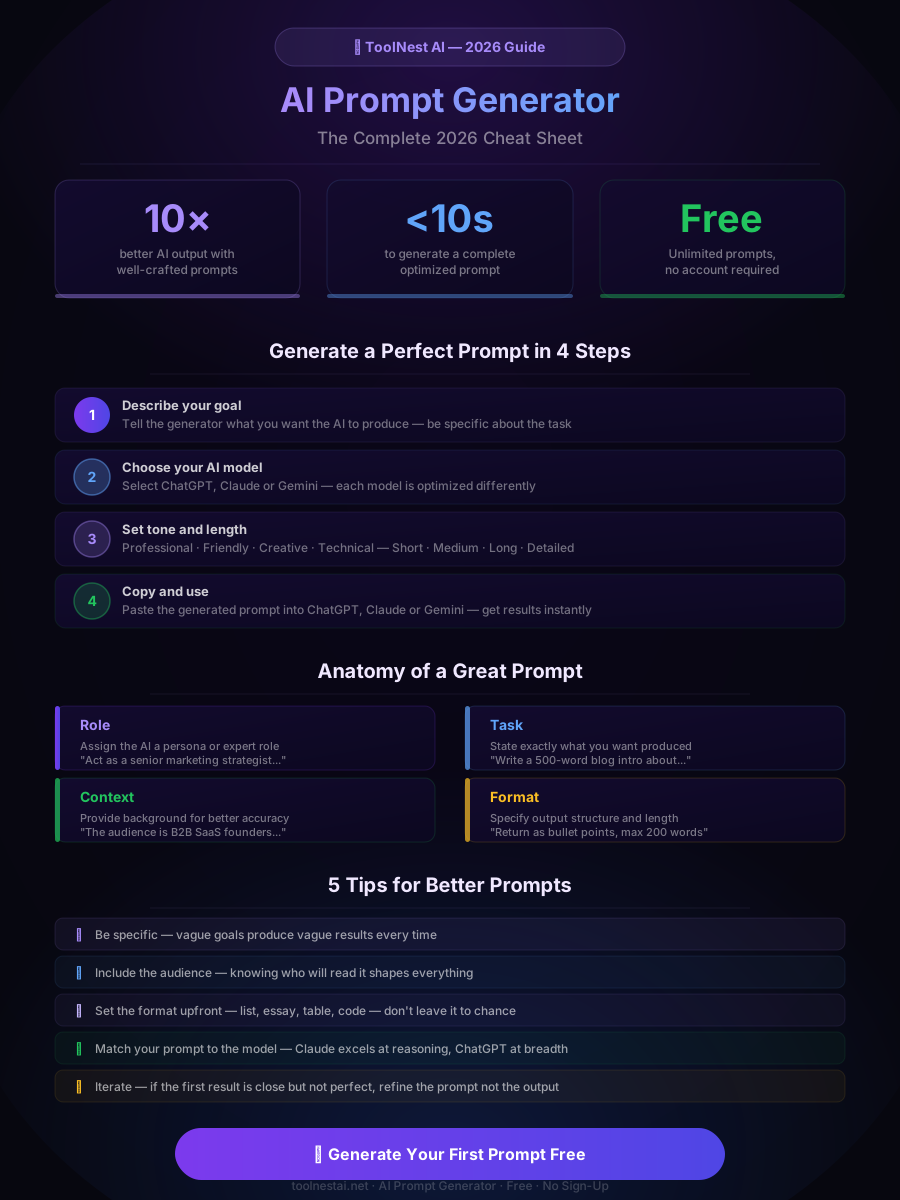
Understanding what goes into a good prompt helps you get the most from the generator. Every effective prompt contains four elements:
Role — Assign the AI a specific persona or expert identity. "Act as a senior UX designer" or "You are an experienced tax advisor" immediately shifts the register and depth of the response.
Task — State precisely what you want produced. Not "write about marketing" but "write a 400-word executive summary of our Q2 marketing results for the board."
Context — Provide background that shapes accuracy. Audience, industry, existing knowledge level, constraints, and purpose all belong here.
Format — Specify how the output should be structured. Bullet list, numbered steps, essay, table, code block, JSON — don't leave this to chance.
A prompt generator handles all four automatically based on your goal description. You don't need to think through each element — that's the point.
How to Use the AI Prompt Generator: Step by Step
ToolNest AI's free prompt generator is straightforward to use:
Step 1: Describe your goal In the requirements field, write what you want the AI to produce. You don't need to phrase it as a prompt — just explain your goal in plain language. "I want a professional cold email to a B2B prospect in the SaaS industry" works perfectly.
Step 2: Choose your AI model Select ChatGPT, Claude, or Gemini. Each model responds differently to prompt structure. ChatGPT handles breadth well. Claude excels at nuanced reasoning and long-form analysis. Gemini is strong at factual tasks and research synthesis. The generator optimizes the prompt structure for whichever you pick.
Step 3: Set your tone Choose from Professional, Friendly, Creative, or Technical. This calibrates the register of the generated prompt — and therefore the register of the AI's response.
Step 4: Choose output length Short, Medium, Long, or Detailed. This tells the generator how much depth to request in the final AI output.
Step 5: Click Generate Prompt The tool produces a complete, structured prompt in seconds. Review it — it should already be significantly more detailed and specific than anything you would have written manually.
Step 6: Copy and paste Copy the generated prompt and paste it directly into ChatGPT, Claude, or Gemini. The first response is usually on-target without further iteration.
Prompt Examples for ChatGPT, Claude and Gemini
Here are three examples of what the generator produces versus a basic prompt — one for each major AI model:
ChatGPT — Blog Content
Basic prompt: "Write a blog post about productivity."
AI-generated prompt: "You are a productivity coach who writes for a general audience of remote workers. Write a 700-word blog post titled '5 Productivity Habits That Actually Stick' — written in a warm, conversational tone with short paragraphs. Each habit should include a one-sentence explanation and a practical first step the reader can take today. End with a brief encouragement paragraph."
Claude — Business Analysis
Basic prompt: "Analyze our competitor."
AI-generated prompt: "You are a senior business strategist with expertise in competitive analysis. I will provide a company name and industry. Produce a structured competitive analysis covering: (1) core product differentiators, (2) pricing positioning, (3) target customer profile, (4) identified weaknesses, and (5) strategic threats to our business. Format as a structured report with headers. Keep each section to 3–5 bullet points. Be direct and avoid generic observations."
Gemini — Research Summary
Basic prompt: "Tell me about electric vehicles."
AI-generated prompt: "You are a research analyst writing for a business executive audience with no technical background. Provide a concise 500-word briefing on the current state of the electric vehicle market in 2026, covering: global adoption rates, the top three manufacturers by market share, key infrastructure challenges, and the single most important trend to watch in the next 12 months. Use plain language, avoid jargon, and cite specific figures where available."
The difference in output quality between these pairs is not subtle.
What Can You Generate Prompts For?
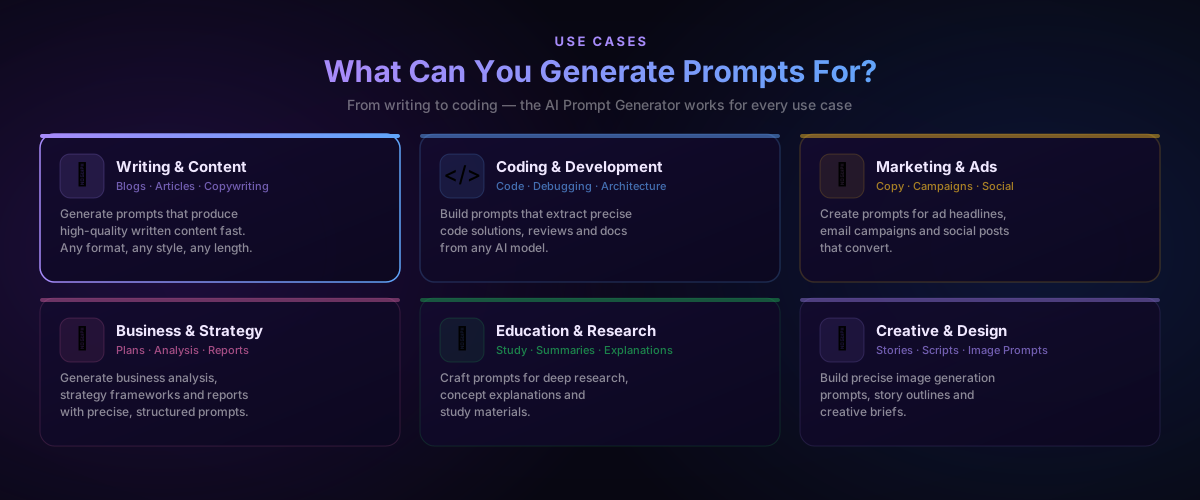
The prompt generator works across every major use case for AI tools:
Writing and content — Blog posts, articles, newsletters, landing page copy, product descriptions, press releases, social captions. Any written format benefits from a structured prompt.
Coding and development — Code generation, debugging assistance, architecture review, documentation writing, test case generation, code refactoring. Technical prompts need precision that basic phrasing rarely achieves.
Marketing and advertising — Ad headlines, email campaigns, value propositions, brand voice guidelines, campaign briefs, A/B test variants.
Business and strategy — Competitive analysis, SWOT frameworks, executive summaries, market research synthesis, strategic planning documents.
Education and research — Concept explanations, study guides, literature summaries, essay outlines, tutoring prompts for specific learning levels.
Creative and design — Story outlines, character development, image generation prompts for Midjourney or DALL-E, screenplay treatments, creative briefs.
Basic Prompting vs. AI-Generated Prompts
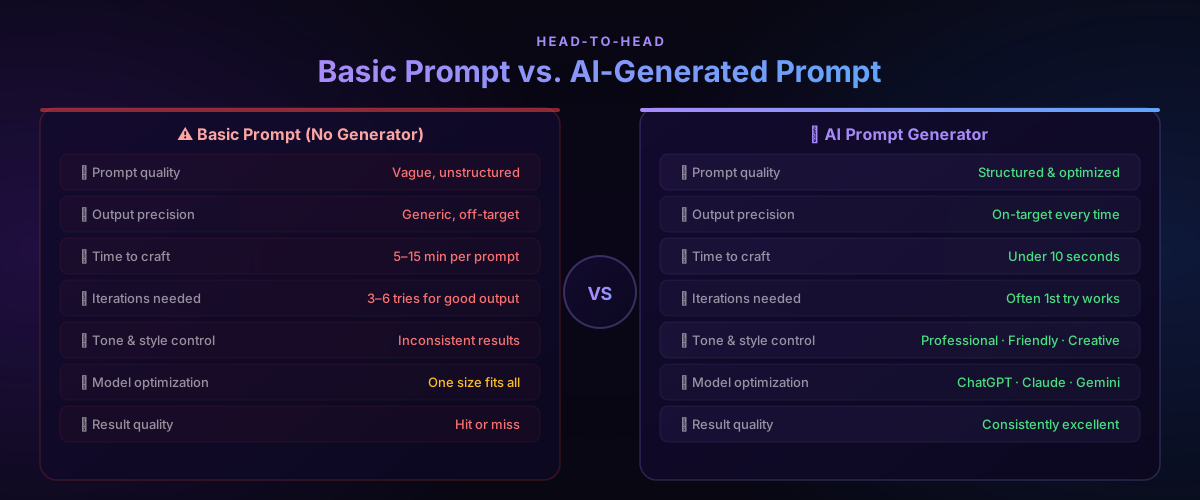
The productivity difference between basic and AI-generated prompts is significant across every metric that matters:
| Factor | Basic Prompt | AI-Generated Prompt |
|---|---|---|
| Prompt quality | Vague, unstructured | Structured and optimized |
| Output precision | Generic, off-target | On-target consistently |
| Time to craft | 5–15 min per prompt | Under 10 seconds |
| Iterations needed | 3–6 tries | Often first try works |
| Tone and style control | Inconsistent | Professional · Friendly · Creative · Technical |
| Model optimization | One-size-fits-all | ChatGPT · Claude · Gemini specific |
| Result quality | Hit or miss | Consistently excellent |
The time saving alone is significant. If you're using AI tools daily and spending 10 minutes per prompt on average, switching to a prompt generator recovers hours every week.
Pros and Cons
Pros
Immediate output improvement — The most direct benefit. Better prompts produce better AI outputs, and better outputs mean less time rewriting and iterating.
No prompt engineering expertise required — You don't need to learn role-framing, chain-of-thought techniques, or model-specific syntax. The generator handles it.
Model-specific optimization — ChatGPT, Claude, and Gemini respond to different prompt structures. The generator calibrates for whichever model you're using.
Tone and length control — Choosing Professional vs. Creative or Short vs. Detailed directly shapes the register and depth of the AI's response without you having to specify it in the prompt manually.
Free and unlimited — Generate as many prompts as you need without sign-up or usage limits.
Works for any use case — Writing, coding, research, marketing, creative work — the generator adapts to your description.
Cons
Relies on your goal description — The generator is only as specific as what you put in. A vague goal description produces a less targeted prompt. The more detail you provide upfront, the better the output.
Not a replacement for domain knowledge — The generator frames the prompt well, but you still need to review the AI's output with your own expertise. It optimizes the question, not the answer.
Prompts may need minor adjustment — For highly specialized or unusual tasks, the generated prompt is an excellent starting point that may need one or two manual tweaks before it's perfect.
Common Mistakes to Avoid
Describing the output instead of the goal. "Write a list" is an output format, not a goal. "I need to help my team understand the five biggest risks in our Q3 launch plan" is a goal. Describe the goal and let the generator handle the format.
Being too vague about the audience. "For business people" is not specific enough. "For non-technical marketing managers at mid-size B2B SaaS companies" gives the generator — and the AI — what it needs to calibrate the response correctly.
Ignoring the model selection. Using a ChatGPT-optimized prompt in Claude will usually still work, but you'll get better results when the prompt is calibrated for the model you're actually using.
Not reading the generated prompt before using it. The generated prompt is usually very good on the first pass, but spend 20 seconds reading it. You may spot something the generator couldn't know — a specific constraint, a tone nuance, or a piece of context that would improve it further.
Skipping iteration. If the first AI response is 80% of what you need, don't start over — refine the prompt to address the 20% gap and run it again. Pair the AI Prompt Generator with the AI Paraphrasing Tool to further refine any output that needs restructuring.
For a complete AI writing workflow: generate your prompt here → run it in your AI model → humanize the output with the AI Humanizer → grammar check with the AI Grammar Checker.
FAQ
What is an AI prompt generator and how does it work?
An AI prompt generator takes your plain-language goal description and converts it into a structured, optimized prompt for ChatGPT, Claude, or Gemini. It automatically applies prompt engineering best practices — role assignment, context framing, tone calibration, and output formatting — so you don't have to learn them manually.
Is the ToolNest AI Prompt Generator free?
Yes — completely free, no account required, and no daily usage limits. Describe your goal, choose your settings, generate, and copy. There are no paywalls or premium tiers.
Does the prompt generator work with ChatGPT, Claude and Gemini?
Yes. The generator optimizes the prompt structure specifically for each model. ChatGPT, Claude, and Gemini respond differently to prompt framing, and the tool accounts for those differences when generating your prompt.
How specific does my goal description need to be?
The more specific you are, the better the generated prompt. A one-sentence description works, but adding your audience, the purpose of the content, and any format requirements produces noticeably sharper results. Think of it as briefing a professional — the better the brief, the better the output.
Can I use the generated prompts commercially?
Yes. The prompts you generate are yours to use however you need — for client work, commercial content, business communications, or any other purpose.
What's the difference between a prompt generator and just asking ChatGPT to write a prompt?
Asking ChatGPT to write a prompt is itself a prompt engineering task — you still need to know how to ask for it well. A dedicated prompt generator is purpose-built for this task, optimized for specific models, and requires no prior knowledge of prompt engineering techniques to use effectively.
What types of content work best with the prompt generator?
The generator works well for any written output, code generation, research synthesis, business analysis, and creative content. Tasks that benefit most are those requiring a specific tone, audience awareness, or structured output format — which is most professional use cases.
Can I combine the AI Prompt Generator with other ToolNest AI tools?
Yes — and this is where the full workflow comes together. Generate your prompt here, run it in your AI model, then use the AI Humanizer to make the output sound natural, the AI Grammar Checker to clean up errors, and the AI Paraphrasing Tool if you need a different structure or tone.
Start Getting Better AI Results
The gap between what most people get from AI and what's actually possible comes down to one thing: prompt quality. Better prompts are not harder to write — they just need the right structure.
ToolNest AI's AI Prompt Generator builds that structure for you in under 10 seconds, free, with no sign-up required. Describe your goal, choose your model and tone, generate, and paste.
→ Generate Your First Prompt Free
Then complete your workflow: humanize the AI output with the AI Humanizer, polish it with the AI Paraphrasing Tool, and finalize with the AI Grammar Checker. Better inputs, better outputs, less time spent fixing both.
About the author
ToolNest AI Team
The ToolNest AI editorial team covers AI tools, productivity, and the future of online work.
Related Articles
AI Humanizer: Convert AI Text into Natural Human Writing (2026 Guide)
Learn how to humanize AI text instantly with a free AI humanizer. Make ChatGPT, Gemini and Copilot content sound natural, bypass AI detectors, and improve engagement.
AI Grammar Checker: Fix Grammar, Spelling and Writing Instantly (2026 Guide)
Discover how an AI grammar checker can fix grammar mistakes, spelling errors, punctuation issues and improve your writing style instantly — free and accurate.
AI Paraphrasing Tool: Rewrite Text Naturally Without Losing Meaning (2026 Guide)
Learn how to use a free AI paraphrasing tool to rewrite text naturally in seconds. Step-by-step guide, 5 paraphrase modes, best practices, common mistakes, and 8 expert FAQs.