AI Image Generator: Create Stunning AI Images in Seconds (2026 Guide)
Learn how to generate stunning AI images from text prompts in seconds. Compare Midjourney, DALL·E, Flux and try ToolNest AI Image Generator free — no sign-up required.
ToolNest AI Team
Author
Published
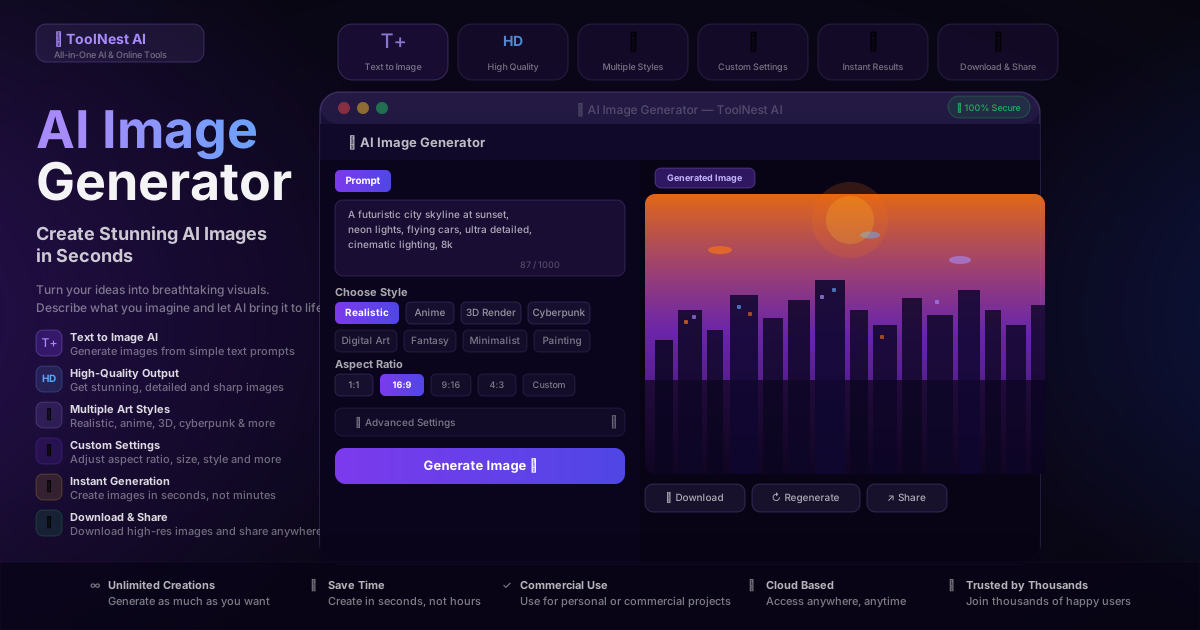
A photograph used to require a camera, a subject, and a skilled photographer. A painting required years of practice, expensive materials, and time. A 3D render required professional software costing thousands of dollars and weeks of technical work.
In 2026, you need a sentence.
Type what you want to see. Hit generate. In under fifteen seconds, a high-resolution image appears — photorealistic, stylized, or anything in between. The technical barrier that separated people who could create visual content from people who couldn't has effectively disappeared.
ToolNest AI Image Generator puts this capability directly in your browser — free to start, no account required, commercial use included.
Table of Contents
- What Is an AI Image Generator?
- How Text-to-Image AI Works
- Midjourney vs DALL·E vs Flux vs ToolNest: Full Comparison
- How to Generate AI Images: Step by Step
- How to Write Prompts That Actually Work
- Who Uses AI Image Generators?
- Art Styles Explained
- Pros and Cons
- Common Mistakes to Avoid
- FAQ
What Is an AI Image Generator?
An AI image generator is a tool that converts a text description — called a prompt — into a visual image. You describe what you want in plain language, and the AI produces an original image matching your description.
Modern AI image generators can produce photographs that look indistinguishable from camera shots, illustrations in any artistic style from oil painting to anime, 3D renders that would take a professional artist days to model, and abstract compositions that have no real-world equivalent.
The technology is built on diffusion models — AI systems trained on billions of image-text pairs that learn to associate visual concepts with language. When you type "a wolf howling at a full moon, oil painting, dramatic lighting," the model knows exactly what elements to combine, how to light the scene, and what brushstroke texture to apply.
The output is entirely original. It's not pulled from a database of existing images. The AI generates each pixel from scratch based on your description.
How Text-to-Image AI Works
The underlying process involves three stages:
Encoding your prompt — The model converts your text into a mathematical representation that captures the semantic meaning: objects, relationships, styles, moods, and qualities described.
Diffusion — The model starts from random noise and progressively refines it, guided by your prompt, into a coherent image. This is called the denoising process — each step removes noise while adding structure that matches the description.
Decoding — The refined representation is converted back into pixel values, producing the final image.
The quality and style of the output depend on the model's training data, its architecture, and how well your prompt describes what you want. This is why prompt writing is the primary skill that separates mediocre AI images from impressive ones — the same model can produce radically different results depending on how you phrase the same idea.
Midjourney vs DALL·E vs Flux vs ToolNest: Full Comparison
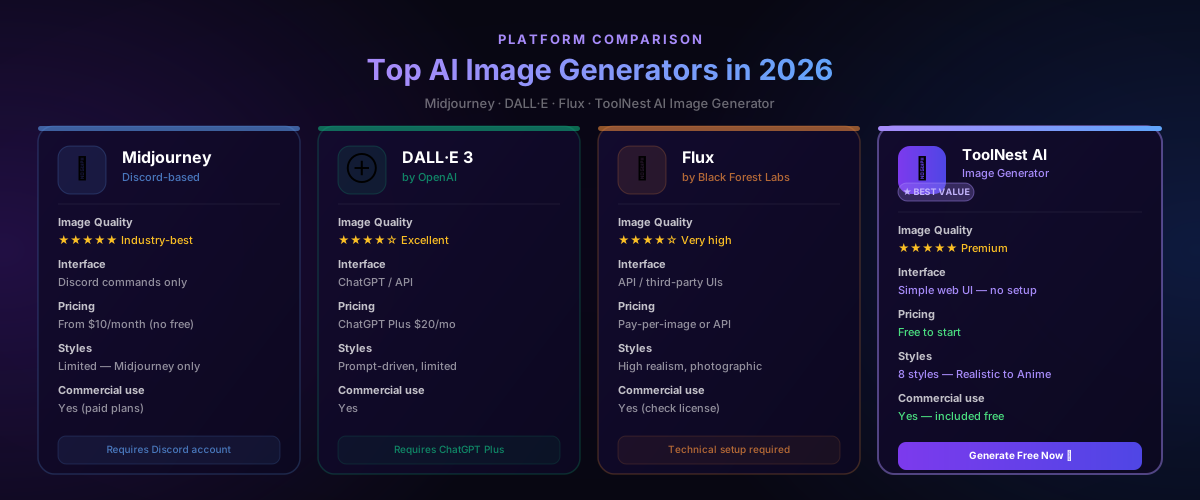
The AI image generation market has four major players in 2026. Each has a different character, interface, and pricing model.
| Feature | Midjourney | DALL·E 3 | Flux | ToolNest AI |
|---|---|---|---|---|
| Image quality | ★★★★★ Industry-best | ★★★★☆ Excellent | ★★★★☆ Very high | ★★★★★ Premium |
| Interface | Discord commands | ChatGPT / API | API / third-party | Simple web UI |
| Pricing | From $10/month | ChatGPT Plus $20/mo | Pay-per-image | Free to start |
| Art styles | Prompt-driven | Prompt-driven | Photorealistic | 8 preset styles |
| Aspect ratios | Yes | Limited | Yes | Yes — 1:1 to custom |
| Commercial use | Yes (paid) | Yes | Check license | Yes — included free |
| Setup required | Discord account | ChatGPT account | Technical API | None — open browser |
Midjourney produces the most aesthetically striking images of any tool currently available. Its default output has a distinctive painterly quality that works exceptionally well for concept art, fantasy, and artistic illustration. The downside is that it runs entirely through Discord — you type commands in a chat channel, which feels unintuitive if you've never used it. There is no free tier as of 2026.
DALL·E 3 (by OpenAI) is tightly integrated with ChatGPT, which makes it genuinely useful for iterative generation — you can describe what you want in natural conversation and refine through dialogue. Image quality is excellent, particularly for photorealistic output. Access requires a ChatGPT Plus subscription at $20/month.
Flux (by Black Forest Labs) is a newer model that produces extremely high-fidelity photorealistic images, outperforming DALL·E 3 in realism benchmarks. The limitation is that Flux doesn't have its own consumer interface — you access it through API or third-party tools, which adds friction.
ToolNest AI Image Generator combines clean web-based access with multiple style presets, custom aspect ratios, one-click download, and commercial use rights — free to start with no account required. The right choice for anyone who wants to generate images immediately without configuring Discord, paying for ChatGPT Plus, or navigating API documentation.
How to Generate AI Images: Step by Step
Getting your first image takes under two minutes.
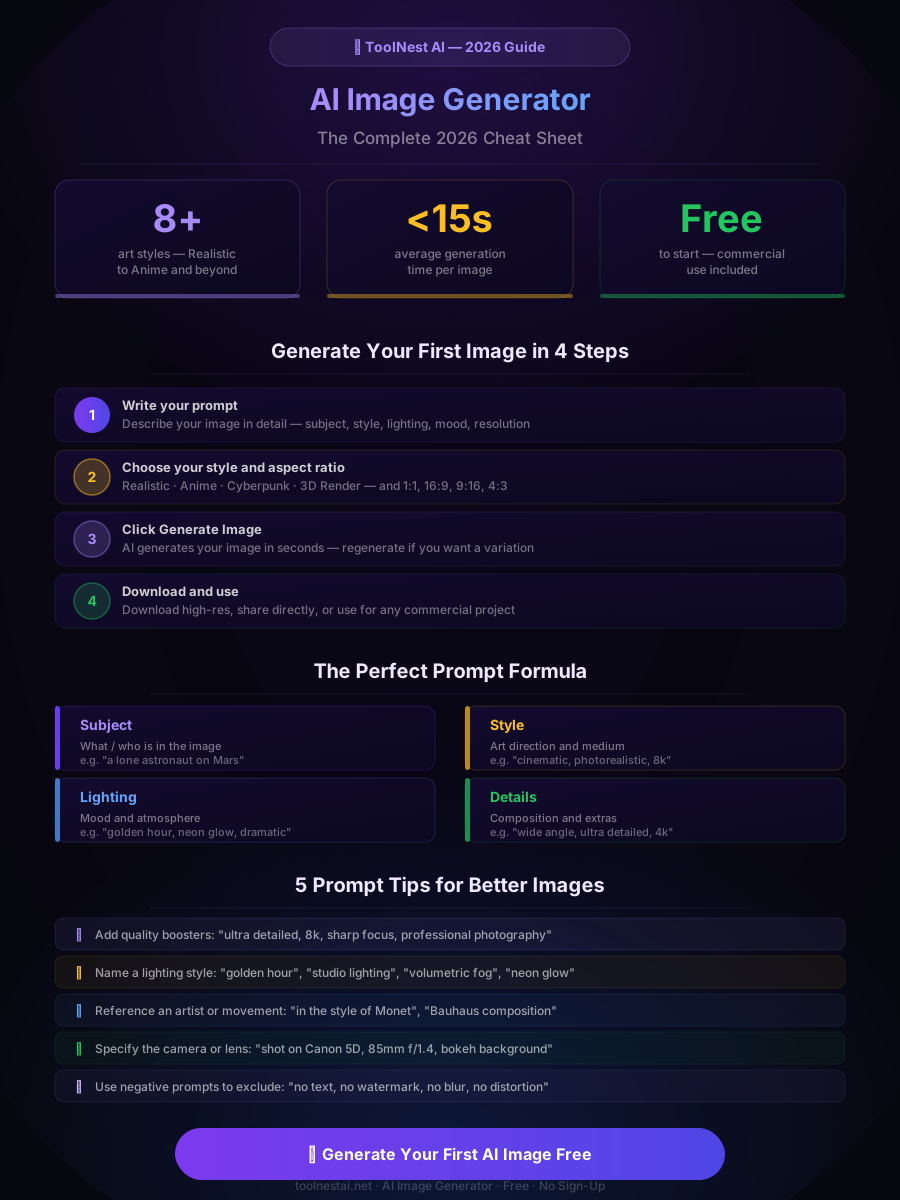
Step 1: Go to ToolNest AI Image Generator Open ToolNest AI Image Generator in your browser. No account, no credit card, no setup.
Step 2: Write your prompt In the prompt field, describe what you want to see. Be specific — the more detail you give, the more accurate the result. Start with the main subject, then add style, lighting, mood, and technical quality descriptors. The field accepts up to 1,000 characters.
Step 3: Choose your style Select from eight preset art styles: Realistic, Anime, 3D Render, Cyberpunk, Digital Art, Fantasy, Minimalist, or Painting. Each style applies a different visual treatment to the same prompt, so you can experiment quickly.
Step 4: Set your aspect ratio Choose from 1:1 (square, ideal for social media), 16:9 (landscape, ideal for banners and thumbnails), 9:16 (portrait, ideal for Stories and Reels), 4:3 (standard), or Custom dimensions.
Step 5: Click Generate Image The AI generates your image in under 15 seconds. Review the result — if it's close but not quite right, refine your prompt and regenerate.
Step 6: Download or share Click Download to save the high-resolution file. Click Share to get a direct link. The image is yours to use for any personal or commercial purpose.
Use the AI Prompt Generator to build more effective image prompts before you start, especially for complex or specific visuals.
How to Write Prompts That Actually Work
Prompt quality determines image quality more than any other factor. The same model produces dramatically different results depending on how clearly you communicate what you want.
The four-part prompt formula
Every strong image prompt has four components:
-
Subject — What or who is in the image. Be specific: not "a man" but "a middle-aged Japanese architect in a tailored suit, standing in an unfinished building at dusk."
-
Style — The visual treatment. Name an art movement, medium, or artist: "oil painting in the style of Rembrandt," "cyberpunk digital illustration," "Pixar 3D render," "editorial fashion photography."
-
Lighting — The mood and atmosphere. Lighting changes everything: "golden hour," "studio lighting with softboxes," "neon glow," "overcast diffused light," "dramatic chiaroscuro."
-
Technical quality — Resolution and sharpness signals: "8k resolution," "ultra detailed," "sharp focus," "professional photography," "hyperrealistic."
A working example:
Weak prompt: "a dog in a park"
Strong prompt: "a golden retriever sitting in Central Park at sunrise, professional pet photography, shallow depth of field, bokeh background, 85mm lens, golden hour lighting, ultra detailed, 8k"
The strong prompt gives the AI clear instructions on every visual dimension — subject, environment, time, photographic style, lens choice, lighting, and quality.
Quality booster words that reliably improve output:
ultra detailed·hyperrealistic·sharp focus·8k resolution·professional photographycinematic lighting·golden hour·volumetric fog·studio lightingtrending on ArtStation·award-winning photograph·National Geographic
Negative prompts — use these to exclude common problems:
no blur·no distortion·no watermark·no text·no extra limbs·no artifacts
Who Uses AI Image Generators?
The range of practical applications has expanded far beyond hobbyist use.
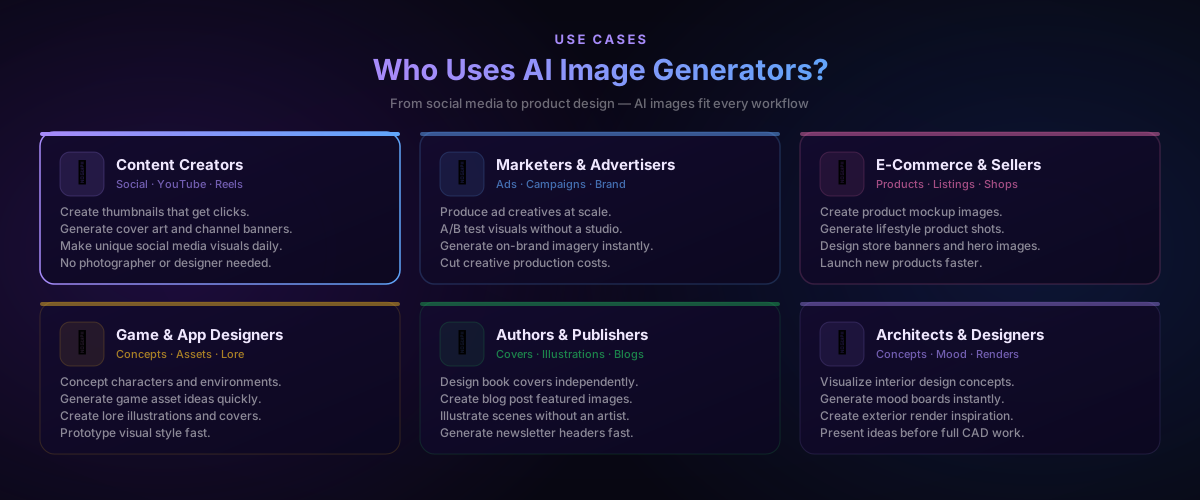
Content creators use AI image generators to produce thumbnails, cover art, and social media visuals without depending on photographers or designers. A YouTube thumbnail that would previously cost $50 and two hours of back-and-forth with a freelancer now takes 30 seconds.
Marketers and advertisers generate ad creative variants at a fraction of the cost of traditional production. A campaign that previously required a photoshoot, a studio, and a post-production team can now be prototyped in an afternoon and scaled to dozens of variants for A/B testing.
E-commerce sellers create product lifestyle imagery and store banners without sourcing models, renting studios, or hiring photographers. A single product can be shown in twenty different contexts — home office, outdoor, gifting — in the time it previously took to arrange one shoot.
Game and app designers use AI images to concept characters, environments, and UI styles before committing to final art direction. Rapid iteration at the concept stage saves weeks of artist time downstream.
Authors and publishers design book covers, generate scene illustrations, and create blog post featured images without commissioning illustrators for every project.
Architects and interior designers visualize concepts before producing full CAD models. A mood board that previously required sourcing stock images and hours of assembly is now generated directly from the design brief.
Art Styles Explained
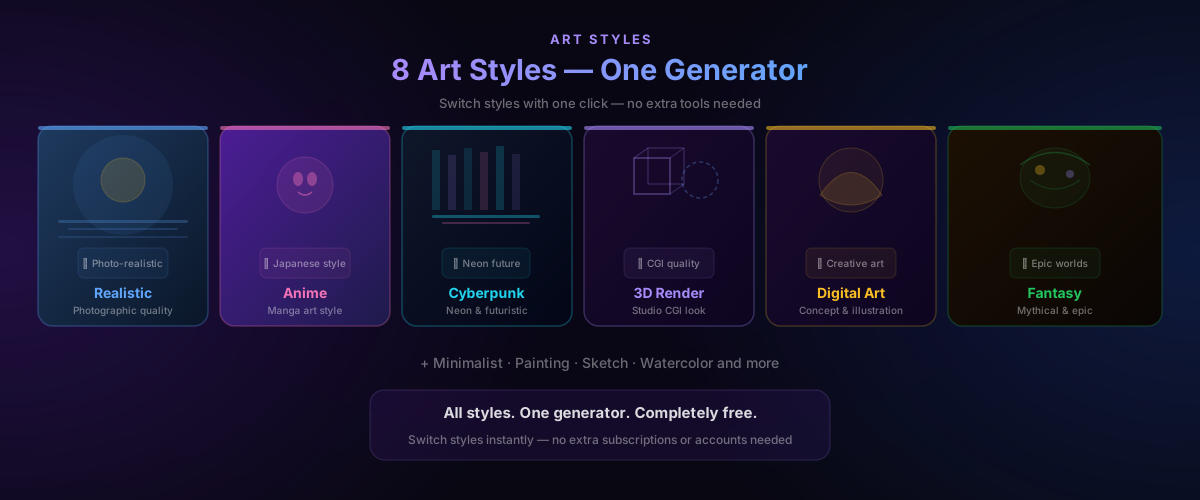
ToolNest AI Image Generator offers eight distinct style presets. Choosing the right one before generating saves multiple regeneration cycles.
Realistic — Photographic quality output that aims for indistinguishability from camera photography. The right choice for product shots, portraits, architectural visualization, and any use case where the image needs to look like it was captured, not illustrated.
Anime — Japanese animation art style with characteristic large eyes, expressive features, clean linework, and vibrant color. Ideal for character art, fan illustration, and any creative project referencing manga or animation aesthetics.
3D Render — Studio CGI quality with precise lighting, reflective surfaces, and dimensional depth. Matches the visual language of game art, product visualization, and animated film stills.
Cyberpunk — High-contrast neon palette, rain-soaked surfaces, dystopian architecture, and futuristic urban environments. The defining aesthetic for sci-fi projects, tech branding, and gaming visuals.
Digital Art — Concept art and illustration style with painted textures and creative composition. Bridges the gap between photorealism and illustration, popular for book covers, game concepts, and editorial use.
Fantasy — Epic environments, mythical creatures, and dramatic lighting drawn from high-fantasy illustration tradition. Ideal for game world-building, book covers, and storytelling visuals.
Minimalist — Clean geometry, limited palette, and purposeful negative space. The right choice for icon design, app mockups, presentation backgrounds, and brand visual assets.
Painting — Traditional fine art aesthetic — oil, watercolor, or acrylic simulation with visible brushwork and painterly texture. Used for artistic prints, editorial illustration, and any context where the handmade aesthetic adds value.
Pros and Cons
Pros
No creative barrier — Anyone with an idea can produce visual content. You don't need drawing skills, design software proficiency, or years of artistic training. The skill that matters is clear description.
Speed — An image that would take a professional illustrator days generates in seconds. For high-volume content production — thumbnails, social posts, ad variants — the time savings compound significantly.
Cost — Stock photography licensing, freelance illustration commissions, studio photography shoots — all of these have standard rates that add up fast. AI generation at scale costs a fraction of any alternative.
Commercial use included — ToolNest AI Image Generator includes commercial use rights from the start, without the licensing restrictions that apply to stock photography or commissioned work with ambiguous IP terms.
Unlimited experimentation — Because iteration is free and instant, you can explore directions you'd never commission from a freelancer. Generate 20 variations on a concept and pick the best — something not economically viable with traditional production.
Multiple styles in one tool — Switching from photorealism to anime to cyberpunk takes one click. No separate subscriptions, no different tools.
Cons
Prompt skill required — The output quality scales with prompt quality. Vague prompts produce generic images. Getting great results consistently requires learning prompt engineering — the formula and tips above accelerate this, but there's a learning curve.
Hands and fine details — Current diffusion models still struggle with hands, text, and very fine detail in complex compositions. If your image requires legible text or anatomically perfect hands, review carefully and regenerate as needed.
Not a replacement for all photography — For images requiring a specific person, a real location, or a product that actually exists, AI generation produces fictional stand-ins. Real photography is irreplaceable for genuine documentation.
Consistency across images — Generating multiple images that feature the same character or object consistently is still difficult. Each generation is independent, so maintaining visual consistency across a series requires careful prompt engineering and sometimes manual editing.
Common Mistakes to Avoid
Writing vague prompts. "A beautiful landscape" tells the AI almost nothing. Every landscape is beautiful according to someone. Specify the location, the time of day, the weather, the season, the artistic style, and the mood. The more specific the description, the more intentional the result.
Ignoring style and lighting. Most beginner prompts describe only the subject and forget that half the visual impact comes from how it's lit and rendered. Adding lighting descriptors ("golden hour," "studio softbox," "neon glow") and style references ("Impressionist painting," "editorial fashion photography") transforms generic output into something with visual character.
Not using the style presets. The preset styles are the fastest way to shift the entire aesthetic of an image. If your detailed prompt isn't producing the look you want, try switching the style before rewriting the prompt.
Accepting the first result. Click Regenerate. The same prompt produces different results each time — sometimes the second or third generation is significantly better than the first. For important outputs, generate three to five variations before deciding.
Forgetting aspect ratio. Generating a thumbnail at 1:1 when you need 16:9, or a phone wallpaper at 16:9 when you need 9:16, means the composition won't fit its destination correctly. Set the aspect ratio before generating.
Not reviewing hands and text. These are the most common failure points in current AI image generation. If your image contains hands or text, zoom in before using it. If either is distorted, regenerate with negative prompts excluding the problem.
For the most effective prompts, use the AI Prompt Generator to build detailed, structured descriptions before generating. Pair generated images with AI Chat to brainstorm concepts and refine directions before committing to generation.
FAQ
Is ToolNest AI Image Generator completely free?
Yes — free to start with no sign-up required. Open the tool, write your prompt, and generate your first image immediately. Commercial use is included.
Can I use AI-generated images for commercial projects?
Yes. Images generated with ToolNest AI Image Generator can be used for commercial purposes including advertising, product listings, social media, publications, and client work. Always review the terms for any specific commercial use case.
What is the best AI image generator for beginners?
ToolNest AI Image Generator is the most accessible option for beginners — no Discord account, no ChatGPT subscription, no API setup. Open the browser, write a description, pick a style, and generate. The style presets handle much of the visual decision-making automatically.
How do I get better results from AI image generators?
Write specific, detailed prompts using the four-part formula: subject + style + lighting + technical quality. Use the preset styles to set the overall aesthetic. Add quality boosters like "8k," "ultra detailed," and "sharp focus." Regenerate multiple times before settling on a result.
What is the difference between Midjourney and ToolNest AI Image Generator?
Midjourney runs through Discord and requires a paid subscription from $10/month. ToolNest AI Image Generator runs directly in your browser, is free to start, and requires no account. Midjourney produces industry-leading artistic quality — ToolNest delivers premium quality with far less friction and cost.
Can AI image generators create images with text in them?
AI image generators can attempt to include text, but current models frequently produce distorted or illegible characters. For images requiring specific legible text, generate the image without text and add it manually in a design tool like Canva or Figma.
What aspect ratios does ToolNest AI Image Generator support?
The tool supports 1:1 (square), 16:9 (landscape), 9:16 (portrait), 4:3, and custom dimensions. Choose the ratio that matches your intended use before generating — social media squares, YouTube banners, phone wallpapers, and website headers each have different optimal ratios.
Are AI-generated images copyrighted?
In most jurisdictions, AI-generated images without significant human creative authorship are not protected by copyright — they fall into the public domain. The legal landscape is evolving, so for high-stakes commercial use, review current guidance in your jurisdiction. ToolNest AI grants you commercial use rights to images you generate.
Turn Your Ideas Into Images — Free
The gap between imagination and visual output used to require years of training or thousands of dollars in freelance fees. It now requires a sentence and fifteen seconds.
ToolNest AI Image Generator is free, open in your browser, and produces premium-quality images in eight art styles across every standard aspect ratio. No Discord. No subscriptions. No setup.
→ Generate Your First AI Image Free
Once you have your image, complete your creative workflow: use the AI Prompt Generator to build better prompts for complex projects, AI Chat to brainstorm visual concepts, and the AI Grammar Checker to polish any copy that accompanies your visuals.
About the author
ToolNest AI Team
The ToolNest AI editorial team covers AI tools, productivity, and the future of online work.
Related Articles
AI Chat: The Complete Guide to AI Chatbots in 2026
Everything you need to know about AI chat in 2026. Compare ChatGPT, Claude and Gemini, learn how to get better responses, and try all top models free with ToolNest AI Chat.
AI Prompt Generator: Create Better AI Prompts for ChatGPT, Claude & Gemini (2026 Guide)
Learn how to use a free AI prompt generator to create optimized prompts for ChatGPT, Claude and Gemini. Step-by-step guide, prompt examples, tips and 8 FAQs.
AI Summarizer: Summarize Long Text, Articles and Documents in Seconds (2026 Guide)
Use a free AI summarizer to condense long articles, reports and documents into clear, accurate summaries instantly. Step-by-step guide, use cases, tips and 8 FAQs.