AI Chat: The Complete Guide to AI Chatbots in 2026
Everything you need to know about AI chat in 2026. Compare ChatGPT, Claude and Gemini, learn how to get better responses, and try all top models free with ToolNest AI Chat.
ToolNest AI Team
Author
Published
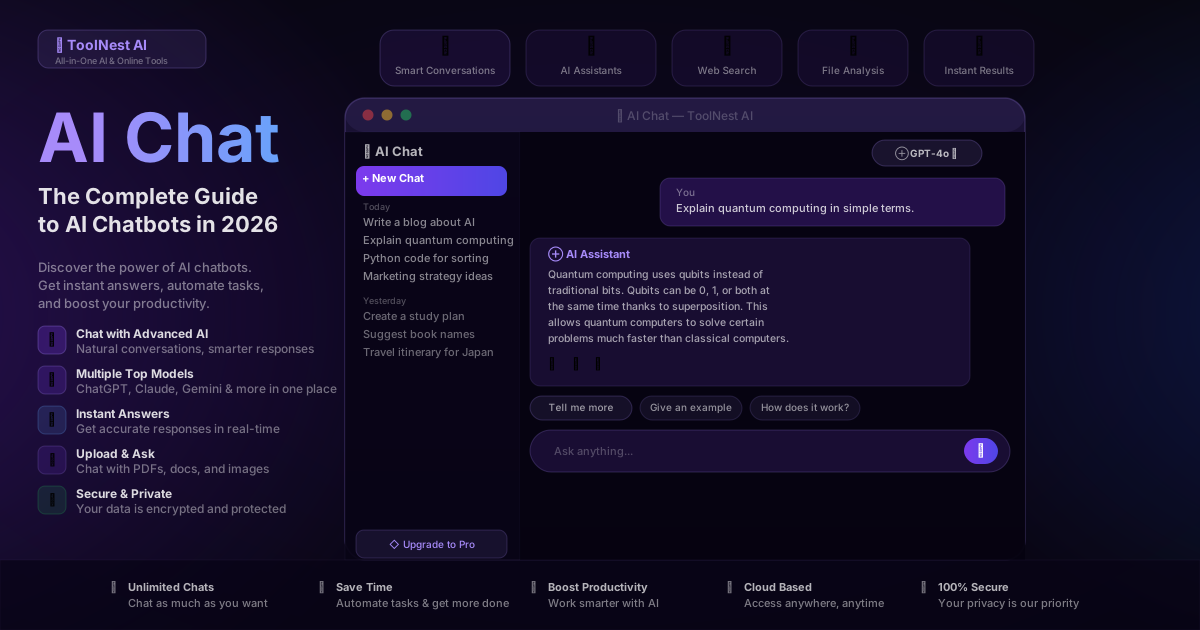
The way people find information, write, code, and solve problems has shifted. Search engines gave you links. AI chat gives you answers — written, specific, and ready to use.
In 2026, AI chatbots are no longer a novelty. They're the first tool millions of people open in the morning. Writers use them to overcome blank-page paralysis. Developers use them to debug faster than Stack Overflow ever allowed. Students use them to understand concepts their textbooks never explained clearly. Business teams use them to draft emails, analyze documents, and prepare for meetings.
The catch: the best AI models — GPT-4o, Claude, Gemini — live on separate platforms, each with its own login, pricing, and interface. Switching between them to find the right tool for the job is friction most people don't have time for.
ToolNest AI Chat puts every top model in one place, free to start, no account required.
Table of Contents
- What Is AI Chat?
- How AI Chatbots Work
- ChatGPT vs Claude vs Gemini: Which Is Best?
- How to Use AI Chat: Step by Step
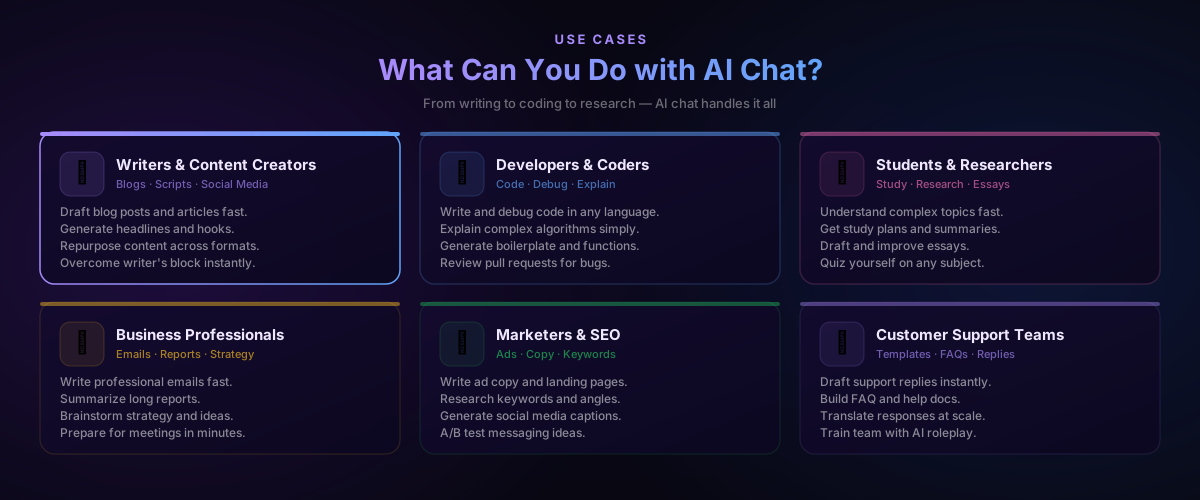
- What You Can Do with AI Chat
- Standalone Chatbots vs ToolNest AI Chat
- Pros and Cons
- Common Mistakes to Avoid
- FAQ
What Is AI Chat?
AI chat refers to conversation with a large language model — a system trained on vast amounts of text that can understand questions, follow instructions, generate content, and reason through problems in natural language.
Unlike a search engine that returns links, an AI chatbot synthesizes a direct answer. Unlike a static tool that runs a fixed function, a chatbot adapts: you can ask follow-up questions, refine its output, change the direction mid-conversation, or give it a role to play.
The practical result is a tool that behaves less like software and more like a knowledgeable colleague who never gets tired, never judges your question as too basic, and can switch from explaining recursion to drafting a resignation letter to summarizing a 40-page legal document without missing a beat.
Modern AI chat tools — GPT-4o, Claude Sonnet, Gemini Flash — are capable enough that the limiting factor is rarely the model. It's how clearly you describe what you need.
How AI Chatbots Work
AI chatbots are built on large language models (LLMs) — neural networks trained on enormous text datasets to predict what words come next given a context. Through a process called reinforcement learning from human feedback (RLHF), these models are further tuned to be helpful, honest, and safe in conversation.
When you type a message, the model processes the entire conversation history alongside your new input, generating a response token by token. The quality of the response depends on:
The model itself — its architecture, training data, and fine-tuning. GPT-4o, Claude Sonnet 4.6, and Gemini 2.0 Flash are the current leaders, each with different strengths.
The context you provide — how clearly you describe the task, what role you assign, how much background you give, and whether you provide examples.
The conversation history — most models use the full conversation as context. The more relevant context you've built up, the more focused the responses become.
This is why prompt quality matters. The model isn't guessing what you want — it's generating the most likely continuation of the conversation you've created. Give it a vague prompt, and you get a vague response. Give it a precise one, and it can produce output that would take a skilled human hours.
ChatGPT vs Claude vs Gemini: Which Is Best?
There is no single winner. Each model has a different character and different strengths.
| Feature | ChatGPT (GPT-4o) | Claude (Sonnet 4.6) | Gemini (2.0 Flash) | ToolNest AI Chat |
|---|---|---|---|---|
| Best for | Coding, analysis, images | Writing, long docs, nuance | Search, Google apps | All of the above |
| Context window | 128k tokens | 200k tokens | 1M tokens | All models |
| Image generation | Yes (DALL·E) | No | Yes (Imagen) | Per model |
| File upload | Yes (paid) | Yes | Yes | Free |
| Real-time web | Yes | No | Yes | Per model |
| Free tier | Limited | Limited | Yes | Yes |
| Switch models | New tab needed | New tab needed | New tab needed | One click |
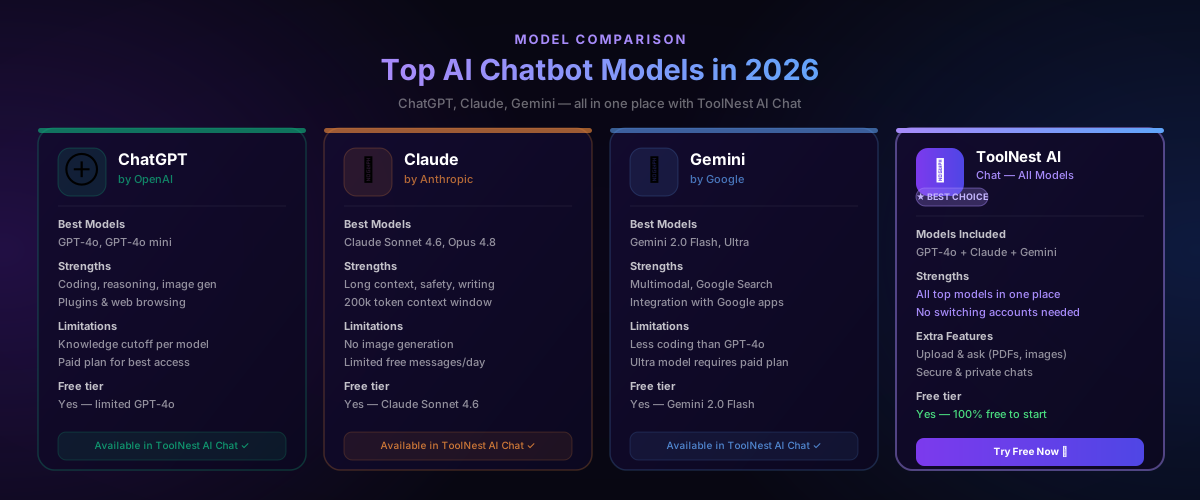
GPT-4o is the most versatile general-purpose model. Its coding ability is consistently ranked highest, it handles image analysis, and it supports a wide range of plugins and tools. If you're unsure which model to start with, GPT-4o handles most tasks well.
Claude Sonnet 4.6 is the writer's model. Its responses feel more nuanced, less corporate, and it handles very long documents better than any competitor. The 200k token context window means it can read and reason over a full novel, an entire codebase, or a stack of PDFs in a single conversation.
Gemini 2.0 Flash is the Google model, and its superpower is integration with Google Search and Google Workspace. When a task requires real-time information — current prices, recent news, live data — Gemini has a structural advantage. It also has the largest free context window at 1 million tokens.
The honest answer for most users: try all three on your specific task and pick the one that delivers the best result. With ToolNest AI Chat, switching between them takes one click.
How to Use AI Chat: Step by Step
Getting started takes under a minute.
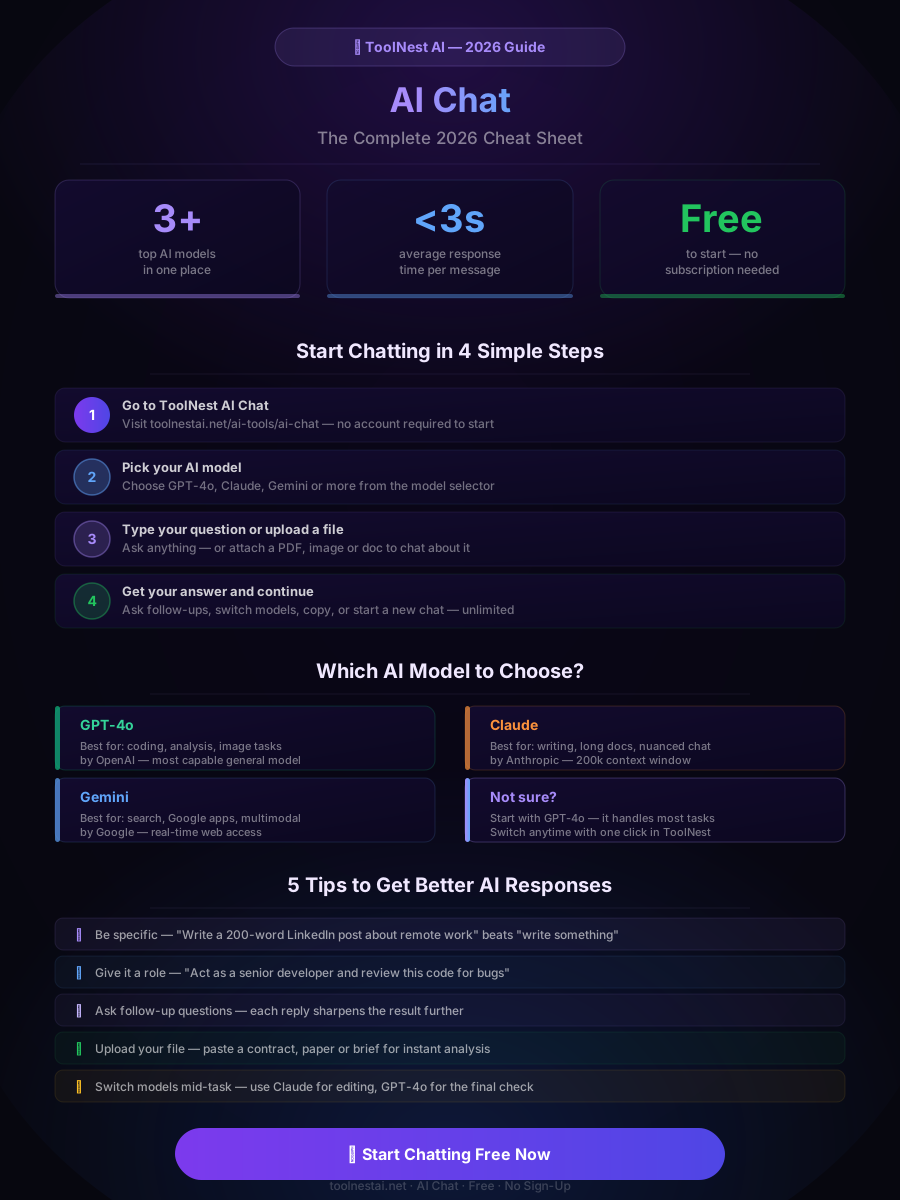
Step 1: Open ToolNest AI Chat Go to ToolNest AI Chat. No account required to start your first conversation.
Step 2: Choose your model Click the model selector in the top right. Start with GPT-4o if you're unsure — it handles most tasks reliably. Switch to Claude for writing-heavy tasks or long documents.
Step 3: Write your first message Be specific. Instead of "write an email," try "write a professional follow-up email to a client who hasn't responded in two weeks, friendly but direct, under 100 words." The more context you give, the closer the first response will be to what you actually want.
Step 4: Upload a file if needed Click the attachment icon to upload a PDF, Word document, spreadsheet, or image. The AI will read it and you can ask questions about it directly: "What are the three main obligations in this contract?" or "Summarize this report for a non-technical audience."
Step 5: Continue the conversation Ask follow-up questions. Tell the AI what to change. Request a different format. The conversation history is the context — each exchange makes the responses more precise for your specific need.
Step 6: Copy and use Click copy to grab the response. Paste it directly into your doc, email, or project. For formal output, run it through the AI Grammar Checker before sending.
What You Can Do with AI Chat
The range of tasks AI chat handles is wider than most people realize when they first start.
Writing and content creation — Blog posts, social media captions, email newsletters, ad copy, scripts, cover letters, product descriptions. The AI can draft, edit, restructure, or simply give you a starting point to work from.
Coding and development — Write functions in any language, debug existing code, explain how a piece of code works, generate unit tests, convert code between languages, or review a pull request for potential bugs. GPT-4o is particularly strong here.
Research and learning — Get explanations of complex topics at any level of detail, ask for analogies that make abstract concepts concrete, request book or resource recommendations, or have a Socratic dialogue that helps you think through a problem.
Document analysis — Upload a contract and ask for a plain-English summary of obligations and risks. Upload a research paper and ask for the three key findings. Upload a financial report and ask what the numbers mean for the business.
Brainstorming — Generate 20 headline ideas in 30 seconds. Get ten angles on a marketing problem. List the objections a client might raise and draft responses to each. AI chat is the fastest brainstorming partner available.
Customer support drafting — Write response templates for common support queries, translate responses for international customers, or draft FAQ content from a list of common questions.
Standalone Chatbots vs ToolNest AI Chat
If you use AI chat regularly, the subscription math adds up fast. ChatGPT Plus is $20/month. Claude Pro is $20/month. Gemini Advanced is $20/month. Using all three — which is what you need to get the best results for different tasks — costs $60/month, plus the friction of three separate logins and interfaces.
| Factor | Standalone Chatbots | ToolNest AI Chat |
|---|---|---|
| Account access | Separate login per chatbot | One login, all models |
| Models available | One model per platform | GPT-4o, Claude, Gemini + |
| Cost | Multiple paid subscriptions | Free to start |
| File upload | Often paywalled | Free |
| Privacy | Varies by provider | Encrypted and private |
| Switch models | Open a new tab | One click |
| Extra tools | None — chat only | 200+ tools on ToolNest AI |
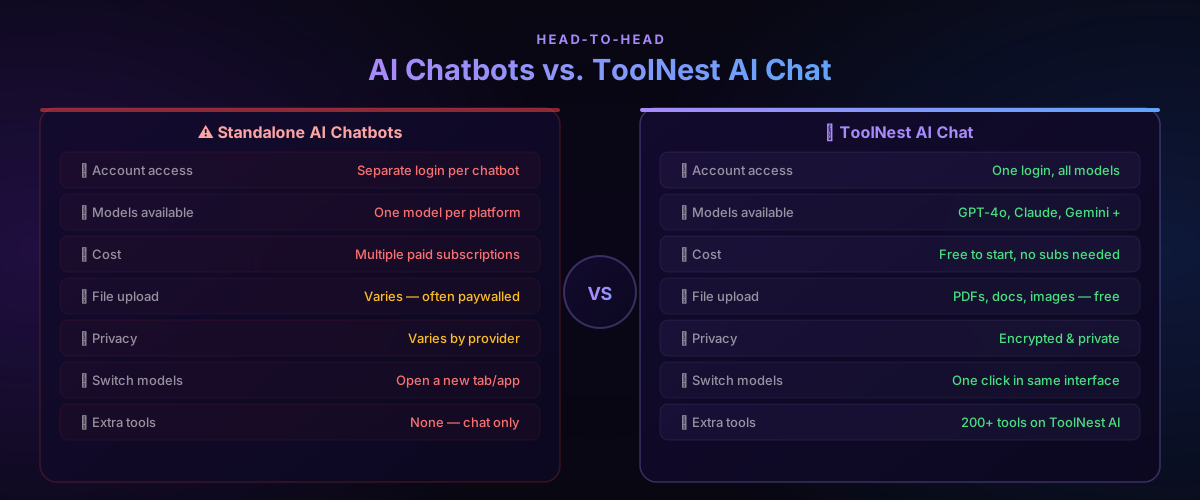
ToolNest AI Chat solves the fragmentation problem. One interface, all models, free to start. When you need to summarize a document, check grammar, or paraphrase content, those tools are a click away in the same platform — no tab-switching required.
Pros and Cons
Pros
Instant, specific answers — Instead of scanning five search results and piecing together an answer, you get a direct response calibrated to your exact question. The speed difference is significant for anyone doing research or problem-solving daily.
Adapts to any task — The same tool that writes your marketing copy also debugs your Python, explains your contract, and plans your travel itinerary. No specialized software required.
Multiple world-class models in one place — Accessing GPT-4o, Claude, and Gemini through a single interface without managing multiple subscriptions removes the biggest barrier to using the right model for the right job.
File analysis without extra tools — Upload a PDF, image, or document and ask questions about it directly. This replaces entire workflows that previously required specialized software.
Iterative refinement — The conversational format means you can improve output through dialogue. "Make it shorter," "use a more formal tone," "add a specific example about X" — the AI responds to direction the way a collaborator does.
No account required to start — Open ToolNest AI Chat and start your first conversation immediately. No email, no credit card, no onboarding flow.
Cons
Knowledge cutoff — Most models have a training data cutoff date. For current events, real-time prices, or live data, Gemini (with web search) is more reliable than GPT-4o or Claude without web access enabled.
Confidently wrong — AI models can generate plausible-sounding information that is factually incorrect. This is called hallucination. For any output that will be published, shared with clients, or used for decisions, verify facts from primary sources.
Quality depends on prompt quality — Vague inputs produce vague outputs. Getting the best from AI chat requires learning to write clear, specific prompts. The tips section below covers this.
Long responses need review — For longer outputs like full articles or detailed analyses, the quality can drift in the middle or end sections. Read through and edit rather than using AI output verbatim.
Common Mistakes to Avoid
Being too vague. "Write something about productivity" is a poor prompt. "Write a 300-word LinkedIn post about why deep work beats multitasking, aimed at managers, with a specific example from a study" is a good one. Specificity drives quality.
Not using the conversation. Most people send one message and accept the first response. The best results come from dialogue: ask for changes, request a different approach, add missing context. Three rounds of refinement often produce something genuinely useful.
Trusting facts without checking. AI chatbots can state incorrect information with complete confidence. If a response includes a statistic, date, person's name, or specific claim that matters, verify it. Use the AI for drafting and thinking, not as a source of record.
Using the wrong model for the task. GPT-4o for a 50-page document analysis will hit context limits and cost more than using Claude with its 200k window. Gemini for a creative writing task won't outperform Claude. Knowing each model's strengths — and being able to switch with one click — matters.
Skipping the system role. Telling the AI who it is changes the output significantly. "You are a senior copywriter specializing in B2B SaaS" produces better marketing copy than the same prompt with no context. "You are a skeptical editor — find the weakest arguments in this essay" produces better critique than "review this essay."
Treating it as a one-shot tool. The value compounds over a conversation. Build context, give feedback, refine. Think of it less as a vending machine (insert prompt, get output) and more as a working session with a capable assistant who needs direction.
Use the AI Prompt Generator to build better prompts before you start — especially for complex or recurring tasks.
FAQ
Is ToolNest AI Chat completely free?
Yes — free to start with no account required. Open the tool, choose your model, and begin chatting immediately. Advanced features and higher usage limits are available for registered users.
Which AI model should I use for coding?
GPT-4o is consistently the strongest model for coding tasks — writing functions, debugging, explaining code, and generating tests. Claude is a strong second choice for code review and explanation, particularly when you need nuanced reasoning about architecture decisions.
Can I upload files to AI Chat?
Yes. ToolNest AI Chat supports file uploads including PDFs, Word documents, spreadsheets, and images. After uploading, ask any question about the file's content — the AI reads it and responds based on what it finds.
Is my conversation private and secure?
Yes. ToolNest AI Chat uses encrypted connections and does not use your conversations to train AI models. Your data is not shared with third parties.
What is the difference between ChatGPT, Claude and Gemini?
GPT-4o (by OpenAI) excels at coding, analysis, and image understanding. Claude (by Anthropic) excels at writing, long documents, and nuanced conversation with a 200k token context window. Gemini (by Google) excels at real-time web search and integration with Google Workspace. All three are available in ToolNest AI Chat.
How do I get better responses from AI chat?
Be specific about what you want, give the AI a role or persona, provide relevant context, and use follow-up messages to refine the output. For consistent results on recurring tasks, use the AI Prompt Generator to build reusable prompts.
Can I use AI chat for professional or commercial work?
Yes. Content and code generated through ToolNest AI Chat can be used for professional and commercial purposes. For published or client-facing work, review and edit the output before using it — run final text through the AI Grammar Checker for a clean result.
Is AI chat a replacement for Google Search?
For factual lookups requiring current information — today's news, live prices, recent events — search engines remain more reliable. For tasks requiring synthesis, generation, analysis, or explanation, AI chat is significantly faster and more useful. Most heavy users use both: search for facts, AI chat for thinking and creating.
One Interface. Every AI Model. Free.
The best AI model for your task changes depending on what you're doing. GPT-4o for code. Claude for long documents and writing. Gemini for anything requiring live web data. Switching between three separate platforms — with three separate subscriptions and logins — is a productivity tax you shouldn't have to pay.
ToolNest AI Chat puts all of them in one place, free to start, with no account required. Ask your first question in under a minute.
Once you have your output, complete the workflow: clean it up with the AI Grammar Checker, make it sound more natural with the AI Humanizer, and condense source material with the AI Summarizer.
About the author
ToolNest AI Team
The ToolNest AI editorial team covers AI tools, productivity, and the future of online work.
Related Articles
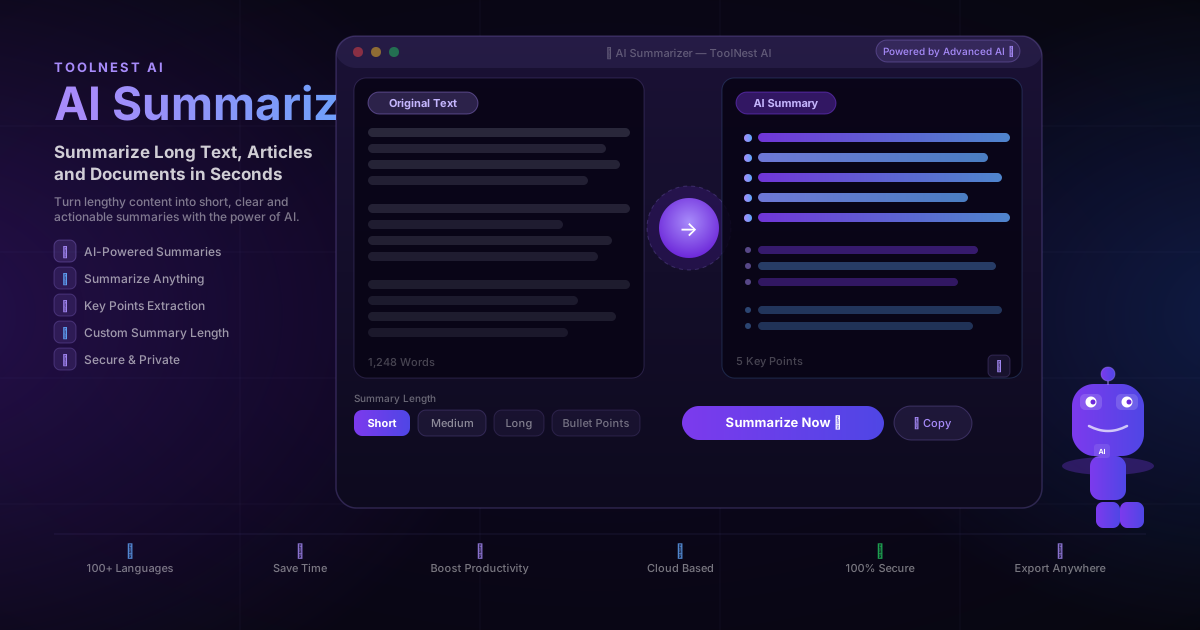
AI Summarizer: Summarize Long Text, Articles and Documents in Seconds (2026 Guide)
Use a free AI summarizer to condense long articles, reports and documents into clear, accurate summaries instantly. Step-by-step guide, use cases, tips and 8 FAQs.
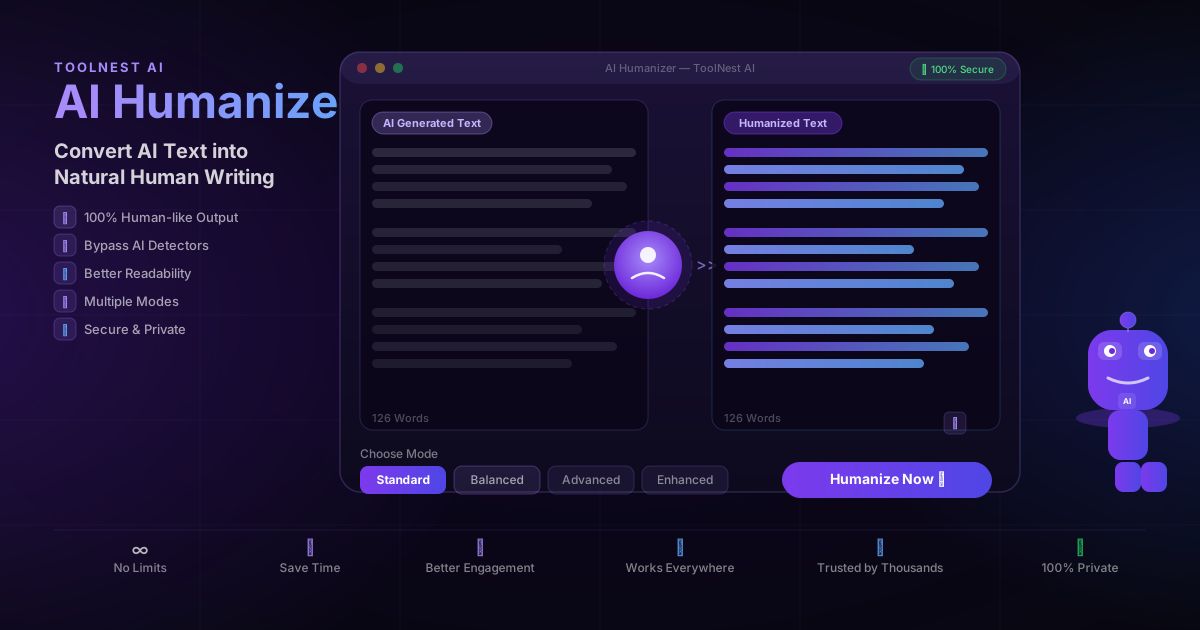
AI Humanizer: Convert AI Text into Natural Human Writing (2026 Guide)
Learn how to humanize AI text instantly with a free AI humanizer. Make ChatGPT, Gemini and Copilot content sound natural, bypass AI detectors, and improve engagement.
AI Prompt Generator: Create Better AI Prompts for ChatGPT, Claude & Gemini (2026 Guide)
Learn how to use a free AI prompt generator to create optimized prompts for ChatGPT, Claude and Gemini. Step-by-step guide, prompt examples, tips and 8 FAQs.