AI Humanizer: Convert AI Text into Natural Human Writing (2026 Guide)
Learn how to humanize AI text instantly with a free AI humanizer. Make ChatGPT, Gemini and Copilot content sound natural, bypass AI detectors, and improve engagement.
ToolNest AI Team
Author
Published
AI writing tools have become a standard part of how people work. ChatGPT drafts emails. Gemini outlines reports. Copilot fills in blog posts. The productivity gains are real — but so is the problem: AI-generated text has a recognizable pattern, and readers, editors, and detection tools notice it.
Robotic sentence structures. Predictable transitions. A flatness that makes content feel like it was assembled rather than written. The ideas might be solid, but the delivery undermines them.
An AI humanizer fixes this. It takes AI-generated content and rewrites it to read the way a person actually writes — with varied sentence rhythm, natural flow, and genuine voice. This guide explains exactly how that works, who benefits most, and how to use it effectively.
Table of Contents
- What Is an AI Humanizer?
- Why AI Text Sounds Robotic
- How an AI Humanizer Works
- The 4 Humanization Modes Explained
- How to Humanize AI Text: Step by Step
- Who Benefits Most?
- Raw AI Text vs. Humanized AI Text
- Pros and Cons
- Common Mistakes to Avoid
- FAQ
What Is an AI Humanizer?
An AI humanizer is a tool that rewrites AI-generated text to make it read naturally — the way a real person writes. It addresses the structural and stylistic patterns that make AI content immediately recognizable: the uniform sentence length, the over-formal vocabulary, the predictable paragraph rhythm.
The goal is not to remove all signs of AI — it's to produce content that reads with authenticity, engages readers, and passes both human judgment and AI detection tools.
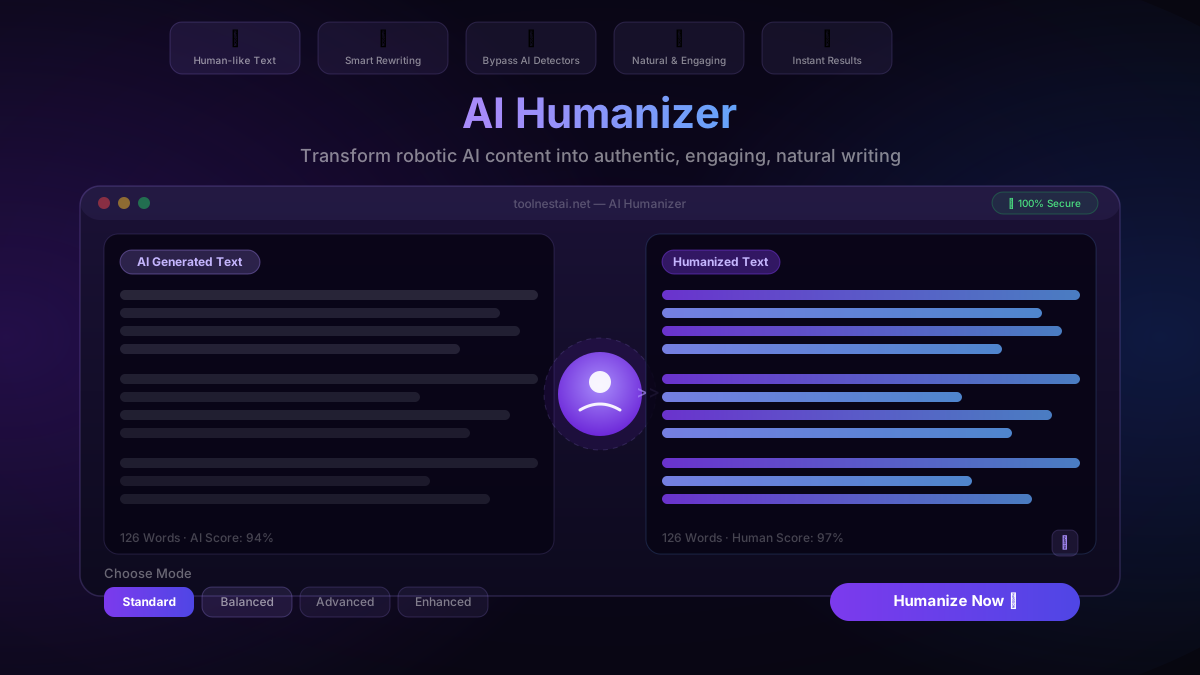
ToolNest AI's free humanizer offers four modes — Standard, Balanced, Advanced, and Enhanced — so you can match the intensity of the rewrite to your actual needs, whether that's a light polish for a blog post or a full transformation for high-stakes professional content.
Why AI Text Sounds Robotic
Understanding the problem helps you use the solution more effectively. AI language models generate text by predicting statistically likely word sequences. This produces outputs that are grammatically correct but stylistically mechanical.
Uniform sentence length. Human writers naturally mix short punchy sentences with longer explanatory ones. AI models tend toward a consistent middle length — readable but monotonous.
Predictable transitions. Phrases like "It is important to note," "In conclusion," and "Furthermore" appear constantly in AI output because they're statistically common in training data. No human writer actually writes that way.
Over-formal register. AI defaults to a slightly formal, distant tone. Even when asked to "write conversationally," most models still produce text that feels drafted rather than said.
Lack of specific detail. Human writers include concrete examples, personal observations, and specific numbers. AI output tends toward the general, filling space without adding texture.
Repetitive structure. The same subject-verb-object pattern, repeated paragraph after paragraph, with similar sentence openers. It's readable — but it doesn't feel alive.
How an AI Humanizer Works
A humanizer doesn't just run a find-and-replace on transition words. It processes your text through a model trained specifically to rewrite content with natural language variation. This includes:
- Sentence restructuring — breaking up long sentences, combining short ones, varying how clauses are arranged
- Vocabulary variation — replacing formal or repetitive word choices with more natural alternatives
- Tone adjustment — shifting from the neutral, distant register of AI output toward a warmer, more direct voice
- Rhythm improvement — varying the pace of writing so it doesn't feel like a metronomic march of uniform sentences
- Transition naturalizing — replacing AI-typical phrases with the kind of connective tissue real writers use
The result reads like content that was drafted by a person — even when the ideas originally came from an AI tool.
The 4 Humanization Modes Explained
ToolNest AI's humanizer offers four modes, each calibrated for different use cases and different levels of change.
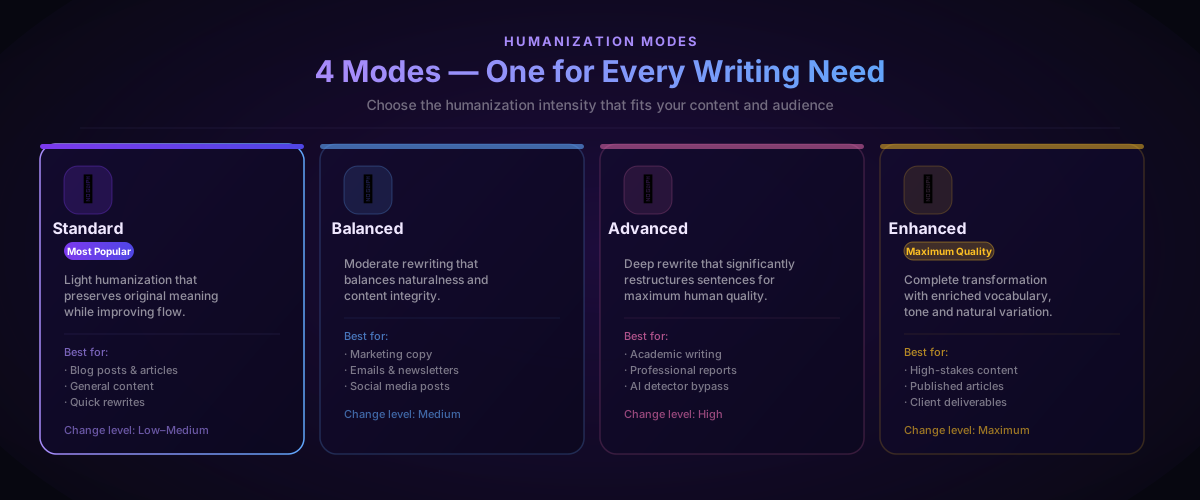
Standard applies light humanization. Sentence structure is preserved, vocabulary is gently varied, and flow is improved without significantly changing the meaning or structure of your content. Best for blog posts, general articles, and content where you mostly want to smooth out the robotic edges.
Balanced applies moderate rewriting. More sentences are restructured, transitions are reworked, and tone is warmed up noticeably. This is the right mode for marketing copy, email newsletters, and social content where engagement matters.
Advanced applies deep restructuring. Sentences are significantly rephrased, vocabulary is enriched, and the output reliably passes most AI content detectors. Best for academic writing, professional reports, and any context where the content needs to stand up to closer scrutiny.
Enhanced applies the maximum level of transformation. The entire text is reworked with enriched vocabulary, varied rhythms, natural specificity, and a genuine human voice. Use this for client deliverables, published articles, and anything where quality is non-negotiable.
The rule of thumb: start with Standard. If the output still reads mechanically or fails a detection check, step up to Advanced or Enhanced.
How to Humanize AI Text: Step by Step
Using ToolNest AI's free humanizer takes under a minute:
Step 1: Paste your AI-generated text Copy the output from ChatGPT, Gemini, Copilot, Claude, or any other AI tool and paste it into the input field. The tool handles any length — short emails, full articles, or anything in between.
Step 2: Choose your humanization mode Select the mode that fits your use case. If you're unsure, start with Standard and upgrade if the first result isn't natural enough.
Step 3: Click Humanize Now The AI rewrites your content in seconds, applying the selected mode across the full text. Grammar, meaning, and factual content are preserved — only the style and structure change.
Step 4: Review the result Read the humanized output. If it reads naturally and fits your voice, you're done. If specific sections still feel stiff, you can humanize those sections separately at a higher mode.
Step 5: Copy and use One click copies the humanized text to your clipboard. Paste it into your document, email, or publishing tool — no formatting is lost.
For best results, follow up with the AI Grammar Checker to catch any grammar issues introduced during rewriting. The two tools work together as a complete writing cleanup pipeline.
Who Benefits Most?
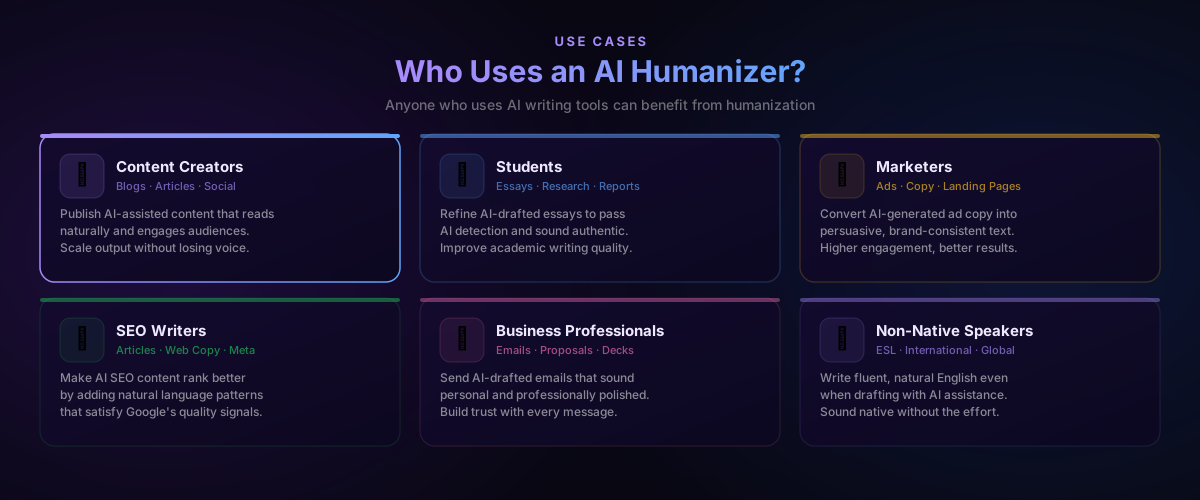
AI humanizers aren't just for one type of writer. Six groups in particular see the biggest gains:
Content creators and bloggers who use AI tools to scale output but need the final content to read like it came from a person. Humanizing before publishing protects audience trust and engagement.
Students who draft essays and reports with AI assistance and need the final version to sound authentic and pass AI detection tools used by academic institutions.
Marketers and copywriters who generate AI-drafted ad copy, landing pages, and email sequences at speed but need the output to be persuasive and brand-consistent — not generic.
SEO writers who produce high volumes of AI-assisted content and need it to satisfy Google's quality signals. Natural language patterns help ranking; robotic AI patterns hurt it.
Business professionals who draft emails, proposals, and client communications with AI help but need the final version to sound personal, warm, and professionally polished.
Non-native English speakers who write confidently in English with AI assistance but need a final pass to ensure the content sounds native rather than translated.
Raw AI Text vs. Humanized AI Text
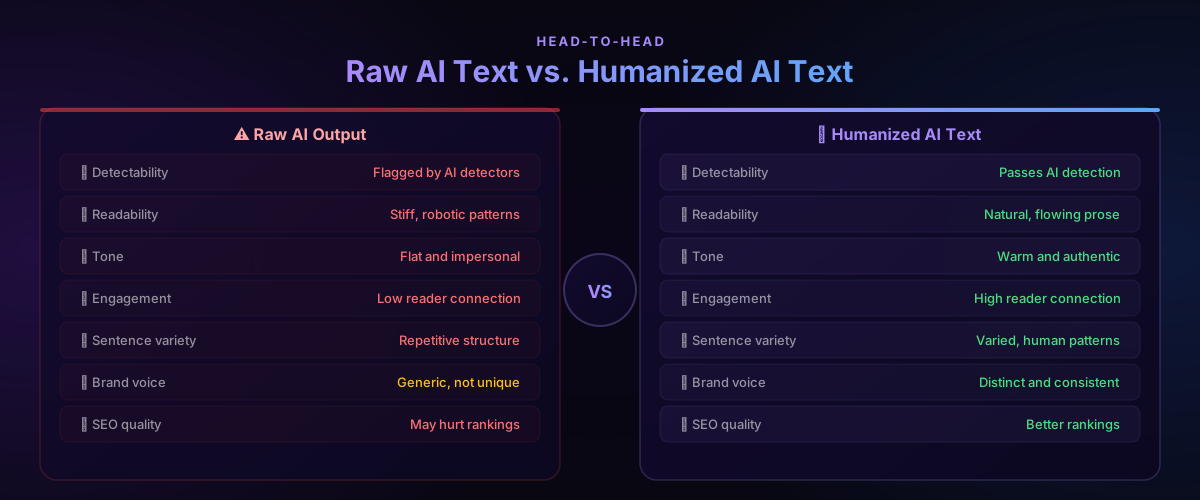
The difference between unprocessed AI output and humanized content is significant across every quality dimension that matters:
| Factor | Raw AI Output | Humanized AI Text |
|---|---|---|
| AI detectability | Flagged by detectors | Passes AI detection |
| Readability | Stiff, robotic patterns | Natural, flowing prose |
| Tone | Flat and impersonal | Warm and authentic |
| Reader engagement | Low connection | High connection |
| Sentence variety | Repetitive structure | Varied, human patterns |
| Brand voice | Generic | Distinct and consistent |
| SEO quality | May hurt rankings | Supports better rankings |
The comparison is stark — and it's why humanizing AI content before publishing or sending has become standard practice for anyone who uses AI writing tools professionally.
Pros and Cons
Every tool has tradeoffs. Here's an honest assessment:
Pros
Instant naturalness — The most time-consuming part of using AI writing tools is editing the output to sound human. A humanizer compresses that work from 20–30 minutes per article to under a minute.
Four intensity modes — Not every piece of content needs maximum transformation. Having four modes lets you match the rewrite to the actual stakes of the content.
Passes AI detection — Advanced and Enhanced modes reliably produce content that passes the major AI content detectors, which matters for academic submission and content platforms with AI policies.
Improves engagement — Natural writing holds readers longer, generates more shares, and produces better conversion rates than robotic AI output. Humanizing isn't just about detection — it's about quality.
Works with any AI source — ChatGPT, Gemini, Copilot, Claude, Jasper, or any other tool. Paste anything.
Free and unlimited — No sign-up, no daily caps, no paywalls.
Cons
Meaning can shift slightly in Enhanced mode — Maximum transformation rewrites sentences significantly. Always review the output to confirm the meaning matches your intent.
Voice is approximate — The humanizer improves tone, but it doesn't know your specific brand voice or writing style. Use it as a starting point, then add your personal touches.
Not a fact-checker — Humanizing doesn't verify or correct the factual content from the original AI output. Accuracy review is still your responsibility.
Common Mistakes to Avoid
Humanizing a single sentence in isolation. The tool works on context. Paste complete paragraphs so the AI has enough surrounding text to produce natural transitions and flow.
Skipping review after humanization. Always read the output. Enhanced mode in particular makes significant changes — confirm the meaning is intact before using the content.
Treating humanization as the only editing step. Humanizing improves style and tone, but it doesn't replace grammar checking, fact verification, or your own editorial judgment. Use it alongside the AI Grammar Checker for a complete review.
Using the wrong mode for the context. Standard works fine for a casual blog post. Using it for an academic essay that needs to pass strict AI detection will produce insufficient results. Match the mode to the stakes.
Humanizing and immediately submitting without reading. The humanizer is fast, but the final read is yours. A two-minute review before sending or publishing catches issues the tool can't anticipate.
Pair the AI Humanizer with the AI Paraphrasing Tool for a complete content rewriting workflow — paraphrase for structure and voice, then humanize to remove any remaining AI patterns.
FAQ
What is an AI humanizer and what does it do?
An AI humanizer is a tool that rewrites AI-generated text to sound natural and human. It addresses the structural and stylistic patterns — uniform sentence length, predictable transitions, flat tone — that make AI content recognizable, and replaces them with natural language variation.
Is the ToolNest AI Humanizer completely free?
Yes — completely free with no sign-up required and no usage limits. Select a mode, paste your text, click Humanize Now, and copy the result. No account, no subscription, no hidden costs.
Does the AI humanizer bypass AI detectors like GPTZero or Turnitin?
The Advanced and Enhanced modes are designed specifically to produce content that passes the major AI content detection tools. Results can vary depending on the detector and the original text, but both modes significantly reduce AI detection scores compared to raw AI output.
Will humanizing change the meaning of my content?
Standard and Balanced modes preserve meaning closely while improving style. Advanced and Enhanced modes make deeper structural changes that can shift phrasing — always review the output to confirm the meaning matches your original intent before using the content.
How is an AI humanizer different from a paraphrasing tool?
A paraphrasing tool rewrites content for a different purpose or style — simplifying, formalizing, or restructuring ideas. An AI humanizer specifically targets the patterns that make AI text recognizable and replaces them with natural human language patterns. They complement each other: paraphrase for meaning and structure, humanize to remove AI fingerprints.
Can I humanize content from any AI tool?
Yes. The humanizer works with output from ChatGPT, Gemini, Copilot, Claude, Jasper, or any other AI writing tool. Paste the text and it works regardless of the source.
How long does humanization take?
Under five seconds for most content. A full-length blog post or article typically processes in 3–8 seconds depending on length and selected mode.
Should I humanize before or after grammar checking?
Humanize first, then grammar check. Humanization rewrites sentences and can occasionally introduce minor grammar issues — running the AI Grammar Checker afterward catches anything introduced during the rewrite.
Make Your AI Content Sound Human
AI writing tools save hours of work. The humanizer closes the gap between raw AI output and content that actually connects with readers, passes detection, and represents your voice.
ToolNest AI's AI Humanizer is free, instant, and requires no sign-up. Paste your AI content, choose a mode, and get natural-sounding text in seconds.
For a complete AI writing workflow: generate with AI → humanize with the AI Humanizer → grammar check with the AI Grammar Checker → polish with the AI Paraphrasing Tool. Each tool handles a different layer. Together they produce content that's indistinguishable from something written entirely by hand.
About the author
ToolNest AI Team
The ToolNest AI editorial team covers AI tools, productivity, and the future of online work.
Related Articles
AI Grammar Checker: Fix Grammar, Spelling and Writing Instantly (2026 Guide)
Discover how an AI grammar checker can fix grammar mistakes, spelling errors, punctuation issues and improve your writing style instantly — free and accurate.
AI Paraphrasing Tool: Rewrite Text Naturally Without Losing Meaning (2026 Guide)
Learn how to use a free AI paraphrasing tool to rewrite text naturally in seconds. Step-by-step guide, 5 paraphrase modes, best practices, common mistakes, and 8 expert FAQs.
AI Email Writer: Write Professional Emails in Seconds (2026 Guide)
Learn how to use an AI email writer to write professional, polished emails in seconds — completely free. Step-by-step guide, tone tips, comparison table, common mistakes, and 8 expert FAQs.