AI Grammar Checker: Fix Grammar, Spelling and Writing Instantly (2026 Guide)
Discover how an AI grammar checker can fix grammar mistakes, spelling errors, punctuation issues and improve your writing style instantly — free and accurate.
ToolNest AI Team
Author
Published
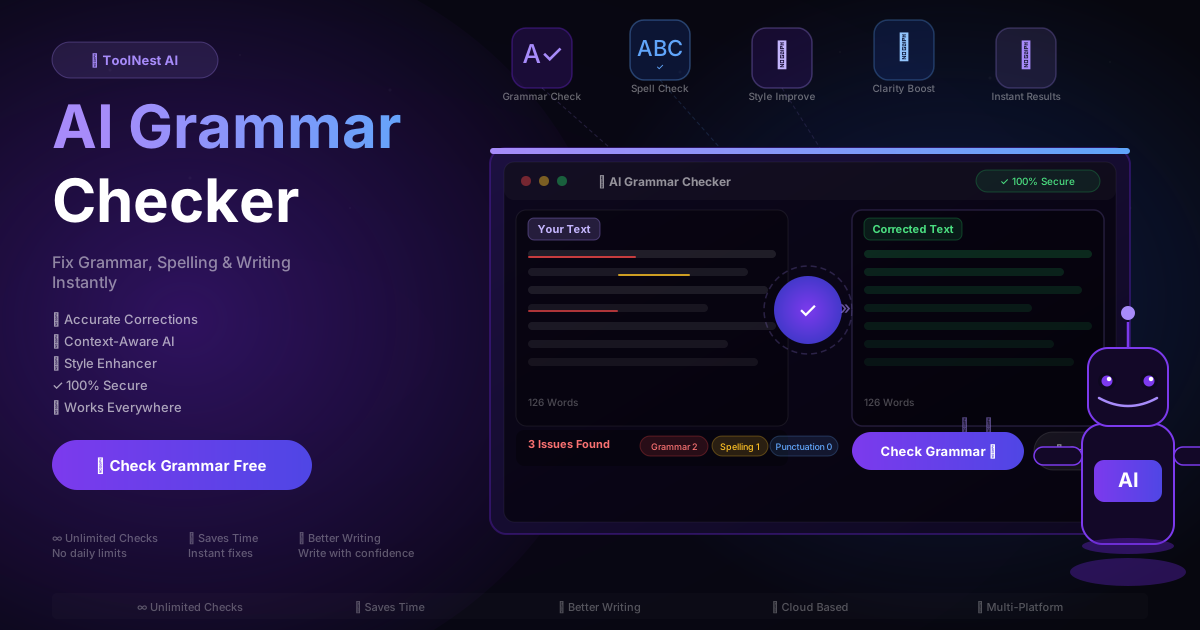
Every professional knows that feeling — you send an important email, hit publish on a blog post, or submit a report, then immediately spot a typo or clunky sentence you missed. A single grammar mistake can undermine hours of work. It signals carelessness to clients, professors, and readers alike.
An AI grammar checker solves this problem in seconds. Instead of rereading your text three times or hoping autocorrect catches everything, you paste your writing and get a complete, accurate correction in under five seconds. No sign-up. No paywalls. Just clean, professional writing.
This guide covers everything: how AI grammar checking works, what types of errors it catches, who benefits most, and how to use it to genuinely improve your writing over time — not just clean up individual documents.
Table of Contents
- What Is an AI Grammar Checker?
- What Errors Does AI Grammar Checking Catch?
- Common Grammar Mistakes AI Fixes Instantly
- How to Use an AI Grammar Checker: Step by Step
- Who Benefits Most?
- AI Grammar Checker vs. Manual Proofreading
- Pros and Cons
- Tips for Better Results
- FAQ
What Is an AI Grammar Checker?
An AI grammar checker is a writing tool powered by large language models that analyzes your text for errors and suggests corrections in real time. Unlike traditional rule-based spell checkers that only flag obvious typos, AI-driven tools understand context, sentence structure, and writing style.
This means the tool can tell the difference between their, there, and they're based on what you're actually saying. It can flag a sentence as grammatically awkward — not because it breaks a hard rule, but because it reads unnaturally. It can suggest a more direct phrasing when your sentence is buried in passive voice.
The result: your writing sounds more confident, professional, and clear with almost no effort on your part.
What Errors Does AI Grammar Checking Catch?
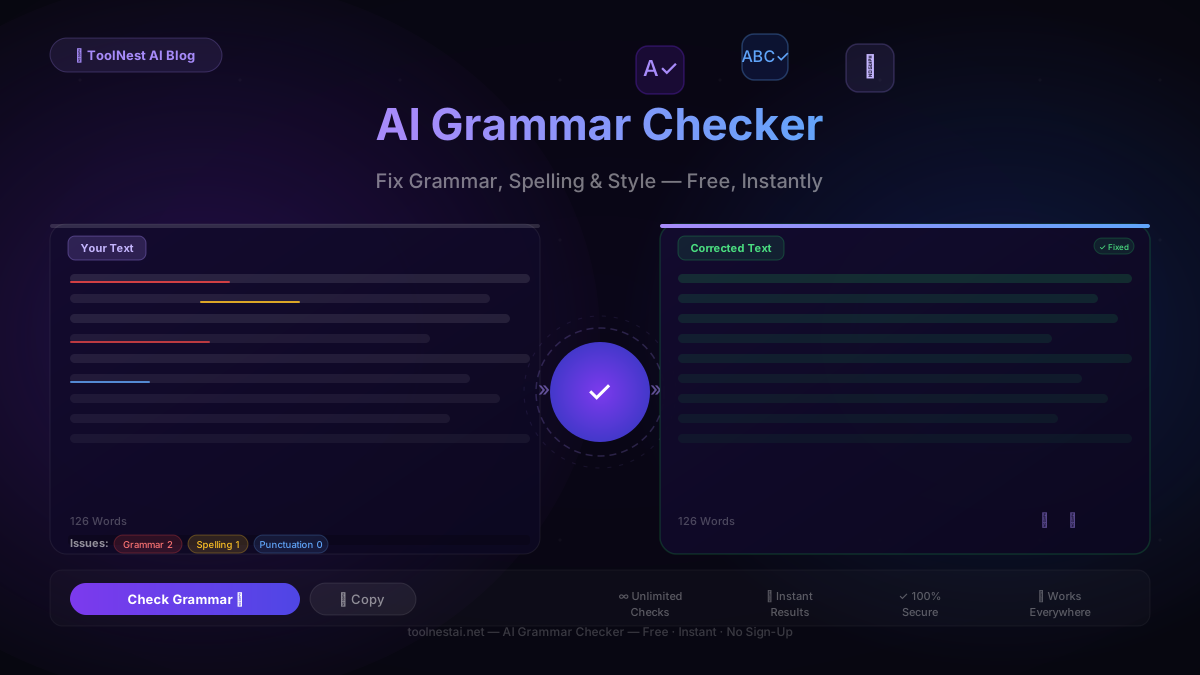
Modern AI grammar checkers cover four categories of writing issues:
1. Grammar Errors
The core function. Grammar errors include subject-verb disagreement ("The team are working" → "The team is working"), incorrect verb tense, wrong pronoun case, misplaced modifiers, and sentence fragments. These are the errors that make writing feel unprofessional even when the content is excellent.
2. Spelling Mistakes
Spell-check has existed for decades, but AI does it better. Traditional checkers flag words that don't exist. AI checkers understand context, so they catch homophones like affect/effect, principal/principle, compliment/complement — words that are spelled correctly but used wrong.
3. Punctuation Errors
Commas, apostrophes, semicolons, hyphens, and quotation marks trip up even experienced writers. Comma splices ("I came, I saw, I conquered"), missing Oxford commas, and apostrophe misuse (its vs. it's) are among the most common punctuation mistakes in professional writing.
4. Style and Clarity Issues
This is where AI adds the most value beyond traditional tools. Style suggestions flag passive voice overuse, wordy constructions, repetitive sentence patterns, and readability issues. These aren't hard errors — they're improvements that make your writing more engaging and easier to understand.
Common Grammar Mistakes AI Fixes Instantly
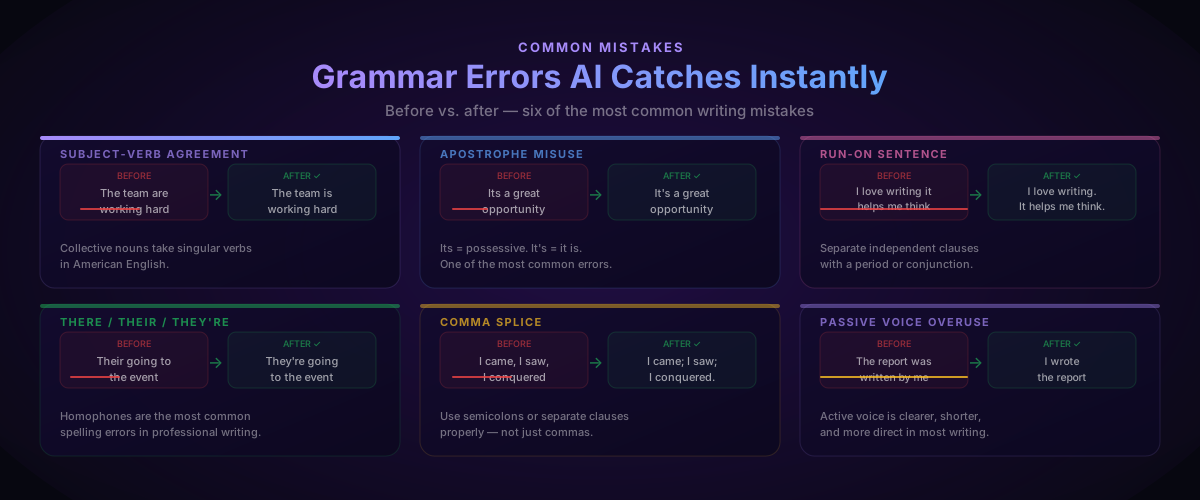
Here are six of the most common errors an AI grammar checker catches:
Subject-verb agreement — "The data shows" not "The data show." Collective nouns and complex subjects trip up native speakers constantly.
Its vs. It's — "Its a great idea" should be "It's a great idea." It's is a contraction of it is. Its is possessive. One of the most common mistakes in professional writing.
Their / There / They're — Homophones that autocorrect can't catch because all three are spelled correctly. Context is everything, and AI understands context.
Run-on sentences — Two complete thoughts joined by only a comma. AI flags these and suggests a period, semicolon, or conjunction.
Comma splice — "I came, I saw, I conquered" needs a semicolon or a period between clauses, not a comma.
Passive voice overuse — "The report was written by me" becomes "I wrote the report." Active voice is shorter, clearer, and more direct.
How to Use an AI Grammar Checker: Step by Step
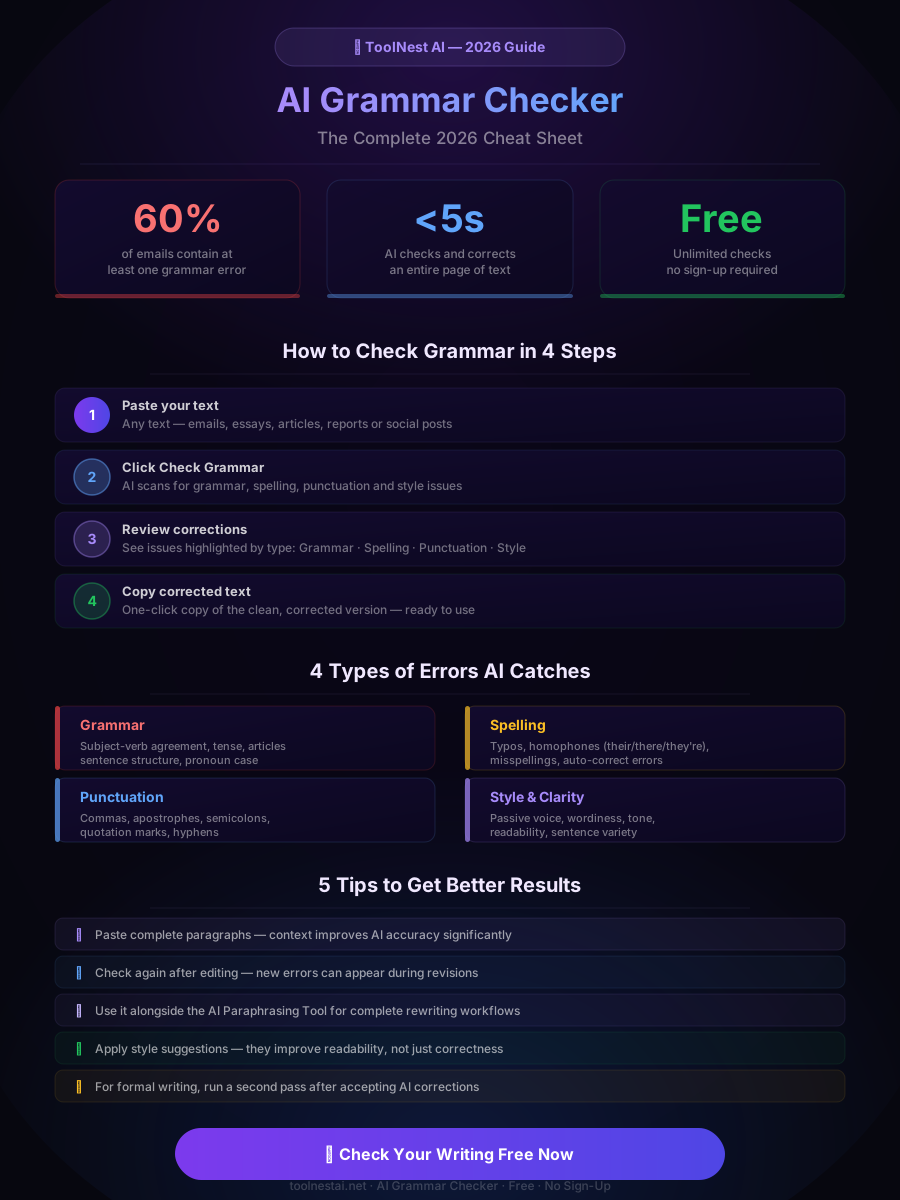
Using ToolNest AI's free grammar checker takes under a minute:
Step 1: Paste your text Copy your email, essay, article, or any piece of writing and paste it into the text input field. The tool accepts any length — short messages, full documents, or anything in between.
Step 2: Click Check Grammar Hit the button and the AI scans your text across all four error categories: grammar, spelling, punctuation, and style. Each issue is categorized and highlighted with a color code so you know what type of problem you're looking at.
Step 3: Review corrections The corrected version appears alongside your original text. Review the changes — most will be straightforward fixes, but you can always choose to keep your original phrasing if a "correction" doesn't fit your intended voice.
Step 4: Copy the corrected text One click copies the clean, corrected version to your clipboard. Paste it wherever you need it — no reformatting required.
Who Benefits Most?
Nearly anyone who writes can benefit from an AI grammar checker, but these six groups see the biggest gains:
Students writing essays, theses, and reports catch errors before submission and learn from corrections over time. Consistent AI checking genuinely improves writing skills.
Writers and bloggers polish articles before publishing, improving both readability and credibility. Readers trust well-written content.
Business professionals send error-free emails and proposals. A grammar mistake in a client proposal can cost a deal — there's no good reason to take that risk.
Non-native English speakers write with the confidence of a native speaker. The AI understands common ESL errors and provides natural-sounding corrections.
Marketers and copywriters maintain brand voice and produce clean ad copy, landing pages, and social content at scale.
Developers and technical writers produce polished documentation, README files, and PR descriptions without spending extra time proofreading.

AI Grammar Checker vs. Manual Proofreading
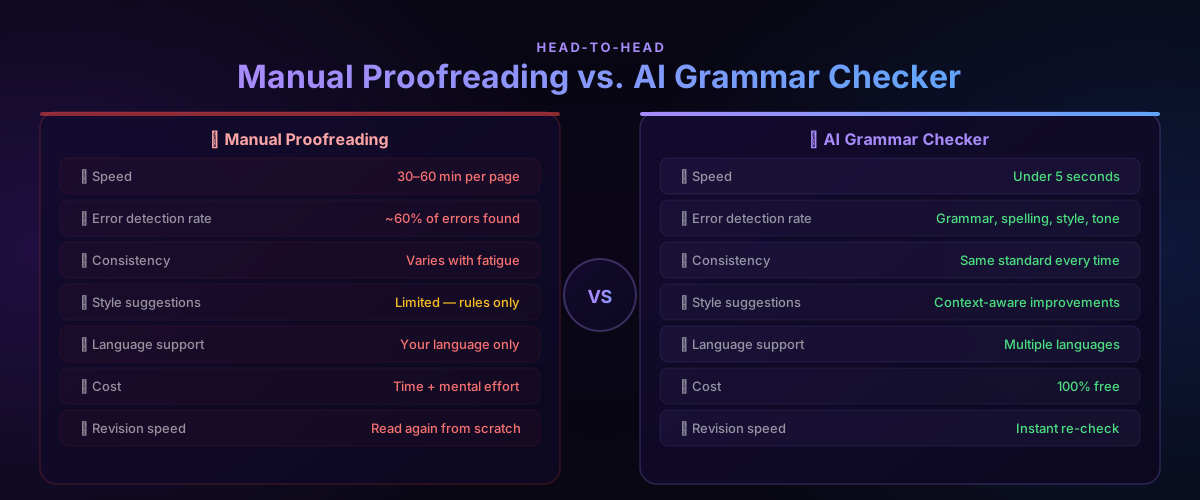
Manual proofreading is not going away — you should always read your own work. But AI grammar checking changes what "a final pass" looks like.
| Factor | Manual Proofreading | AI Grammar Checker |
|---|---|---|
| Speed | 30–60 min per page | Under 5 seconds |
| Error detection | ~60% of errors | Grammar, spelling, punctuation, style |
| Consistency | Varies with fatigue | Same standard every time |
| Style suggestions | Limited | Context-aware improvements |
| Language support | Your language only | Multiple languages |
| Cost | Time + mental effort | 100% free |
| Revision speed | Read again from scratch | Instant re-check |
The ideal workflow: write your draft, run it through AI grammar check to catch mechanical errors, then do a final manual read for voice, flow, and content — in that order. AI handles the tedious catch-and-fix; you handle the judgment calls.
Pros and Cons
Every tool has tradeoffs. Here's an honest breakdown:
Pros
Instant results — Full grammar check on a 500-word email takes under five seconds. No waiting, no scheduling.
Context-aware corrections — AI understands what you mean, not just what you wrote. Homophones, awkward phrasing, and contextual errors are caught that rule-based tools miss entirely.
Consistent quality — The AI applies the same standard to every document, every time. Human proofreaders get tired; AI doesn't.
Style improvement — Beyond fixing errors, AI flags wordiness, passive voice, and clarity issues that make writing genuinely better — not just correct.
Free and unlimited — ToolNest AI's grammar checker requires no sign-up and has no daily limits. Run it as many times as you need.
Works on any text — Emails, essays, blog posts, social captions, cover letters, technical documentation — paste anything.
Cons
Tone and voice are yours to manage — AI suggests improvements, but it doesn't know your brand voice or stylistic intentions. Always review suggestions rather than accepting blindly.
Highly specialized jargon — Legal, medical, and highly technical writing may occasionally produce suggestions that don't fit the field. Context-specific terminology requires human judgment.
Doesn't replace editing — Grammar checking is not the same as developmental editing. AI won't tell you that your argument is weak or your structure is confusing — that's still your job.
Tips for Better Results
Follow these five practices to get the most accurate corrections:
Paste complete paragraphs. AI grammar checkers perform better with more context. A single isolated sentence is harder to analyze than a full paragraph, where the model can understand what you're trying to say.
Check again after editing. Revisions introduce new errors. If you accept several AI corrections and then make manual edits, run the check one more time before finalizing.
Use it alongside the AI Paraphrasing Tool. Grammar checking and paraphrasing are complementary. Paraphrase for style and voice, then grammar-check the result for correctness.
Don't ignore style suggestions. Grammar errors are obvious fixes. Style suggestions — passive voice, wordiness, sentence length variety — are where AI adds the most long-term writing improvement. Take them seriously.
Use it for all professional writing. Emails to clients, cover letters, LinkedIn posts — anything that represents you professionally deserves a grammar check. It takes five seconds and the risk of not doing it is real.
Pair the grammar checker with the AI Email Writer for professional communication that's both well-written and error-free, or use it after the AI Humanizer to make AI-generated text sound natural and correct.
FAQ
Is the ToolNest AI Grammar Checker completely free?
Yes — completely free, no sign-up required, and no daily usage limits. Paste your text, click check, and copy the corrected version. There are no paywalls or premium tiers for the core grammar checking functionality.
What types of grammar errors does the AI detect?
The AI detects four categories: grammar errors (subject-verb agreement, tense, pronoun case), spelling mistakes (including homophones like their/there/they're), punctuation errors (commas, apostrophes, semicolons), and style issues (passive voice, wordiness, clarity). It covers significantly more than traditional spell-checkers.
How accurate is an AI grammar checker compared to human proofreading?
For mechanical errors — grammar, spelling, punctuation — AI is generally more accurate and more consistent than human proofreading, which is affected by fatigue and familiarity bias. For high-level editing (voice, argument structure, content quality), human judgment is still essential. AI and human review are complementary, not competing.
Can the AI grammar checker handle technical or specialized writing?
Yes, in most cases. The AI handles technical documents, academic writing, business writing, and general content well. Highly specialized fields with niche terminology (medical, legal, scientific) may occasionally trigger suggestions that don't fit — always review suggestions in context rather than accepting all changes blindly.
Does using an AI grammar checker improve my writing over time?
Yes. Regularly reviewing AI corrections teaches you to recognize your own patterns — the comma splices you keep making, the passive voice you default to, the homophones you consistently confuse. Most users who check their writing consistently notice measurable improvement in their first drafts within a few weeks.
Is my text secure when I use the grammar checker?
Your text is processed securely and not stored or used to train AI models. The checker runs in a secure server environment and your content is not logged or accessible to third parties.
What is the difference between a grammar checker and a spell checker?
A spell checker only flags words that don't exist in the dictionary. A grammar checker also catches words that are spelled correctly but used wrong (their vs. there), grammatical structure errors, punctuation mistakes, and style issues. An AI grammar checker goes further still by understanding context and intent.
Can I use the grammar checker for languages other than English?
ToolNest AI's grammar checker is optimized for English, including American and British English variants. Support for additional languages is continuously being improved. For translation needs, try the AI Translator tool.
Check Your Grammar for Free
Poor grammar costs more than you might think. A typo in a job application, a grammar mistake in a client email, or a sloppy proposal can quietly undermine your credibility — even when your ideas are excellent.
The ToolNest AI Grammar Checker gives you professional proofreading quality in under five seconds, completely free. No sign-up, no limits, no excuses for sending writing that doesn't represent your best.
Paste your text and see the difference.
For a complete writing workflow, combine it with the AI Paraphrasing Tool to rewrite content naturally, the AI Email Writer to generate professional emails, and the AI Humanizer to make AI-generated text sound authentic.
About the author
ToolNest AI Team
The ToolNest AI editorial team covers AI tools, productivity, and the future of online work.
Related Articles
AI Paraphrasing Tool: Rewrite Text Naturally Without Losing Meaning (2026 Guide)
Learn how to use a free AI paraphrasing tool to rewrite text naturally in seconds. Step-by-step guide, 5 paraphrase modes, best practices, common mistakes, and 8 expert FAQs.
AI Email Writer: Write Professional Emails in Seconds (2026 Guide)
Learn how to use an AI email writer to write professional, polished emails in seconds — completely free. Step-by-step guide, tone tips, comparison table, common mistakes, and 8 expert FAQs.
AI Translator: Translate Text Instantly with AI (2026 Guide)
Learn how to use a free AI translator to translate text across 100+ languages instantly. Step-by-step guide, best practices, common mistakes, comparison table, and 8 expert FAQs.