AI Translator: Translate Text Instantly with AI (2026 Guide)
Learn how to use a free AI translator to translate text across 100+ languages instantly. Step-by-step guide, best practices, common mistakes, comparison table, and 8 expert FAQs.
ToolNest AI
Author
Published
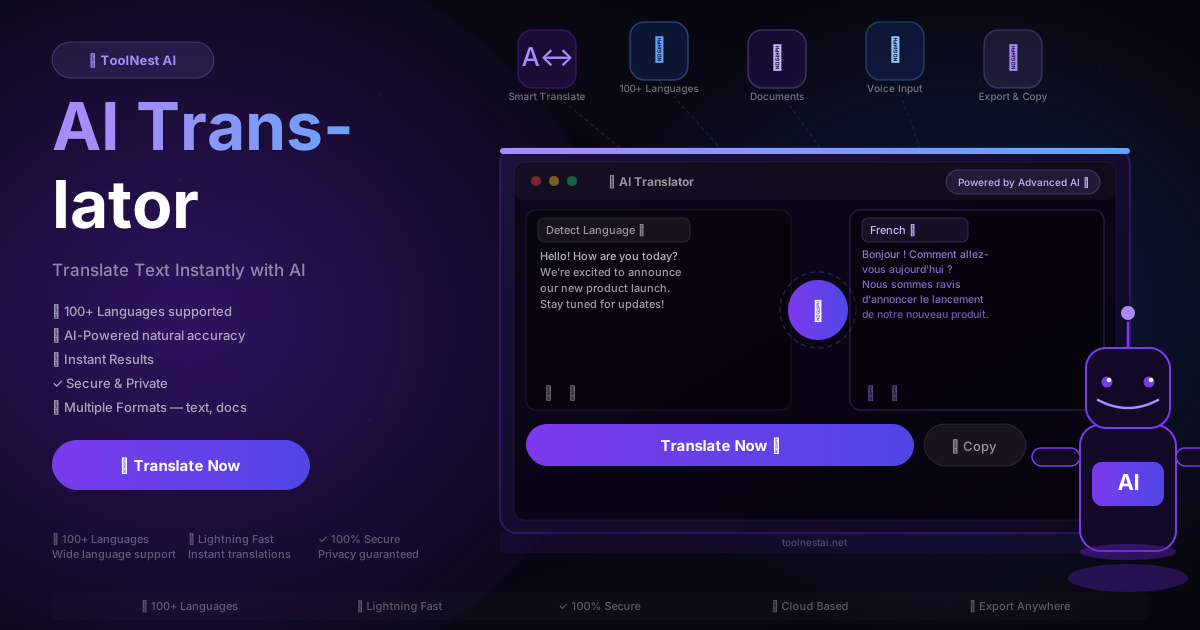
Language should not be a barrier. Whether you are reading a supplier contract in German, responding to a client in Japanese, or trying to understand a research paper in Mandarin, the ability to translate quickly and accurately is one of the most practical skills in a connected world.
The problem has always been speed and cost. Professional human translation is accurate but slow and expensive. Older machine translation tools are fast but produce output that often needs significant editing before it is usable. The gap between the two created a frustrating no-man's-land for anyone who needed translation frequently.
AI translation closes that gap. Modern AI translators deliver natural, context-aware translations across more than 100 languages in under two seconds — free, with no sign-up, directly in your browser. This guide covers how they work, how to get the best results, and what to watch out for.
Table of Contents
- What Is an AI Translator?
- How AI Translation Works
- Step-by-Step: How to Translate Text with AI
- Languages Supported
- AI Translator vs. Traditional Translation
- Benefits of Using an AI Translator
- Best Practices for Better Translations
- Common Translation Mistakes to Avoid
- Frequently Asked Questions
What Is an AI Translator?
An AI translator is a tool that converts text from one language into another using a large language model — not a fixed rule set, not a dictionary lookup, but a model that understands how language works in context and generates accurate translations accordingly.
The difference in quality between AI translation and older machine translation is substantial. Earlier tools processed language word-by-word using statistical models: the result was often grammatically awkward and occasionally nonsensical because the tools did not understand the relationship between words at the sentence level. A phrase like "kick the bucket" was translated literally rather than recognised as an idiom.
Modern AI translation models process entire sentences and paragraphs simultaneously. They understand idioms, handle complex grammatical structures, preserve formality levels, and adapt phrasing to sound natural in the target language — not just technically correct.
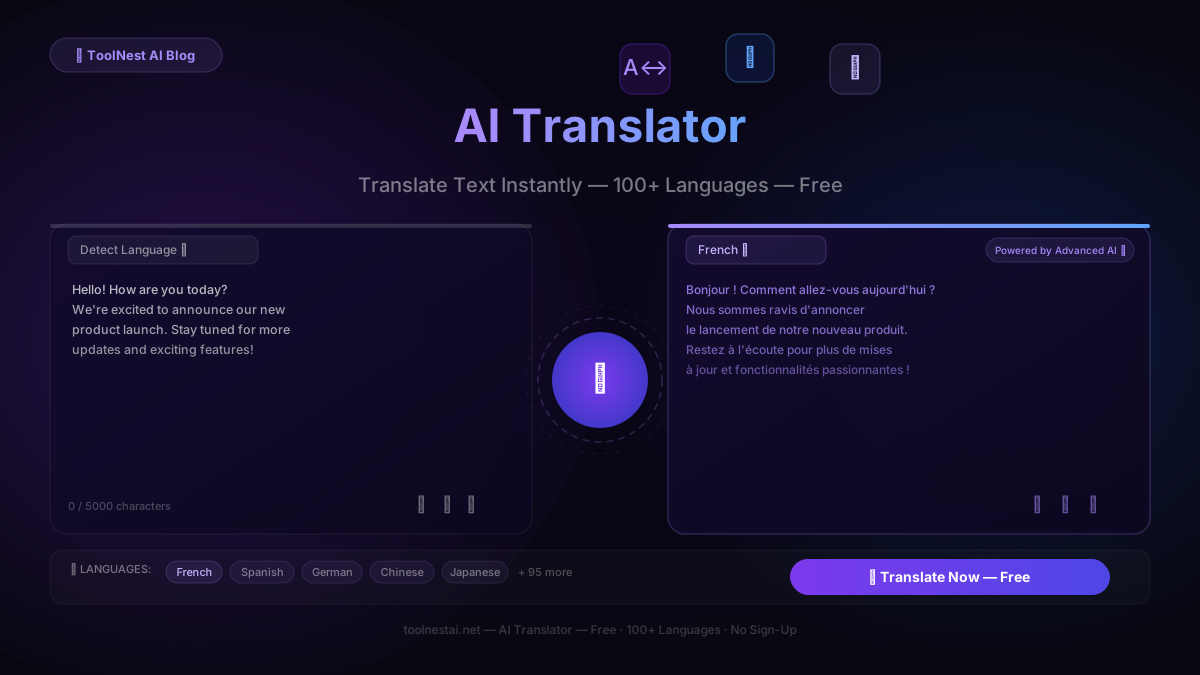
The ToolNest AI Translator supports more than 100 languages, translates up to 5,000 characters per request, and delivers results in under two seconds. It is completely free, requires no account, and runs directly in your browser without installing anything.
How AI Translation Works
When you submit text to an AI translator, the model processes it in several layers that together produce accurate, natural output.
Semantic parsing. The AI first reads the entire input to understand meaning before generating any output. This allows it to handle ambiguous words correctly — "bank" means something different in a financial sentence than in a sentence about a river — because it has full context before it starts translating.
Language detection. If you use the Detect Language option, the AI identifies the source language automatically, even with mixed-language input. This is faster than selecting manually and handles edge cases like partially translated text.
Register preservation. Formal text remains formal in the translation. Conversational text stays conversational. Technical vocabulary is preserved where equivalents exist in the target language. The AI does not flatten every input into a single generic register the way older tools did.
Natural generation. Rather than substituting words one-for-one from source to target, the AI generates the translation fresh in the target language — producing phrasing that sounds like a native speaker wrote it, not a machine.
Post-processing consistency. Numbers, dates, proper nouns, brand names, and formatting are preserved correctly across the translation. A figure like "€2.4 million" in German stays "€2,4 Millionen" in the appropriate German format, not a literal character-for-character copy.
Step-by-Step: How to Translate Text with AI
Using the ToolNest AI Translator takes under thirty seconds from start to finish. Here is the full process.
Step 1: Open the tool
Go to the AI Translator on ToolNest AI. No account required, no subscription, no installation. The interface loads immediately.
Step 2: Paste your text
Copy the text you want to translate and paste it into the source panel on the left. The tool handles up to 5,000 characters per request — enough for a substantial paragraph or a short article section. For longer documents, translate in sections to maintain control over each part.
Step 3: Select your target language
Open the target language dropdown and choose your destination language from the list of 100+. Leave the source set to Detect Language unless you want to specify it manually — auto-detection is accurate and saves a step.
Step 4: Click Translate Now
The AI processes your text and streams the translation into the output panel on the right in real time. The full result typically appears in one to two seconds.
Step 5: Review the output
Read through the translation. AI output is accurate in the vast majority of cases, but domain-specific terminology, idiomatic expressions, and highly localised phrasing occasionally benefit from a human review. For official or legally binding content, always have a specialist verify the output.
Step 6: Copy, export, or listen
Click the Copy button to send the translation to your clipboard in one click. Use the audio playback button to hear the translation spoken, which is useful for language learning or checking pronunciation. Download the output if you need to save it.
If the first translation is not exactly right, click Translate Now again — the AI produces a fresh version each time.
Languages Supported
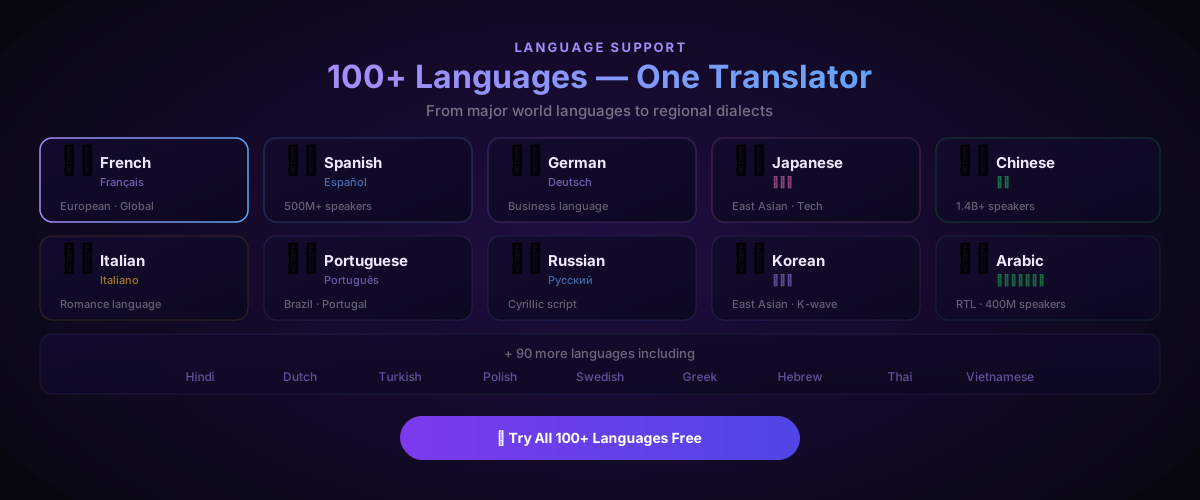
The AI Translator supports more than 100 languages covering every major language family and region.
European languages — French, Spanish, German, Italian, Portuguese, Dutch, Polish, Swedish, Norwegian, Danish, Finnish, Greek, Romanian, Hungarian, Czech, Slovak, Bulgarian, Croatian, Serbian, Ukrainian, and more.
Asian languages — Mandarin Chinese, Japanese, Korean, Hindi, Bengali, Urdu, Thai, Vietnamese, Indonesian, Malay, Tagalog, Burmese, Khmer, and more.
Middle Eastern and African languages — Arabic, Hebrew, Persian (Farsi), Turkish, Swahili, Amharic, Hausa, and more.
Slavic and Eastern European — Russian, Polish, Czech, Slovak, Bulgarian, Ukrainian, Belarusian, Slovenian, and more.
Language detection works accurately across all supported languages, including cases where the source text contains mixed-language content — a common situation in international business correspondence.
For content produced in any language, the AI Grammar Checker can verify English output for accuracy and polish. If translated content needs to sound more natural, the AI Humanizer adds the rhythm of native writing to any text.
AI Translator vs. Traditional Translation
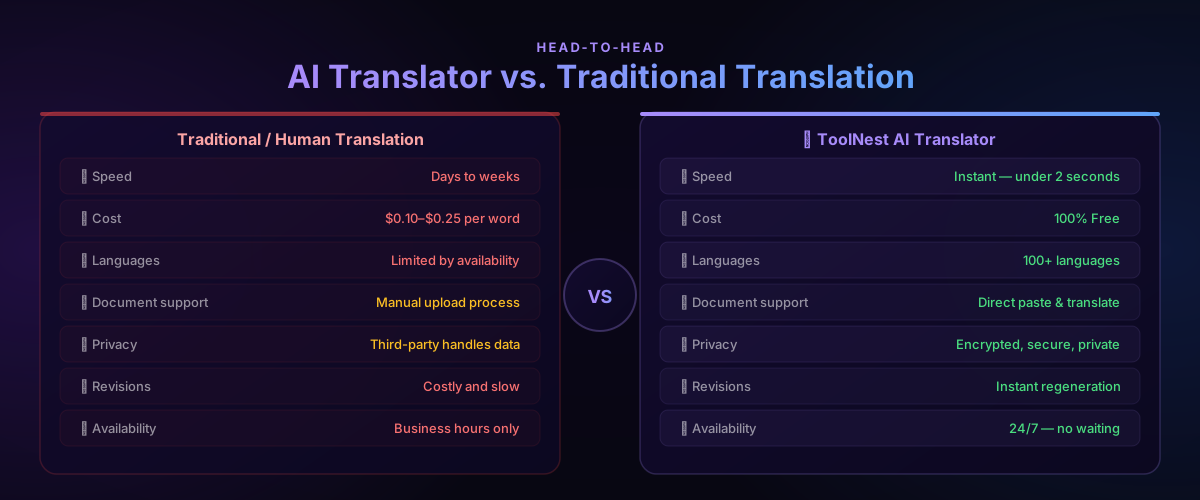
| Traditional / Human Translation | AI Translator | |
|---|---|---|
| Speed | Days to weeks | Under 2 seconds |
| Cost | $0.10–$0.25 per word | 100% Free |
| Languages | Limited by availability | 100+ languages |
| Document support | Manual upload process | Direct paste and translate |
| Privacy | Third party handles your data | Encrypted, secure, private |
| Revisions | Costly and slow | Instant regeneration |
| Availability | Business hours only | 24/7 — no waiting |
| Accuracy | Very high for specialist content | Excellent for general content |
The one area where professional human translation maintains an advantage is highly specialised content where domain expertise matters as much as language skill: legal contracts, medical documentation, literary translation, and technical manuals in niche fields. For these, AI produces a strong first draft but specialist review adds value.
For the vast majority of business and personal translation needs — emails, social media, marketing copy, internal communications, research reading, travel — AI translation is fast enough, accurate enough, and free enough that the comparison is not close.
Benefits of Using an AI Translator
Instant results. Two seconds versus two days. For anyone who translates regularly, the cumulative time saving is enormous. A team handling international email can translate and respond in the time it would otherwise take to copy a message into a traditional translation tool.
100+ languages in one place. No switching between different tools for different language pairs. Every language pair is available in a single interface, with the same quality and the same speed.
Natural output. AI-generated translations read like they were written in the target language, not assembled from a phrase book. The difference matters in any context where you want the translated content to land well — not just be technically comprehensible.
Context-aware accuracy. The AI understands the whole sentence before translating any of it. Idiomatic expressions, technical terminology, and contextually ambiguous words are handled correctly because the model reads for meaning, not just words.
Free and unlimited. The ToolNest AI Translator is 100% free with no usage limits and no subscription required. Translate as much as you need.
Secure and private. Your text is processed securely and not stored after the session. For businesses handling sensitive communications, this matters.
Audio playback. Hear the translation spoken aloud. Useful for checking pronunciation, for accessibility, and for language learning alongside the AI Paraphrasing Tool workflow.
Best Practices for Better Translations
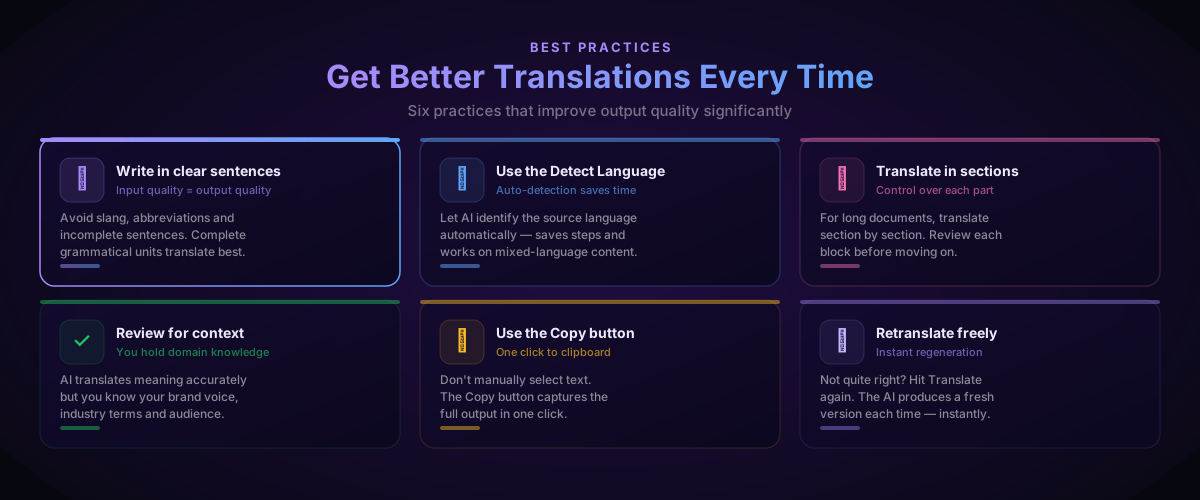
Write in complete, clear sentences. The AI translates meaning, and meaning lives in complete grammatical units. Fragments, bullet-point notes, and abbreviation-heavy text produce weaker translations than properly formed sentences. If your source text is messy, clean it up before translating.
Use Detect Language. Unless you know for certain which language you are translating from, leave the source set to auto-detect. The AI identifies languages accurately even in mixed-language content, and manual selection introduces the risk of choosing the wrong language for similar-looking scripts.
Translate in sections for long documents. The 5,000-character limit per request is a useful constraint. Processing a long document in logical sections — paragraph by paragraph or section by section — gives you control over each part and makes reviewing and editing easier than accepting a single massive output.
Review for domain-specific terminology. The AI translates general language excellently but may not know your internal product names, regulatory terminology, or industry jargon. Add a brief review pass for any translation where proprietary terms matter.
Check cultural nuance separately. Translation converts language; it does not adapt cultural context. A marketing headline that works in English may be technically accurate in Japanese but carry different connotations. For marketing and brand content, have a native speaker verify the cultural fit.
Use the Copy button — not manual text selection. The Copy button captures the full translated output cleanly in one click, including any formatting. Manual selection risks missing content or picking up extra whitespace.
Pair the translator with the AI Grammar Checker when producing polished English output, and the AI Email Writer when you need to compose multilingual professional correspondence from scratch.
Common Translation Mistakes to Avoid
Translating slang and idioms without context. Phrases like "break a leg," "under the weather," or "bite the bullet" have idiomatic meanings that differ from their literal words. Provide the full sentence or paragraph context so the AI can interpret correctly rather than translate literally.
Skipping the review for official content. AI translation is accurate for general purposes but should always be reviewed before use in contracts, legal filings, medical documents, or any content where errors have real consequences.
Pasting source text with errors. Garbled, poorly punctuated, or typo-heavy source text produces garbled output. Fix obvious errors in the source before translating — the quality of the input directly determines the quality of the output.
Ignoring cultural context. Formal honorifics in Japanese, gendered nouns in French and German, and the difference between formal and informal "you" in many languages all require choices the AI makes based on the context you provide. If the context is missing, the choice may be wrong. Add enough surrounding text to make the intended register clear.
Assuming perfect accuracy for highly technical content. AI translation is excellent across a broad range of content but works best when the domain is general. For specialised medical, legal, or engineering content, treat the AI output as a working draft and have a domain expert verify it.
Not using Detect Language. Manually specifying the wrong source language is a common cause of poor output, especially between similar scripts like Norwegian and Danish, or between simplified and traditional Chinese. Auto-detect avoids this mistake entirely.
Frequently Asked Questions
Is the ToolNest AI Translator completely free?
Yes. The tool is 100% free with no subscription, no usage limits, and no sign-up required. Open the page, paste your text, and translate as many times as you need.
How many languages does it support?
More than 100 languages, covering every major world language and dozens of regional languages. Major language families — European, Asian, Middle Eastern, African, and Slavic — are all represented.
How accurate is the translation?
For general content — business emails, articles, social media posts, correspondence — accuracy is excellent. The AI handles idioms, preserves formality levels, and produces natural-sounding output. For highly specialised content such as legal contracts, medical documentation, or literary translation, AI provides a strong first draft that benefits from specialist review.
Can it detect the source language automatically?
Yes. The Detect Language option identifies the source language automatically and accurately, including with mixed-language input. It is faster than selecting manually and reduces the risk of choosing the wrong source language.
Is my text secure?
Yes. Your text is processed securely and is not stored after your session. The tool does not retain your content or share it with third parties.
Can I translate documents?
You can translate any text content by pasting it into the input field. For long documents, translate in sections — this gives you control over each part and makes reviewing easier. Direct file upload is not currently supported; paste the text content instead.
Does it support audio playback?
Yes. The output panel includes a text-to-speech button that reads the translation aloud. This is useful for checking pronunciation, accessibility purposes, and language learning.
What should I do if the translation is not quite right?
Click Translate Now again — the AI generates a fresh version with each request. You can also add more context to your source text, specify the source language manually, or adjust the input phrasing. For specialist terminology that the AI consistently misses, add the correct term manually after translation.
Translate Anything, Instantly
The ToolNest AI Translator supports 100+ languages, delivers accurate translations in under two seconds, and is completely free — no account, no limits, no waiting. Paste your text, choose your language, and get a natural, context-aware translation in the time it takes to read this sentence.
Once your translation is ready, use the AI Grammar Checker to verify English output, or the AI Paraphrasing Tool to rewrite any section in a different tone or style. For multilingual email, the AI Email Writer builds professional correspondence from scratch in any language.
Break the language barrier — instantly, free, and without leaving your browser.
About the author
ToolNest AI
The ToolNest AI editorial team tests and reviews the best free online tools so you don't have to.
Related Articles
AI Paraphrasing Tool: Rewrite Text Naturally Without Losing Meaning (2026 Guide)
Learn how to use a free AI paraphrasing tool to rewrite text naturally in seconds. Step-by-step guide, 5 paraphrase modes, best practices, common mistakes, and 8 expert FAQs.
AI Email Writer: Write Professional Emails in Seconds (2026 Guide)
Learn how to use an AI email writer to write professional, polished emails in seconds — completely free. Step-by-step guide, tone tips, comparison table, common mistakes, and 8 expert FAQs.