Remove Empty Lines: Clean Up Blank Lines Free Online
Learn the regex patterns behind removing blank lines correctly, why whitespace-only lines are easy to miss, the CRLF vs LF line-ending trap, and when to collapse instead of remove. Free, instant tool.
ToolNest AI Team
Author
Published
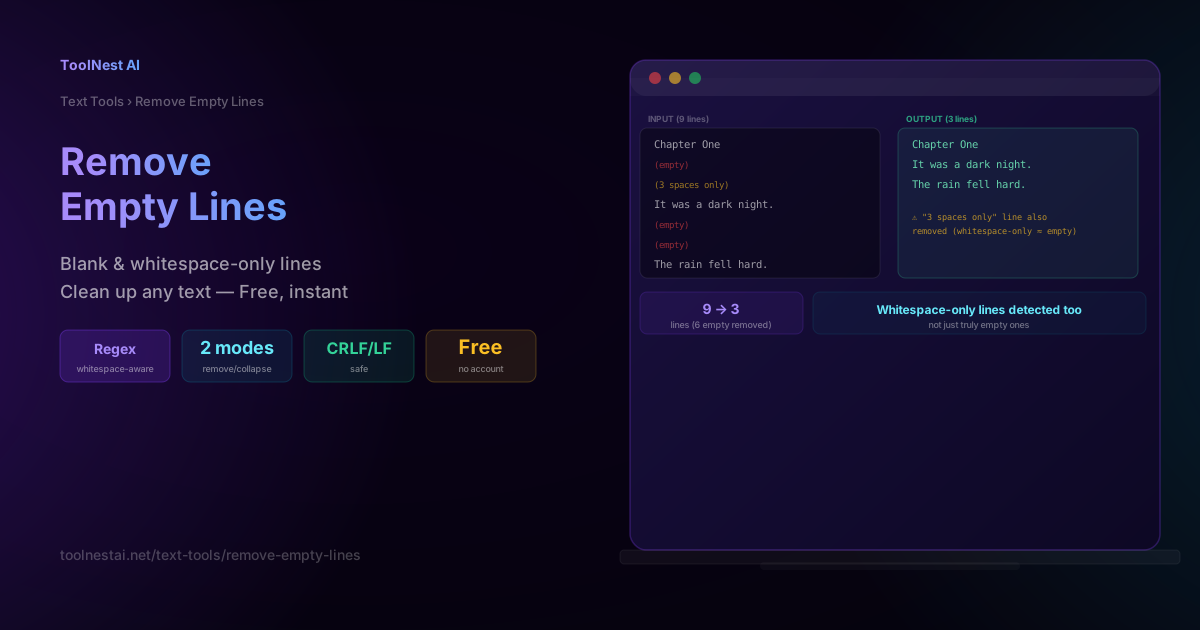
Blank lines seem like the simplest thing to clean up in a document — until you realize some "empty" lines actually contain invisible spaces, or that Windows and Unix files encode line breaks differently in ways that can silently break a naive cleanup script. This guide covers the exact patterns behind reliably removing (or collapsing) blank lines, and the edge cases that catch people off guard.
Clean up any text instantly with the ToolNest AI Remove Empty Lines tool.
Two Cleanup Modes

Remove All Blank Lines deletes every empty or whitespace-only line entirely, making the remaining text fully contiguous. This is the right choice for code, CSV data, or log files, where blank lines serve no structural purpose and only add clutter.
Collapse to Single Blank reduces any run of two or more consecutive blank lines down to exactly one blank line, while leaving single blank lines untouched. This is the right choice for prose and documents where blank lines are being used intentionally as paragraph separators — you want to clean up excessive gaps (often introduced by copy-pasting from Word or a PDF) without destroying the paragraph structure entirely.
The Regex Patterns Behind "Remove Empty Lines"

The naive (incomplete) pattern:
/^$/gm
This matches lines with exactly zero characters. It misses a common case: lines that look empty to a human reader but actually contain one or more space or tab characters.
The correct, whitespace-aware pattern:
/^\s*$/gm
The \s* means "zero or more whitespace characters," so this pattern matches both truly empty lines and lines containing only spaces or tabs — the reliable choice for detecting anything a person would perceive as a "blank line."
Collapsing multiple blank lines to one:
text.replace(/\n\s*\n\s*\n+/g, '\n\n')This matches runs of two or more consecutive blank lines and replaces them with exactly one blank line, preserving paragraph breaks without leaving oversized gaps.
Why the m (multiline) flag matters: without it, ^ and $ only match the very start and end of the entire string, not each individual line. The m flag makes ^ and $ match at every line boundary — essential for any line-by-line pattern matching.
The CRLF vs LF Line-Ending Trap
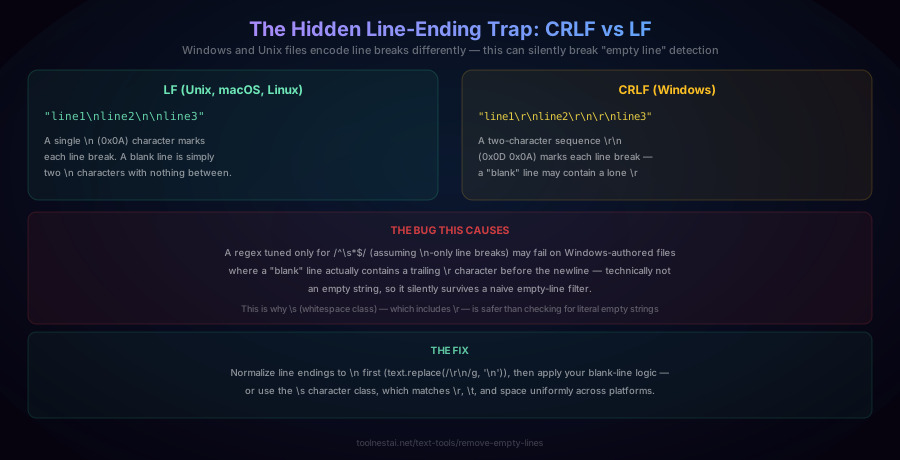
Here's a genuinely subtle bug: Windows and Unix-family operating systems encode line breaks differently.
- LF (Unix, macOS, Linux): a single
\ncharacter (0x0A) marks each line break. A blank line is simply two\ncharacters with nothing between them. - CRLF (Windows): a two-character sequence
\r\n(0x0D 0x0A) marks each line break. A "blank" line in a Windows-authored file may actually contain a lone\rcharacter.
The bug this causes: a regex or comparison that checks for a literal empty string ("") can fail on Windows-authored files, where a seemingly blank line actually contains a stray \r — technically not an empty string, so it silently survives a naive filter that only checks for zero-length lines.
The fix: either normalize line endings first (text.replace(/\r\n/g, '\n') before processing), or always use the \s (whitespace) character class rather than checking for literal empty strings — \s matches \r, \t, and space uniformly, so it correctly handles both CRLF and LF files without needing to know in advance which convention the file uses.
How to Use the Remove Empty Lines Tool
The ToolNest AI Remove Empty Lines tool handles all of this correctly by default, entirely in your browser.
- Paste your text into the input field
- Choose your mode — "Remove All Blank Lines" or "Collapse to Single Blank"
- View the cleaned result — whitespace-only lines are detected and handled the same as truly empty ones, and CRLF/LF line endings are both supported correctly
- Copy the result or download it as a
.txtfile
Removing Blank Lines in Different Languages
JavaScript:
// Remove all blank lines (whitespace-aware)
const removeAll = text => text.split('\n').filter(line => line.trim() !== '').join('\n');

// Collapse multiple blank lines to one
const collapse = text => text.replace(/\n\s*\n\s*\n+/g, '\n\n');
Python:
# Remove all blank lines
lines = [line for line in text.split('\n') if line.strip() != '']
result = '\n'.join(lines)

# Collapse multiple blank lines to one
import re
result = re.sub(r'\n\s*\n\s*\n+', '\n\n', text)
Command line (sed, Unix):
# Remove all blank lines
sed '/^\s*$/d' input.txt > output.txt

# Collapse multiple blank lines to one
sed '/^$/N;/\n$/D' input.txt > output.txt
Command line (grep, Unix):
grep -v '^\s*$' input.txt > output.txtCommon Mistakes
Mistake 1: Only checking for literal empty strings, missing whitespace-only lines. As covered above, a line containing just spaces or tabs looks blank to a human but isn't caught by a pattern like /^$/. Always use a whitespace-aware pattern (/^\s*$/ or .trim() === '') instead.
Mistake 2: Removing all blank lines when you only wanted to collapse excessive gaps. This destroys intentional paragraph breaks in prose. If your text uses blank lines as meaningful structure (like Markdown paragraph separation), use collapse mode instead of remove-all mode.
Mistake 3: Not accounting for CRLF line endings. A naive empty-string check can miss "blank" lines in Windows-authored files that actually contain a stray \r character. Normalize line endings first, or use the \s character class rather than literal empty-string comparisons.
Mistake 4: Forgetting the multiline flag in regex. Without the m flag, ^ and $ anchor to the start and end of the entire string rather than each line, causing line-by-line patterns to silently fail to match anything beyond the first line.
Frequently Asked Questions
How do I remove blank lines from text?
Split the text into individual lines, then filter out any line that is either completely empty or contains only whitespace characters (spaces, tabs). In regex terms, the pattern /^\s*$/gm matches both cases. The ToolNest AI Remove Empty Lines tool does this instantly and correctly handles whitespace-only lines and different line-ending conventions.
What's the difference between removing all blank lines and collapsing them?
"Remove all" deletes every blank line entirely, making the text fully contiguous — appropriate for code, data files, or logs where blank lines serve no purpose. "Collapse" reduces runs of two or more consecutive blank lines down to exactly one, while leaving single blank lines (like intentional paragraph breaks) untouched — appropriate for prose and documents where some blank lines carry structural meaning.
Why does my "remove empty lines" script miss some blank-looking lines?
The most common cause is checking for literal empty strings (zero characters) instead of whitespace-only content. A line containing just a few spaces or a tab character looks blank to a human reader but isn't an empty string, so a pattern like /^$/ won't match it. Use a whitespace-aware pattern like /^\s*$/ instead, which matches both truly empty lines and whitespace-only lines.
What is the difference between CRLF and LF line endings?
LF (line feed, \n) is the line-ending convention used by Unix, Linux, and macOS. CRLF (carriage return + line feed, \r\n) is the convention used by Windows. Files created or edited on Windows may contain \r characters that aren't visible in most text viewers but can cause a naive "check for empty string" comparison to miss lines that appear blank but technically contain a stray \r.
How can I avoid line-ending issues when cleaning up text?
Normalize all line endings to a single convention (typically \n) before applying any blank-line logic — for example, text.replace(/\r\n/g, '\n') in JavaScript. Alternatively, use the \s (whitespace) character class in your matching logic, since it correctly matches \r, \t, and space characters regardless of which line-ending convention the original file used.
Will removing blank lines change my paragraph formatting?
If you use "remove all" mode, yes — every blank line is deleted, including ones used intentionally to separate paragraphs. If you want to preserve paragraph structure while just cleaning up excessive spacing (like three or four blank lines in a row from a messy copy-paste), use "collapse to single blank" mode instead, which reduces excess blank lines to exactly one without eliminating paragraph breaks entirely.
Can I remove blank lines from a CSV file?
You can, but be cautious: a blank line in a CSV file sometimes represents an intentional empty row that a downstream system expects, rather than an error. Removing all blank lines is generally safe for cleaning up accidental trailing blank rows at the end of an export, but always verify that no blank rows in the middle of your data are structurally meaningful before applying a blanket removal.
Does this tool work on very large documents?
Yes — blank-line detection and removal is a straightforward, fast, single-pass text operation (checking each line once), so it scales efficiently even to large documents with tens of thousands of lines, processing instantly in your browser.
About the author
ToolNest AI Team
The ToolNest AI team builds free tools that help developers, marketers, and creators do more online — faster.
Related Articles
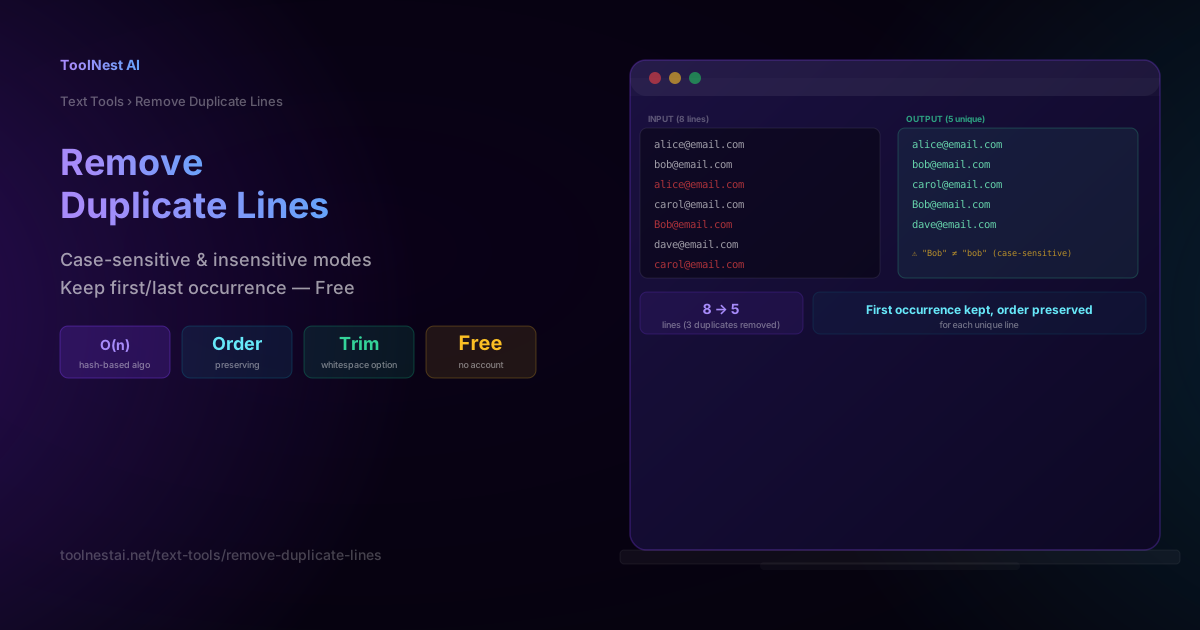
Remove Duplicate Lines: Clean Up Lists Instantly — Free Tool
Learn how line deduplication works, why hash-based algorithms beat naive nested loops, case-sensitive vs insensitive matching, and keep-first vs keep-last modes. Free, instant tool.

Text Sorter: Sort Lines A-Z, by Length, or Numerically — Free Tool
Learn the difference between lexical and natural sort, why case sensitivity silently breaks alphabetical ordering, and how to sort, deduplicate, or shuffle any list of lines. Free, instant tool.