Text Sorter: Sort Lines A-Z, by Length, or Numerically — Free Tool
Learn the difference between lexical and natural sort, why case sensitivity silently breaks alphabetical ordering, and how to sort, deduplicate, or shuffle any list of lines. Free, instant tool.
ToolNest AI Team
Author
Published
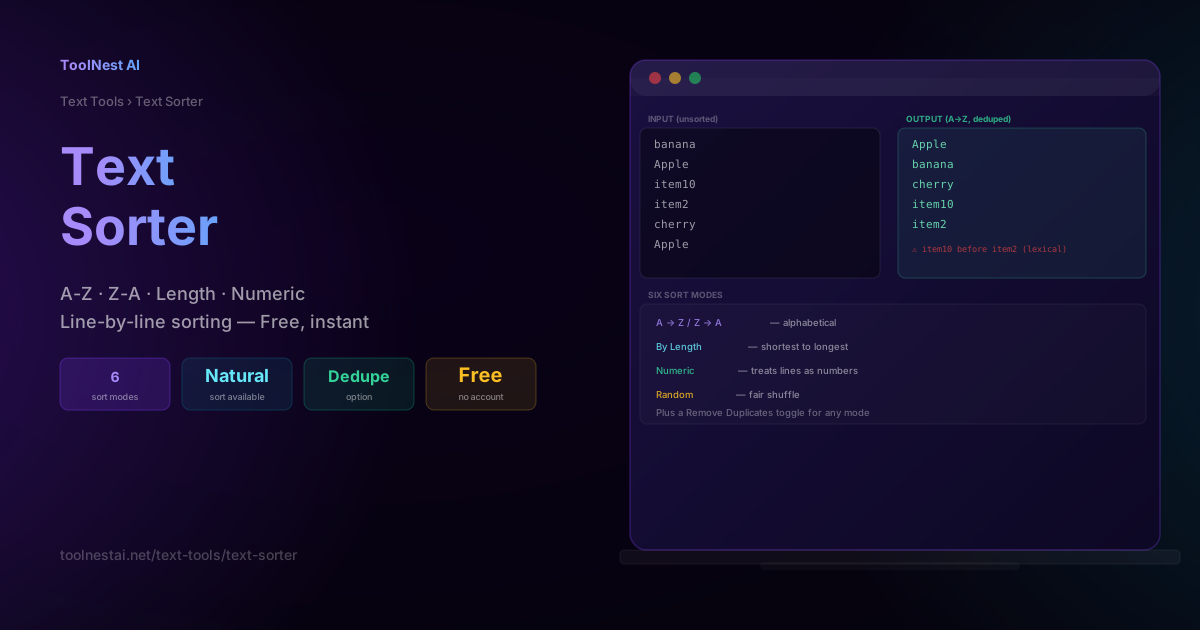
Sorting a list of lines seems like the simplest possible text operation — until "item2" ends up after "item10," or "Apple" and "apple" land on opposite ends of your list. This guide explains exactly why standard alphabetical sorting behaves this way, the difference between lexical and natural sort, and how to choose the right sort mode for your data.
Sort, deduplicate, or shuffle any list of lines instantly with the ToolNest AI Text Sorter.
Six Sort Modes
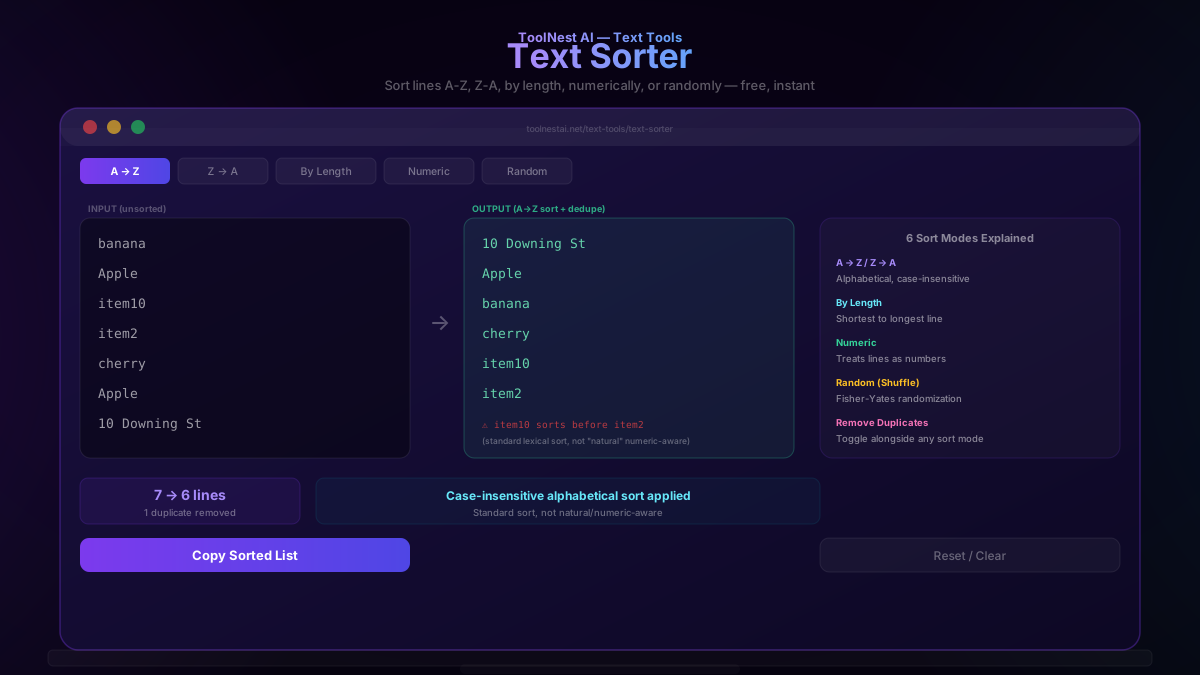
A → Z (ascending): Standard case-insensitive alphabetical order, the most common sorting need.
Z → A (descending): Reverse alphabetical order.
By Length: Sorts lines from shortest to longest, useful for identifying outliers in a list or prioritizing short entries.
Numeric: Treats each line as a number and sorts by actual numeric value rather than by character comparison — critical for lists of pure numbers where lexical sort would produce wrong results (see below).
Random (Shuffle): Randomizes line order using a proper Fisher-Yates shuffle algorithm, useful for randomizing quiz questions, giveaway entries, or any scenario requiring unbiased random ordering.
Remove Duplicates: A toggle that can be combined with any of the above sort modes, removing exact duplicate lines from the output.
Lexical Sort vs Natural Sort
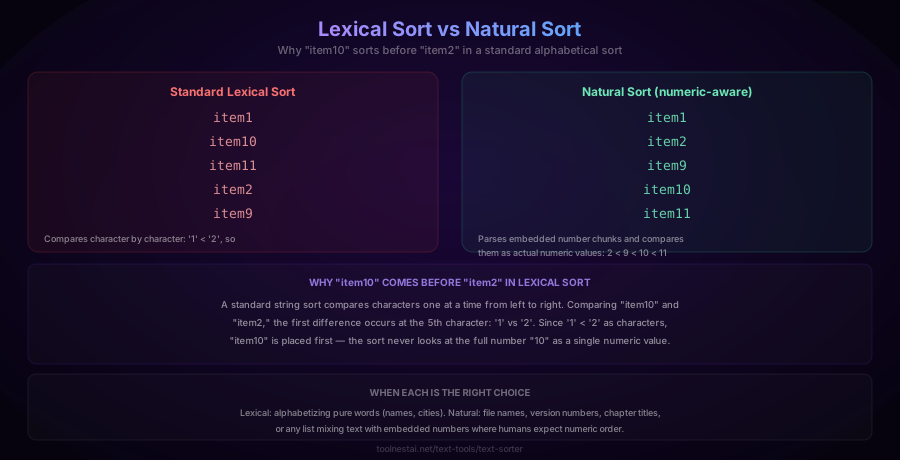
Here's a surprise that trips up nearly everyone the first time they encounter it: sorting the list ["item1", "item2", "item9", "item10", "item11"] alphabetically produces:
item1
item10
item11
item2
item9
This looks wrong, but it's actually correct behavior for a lexical sort (also called a standard string or dictionary sort). A lexical sort compares strings character by character, left to right. Comparing "item10" and "item2", the first difference occurs at the 5th character: '1' versus '2'. Since the character '1' is less than the character '2', "item10" is placed first — the algorithm never evaluates the full number "10" as a single value; it only ever compares individual characters.
Natural sort solves this by detecting embedded numeric chunks within strings and comparing those chunks as actual numbers rather than as character sequences:
item1
item2
item9
item10
item11
Natural sort matches how humans intuitively expect a mixed text-and-number list to be ordered, and it's the standard behavior in most file managers (like Windows Explorer and macOS Finder) when sorting file names — which is exactly why you'd expect photo2.jpg to appear before photo10.jpg, and it does, because file managers implement natural sort specifically to meet this expectation.
When to use each:
- Lexical sort is correct for alphabetizing pure words — names, cities, categories with no embedded numbers.
- Natural sort is the right choice for file names, version numbers, chapter titles, or any list where text is mixed with numbers that should be compared by their numeric value.
The Case-Sensitivity Bug
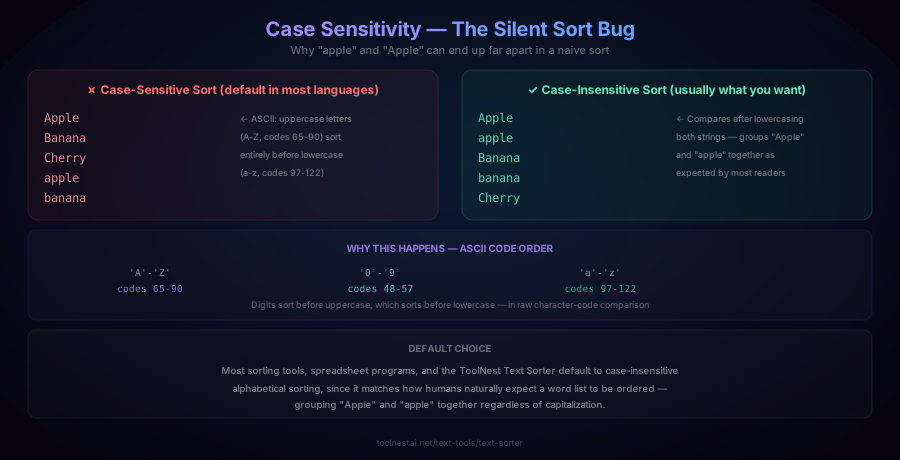
A second common surprise: a naive, case-sensitive sort of ["Apple", "Banana", "Cherry", "apple", "banana"] produces:
Apple
Banana
Cherry
apple
banana
This happens because sorting compares the underlying character codes (ASCII/Unicode), and all uppercase letters (A-Z, codes 65-90) have lower numeric values than all lowercase letters (a-z, codes 97-122). A case-sensitive sort therefore groups every capitalized word before every lowercase word, regardless of alphabetical similarity — "apple" (lowercase) ends up after "Cherry", even though a human reader would expect it right next to "Apple".
The fix is a case-insensitive comparison: convert both strings to the same case (typically lowercase) before comparing, so "Apple" and "apple" are treated identically for ordering purposes:
Apple
apple
Banana
banana
Cherry
Most sorting tools, spreadsheet applications, and the ToolNest AI Text Sorter default to case-insensitive alphabetical sorting for exactly this reason — it matches how people naturally expect a word list to be ordered.
How to Use the Text Sorter
The ToolNest AI Text Sorter processes your text entirely in your browser, without uploading anything to a server.
- Paste your list, one item per line, into the input field
- Choose a sort mode: A→Z, Z→A, By Length, Numeric, or Random
- Toggle "Remove Duplicates" if you want exact duplicate lines eliminated from the result
- Copy the sorted output with one click
Sorting in Different Languages
JavaScript (case-insensitive alphabetical):
const sorted = lines.sort((a, b) => a.localeCompare(b, undefined, { sensitivity: 'base' }));JavaScript (natural sort):
const naturalSort = lines.sort((a, b) =>
  a.localeCompare(b, undefined, { numeric: true, sensitivity: 'base' })
);
// item1, item2, item9, item10, item11 — correctly ordered
JavaScript (Fisher-Yates shuffle — proper random order):
function shuffle(array) {
  for (let i = array.length - 1; i > 0; i--) {
    const j = Math.floor(Math.random() * (i + 1));
    [array[i], array[j]] = [array[j], array[i]];
  }
  return array;
}
Python (case-insensitive):
sorted(lines, key=str.lower)Python (natural sort, using the natsort package):
from natsort import natsorted
natsorted(["item1", "item10", "item2"])
# ['item1', 'item2', 'item10']
SQL (natural-ish sort via casting, for pure-numeric strings):
SELECT value FROM my_table ORDER BY CAST(value AS UNSIGNED);Common Mistakes
Mistake 1: Expecting numeric-aware ordering from a plain alphabetical sort. As explained above, standard lexical sort compares strings character-by-character and will place "item10" before "item2". Use natural sort mode specifically when your list mixes text and embedded numbers.
Mistake 2: Forgetting case sensitivity affects sort order. Mixed-case lists sorted with a case-sensitive comparison will group all capitalized entries before all lowercase ones, which rarely matches user expectations. Default to case-insensitive sorting unless you have a specific reason not to.
Mistake 3: Using a naive or biased shuffle algorithm. A poorly implemented "random" sort (for example, assigning a random sort key without accounting for algorithmic bias) can produce statistically skewed orderings that favor certain positions. The Fisher-Yates algorithm is the standard, provably unbiased approach for shuffling a list.
Mistake 4: Not accounting for leading/trailing whitespace before sorting. A line with an accidental leading space (" apple") will sort differently from "apple" in most comparison functions, since the space character has its own code point value. Trim whitespace from each line before sorting if this could be an issue in your data.
Mistake 5: Assuming "remove duplicates" catches near-duplicates. A duplicate-removal pass typically only removes exact string matches. "Apple" and "apple" (different case) or "apple " (trailing space) will not be treated as duplicates unless the tool specifically normalizes case and whitespace before comparing.
Frequently Asked Questions
Why does "item10" sort before "item2" in alphabetical order?
Because a standard alphabetical (lexical) sort compares strings character by character, not by interpreting embedded numbers as numeric values. Comparing "item10" and "item2," the first differing character is the 5th position: '1' versus '2'. Since '1' is a "smaller" character than '2', "item10" sorts first — the algorithm never looks at "10" as the number ten. To get the intuitively expected order (item2 before item10), you need a "natural sort" algorithm, which specifically detects and numerically compares embedded number sequences.
What is natural sort?
Natural sort (sometimes called "alphanumeric sort") is a sorting method that detects numeric substrings within otherwise text-based strings and compares those numeric chunks by their actual numeric value, rather than character by character. This produces the ordering most people intuitively expect for file names, version numbers, or numbered list items — e.g., "file2.txt" correctly sorts before "file10.txt."
Why does a case-sensitive sort put "apple" after "Cherry"?
Because sorting compares underlying character codes, and in both ASCII and Unicode, all uppercase letters (A-Z) have lower numeric code values than any lowercase letter (a-z). A case-sensitive sort therefore places every capitalized word entirely before every lowercase word, regardless of alphabetical similarity. The fix is a case-insensitive comparison, which normalizes both strings to the same case before comparing.
How do I sort a list and remove duplicates at the same time?
Most sort tools, including the ToolNest AI Text Sorter, offer a "Remove Duplicates" toggle that can be combined with any sort mode — the tool first identifies and removes exact duplicate lines, then applies your chosen sort order to the remaining unique entries.
Is a "random sort" actually random, or biased?
It depends entirely on the algorithm used. A properly implemented shuffle, most commonly the Fisher-Yates algorithm, produces a genuinely unbiased random permutation where every possible ordering is equally likely. Poorly implemented "random sorts" (for example, sorting by a randomly generated key using a naive comparator) can introduce statistical bias toward certain orderings, which matters for use cases like fair raffle drawings or randomized quiz question order.
Can I sort numbers correctly if they're formatted as text (like "$1,200")?
Not directly with a standard numeric sort mode, since the dollar sign and comma prevent the value from being parsed as a pure number. You would need to first strip non-numeric formatting characters (currency symbols, thousands separators) before applying numeric sorting, or use a natural sort algorithm specifically designed to extract and compare embedded numeric substrings within otherwise formatted text.
Does sorting affect the original line breaks or formatting within each entry?
No — sorting only reorders complete lines relative to each other; it does not modify the content of any individual line. Each line's internal text, spacing, and formatting remain exactly as entered; only the sequence in which the lines appear changes.
What's the difference between sorting by length and alphabetically?
Sorting by length orders lines based on their character count, from shortest to longest (or vice versa), completely ignoring alphabetical content — "Zebra" (5 characters) would sort before "Ant" is wrong since Ant has 3 characters, so actually "Ant" (3) sorts before "Zebra" (5) in length-based sorting. Alphabetical sorting instead compares the actual letters in each string according to dictionary order, regardless of how long each line is.
About the author
ToolNest AI Team
The ToolNest AI team builds free tools that help developers, marketers, and creators do more online — faster.
Related Articles

Case Converter: UPPERCASE, camelCase, snake_case & More — Free Tool
Learn every text case format — UPPERCASE, Title Case, camelCase, snake_case, kebab-case, and more — when to use each for writing and code, and the real rules behind proper Title Case. Free, instant tool.

Word Counter: Count Words, Characters & Reading Time Free
Learn how to use a word counter to track words, characters, sentences, paragraphs and reading time — plus a complete reference of character limits for every major platform.