Text Reverser: Reverse Text & Check Palindromes Free Online
Learn how to reverse characters, words, and lines correctly, how palindrome checking works, and why a naive reversal breaks on emoji and Unicode text. Free, instant tool.
Founder & Developer, ToolNest AI
Published
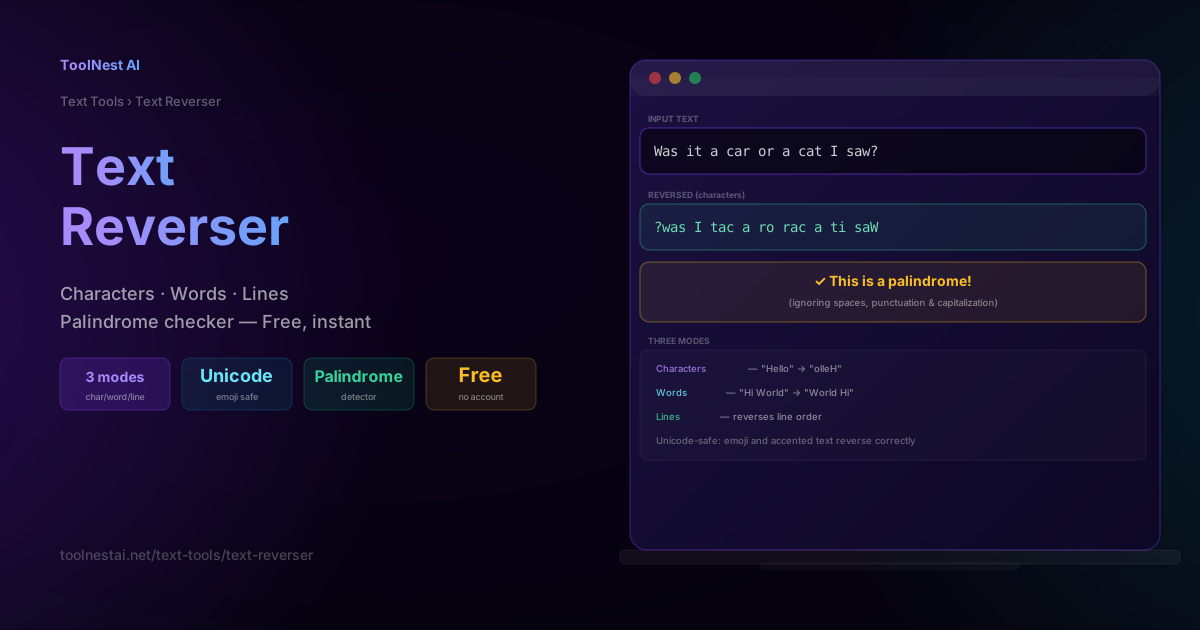
Reversing text sounds trivial — until you try to do it correctly on real-world text containing emoji, accented characters, or multi-word phrases. This guide covers the three ways to reverse text (characters, words, and lines), how palindrome checking actually works under the hood, and a genuinely tricky bug that catches even experienced developers when Unicode is involved.
Reverse any text instantly, and check whether it's a palindrome, with the ToolNest AI Text Reverser.
Three Ways to Reverse Text
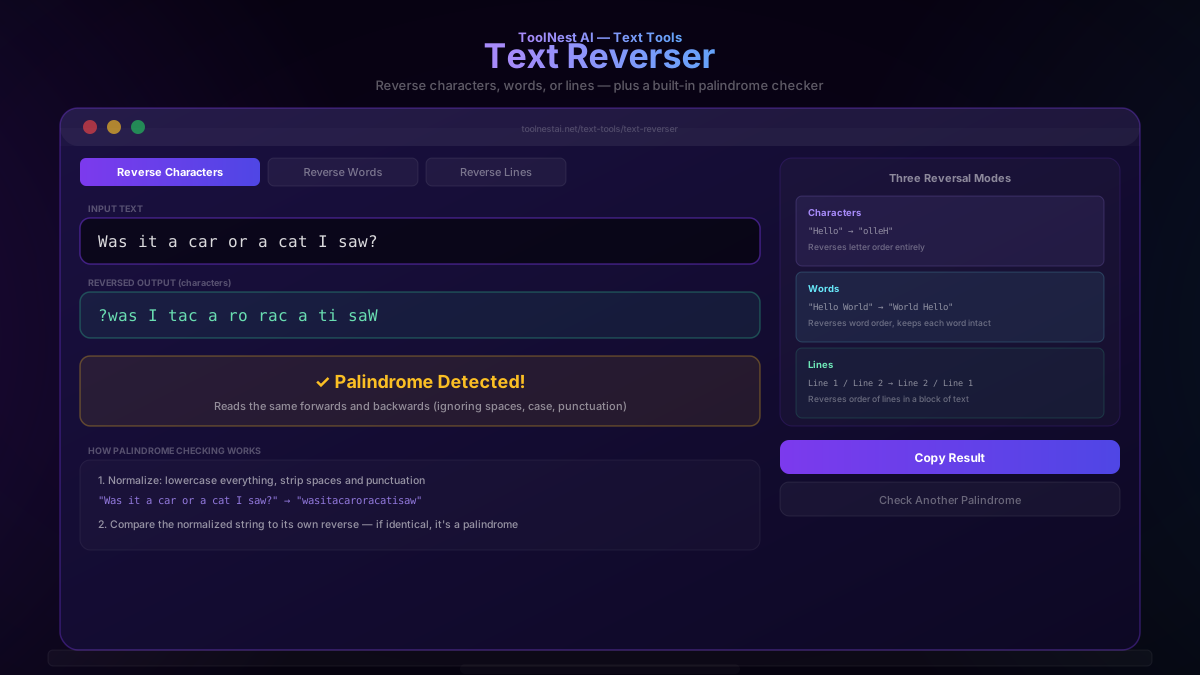
Character reversal flips the order of every individual character in the text: "Hello" becomes "olleH". This is the classic meaning of "reversing text" and is the mode used for palindrome checking and novelty "mirror text" effects.
Word reversal keeps each word spelled correctly but reverses the order the words appear in: "Hello World" becomes "World Hello". This is useful for restructuring sentences or testing how word order affects readability.
Line reversal reverses the order of lines within a multi-line block of text, leaving each individual line's content untouched:
Line 1        Line 3
Line 2   →    Line 2
Line 3        Line 1
This is useful for reordering lists, log file entries (showing most recent first), or any content where line order matters more than character order.
How Palindrome Checking Works
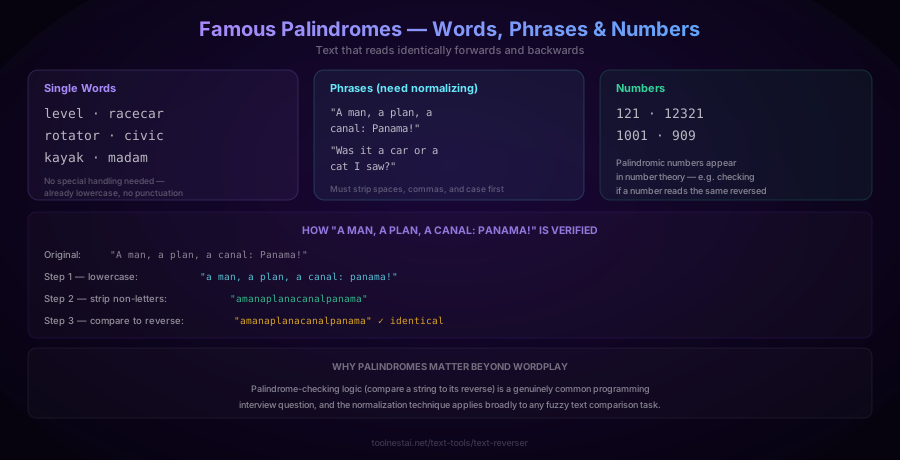
A palindrome is a word, phrase, or sequence that reads identically forwards and backwards. Some palindromes are trivial to check — single words like level, racecar, kayak, and madam are already lowercase with no punctuation, so a direct character reversal comparison works immediately.
Phrase-level palindromes require normalization first. A famous example: "A man, a plan, a canal: Panama!" reads as a palindrome to a human, but comparing the raw string to its raw reverse would fail, because of capitalization, spaces, commas, and the exclamation point. The correct algorithm:
- Normalize: convert to lowercase and strip everything except letters
"A man, a plan, a canal: Panama!" → "amanaplanacanalpanama" - Compare: check whether the normalized string equals its own reverse
"amanaplanacanalpanama" reversed = "amanaplanacanalpanama" ✓ match — it's a palindrome
Numeric palindromes work the same way but with digits: 121, 12321, 1001, and 909 all read identically forwards and backwards. Checking for palindromic numbers shows up in number theory and is a common introductory programming exercise.
Palindrome-checking is also one of the most frequently asked coding interview questions — the normalization-then-compare technique generalizes to many other "fuzzy" text comparison problems beyond palindromes specifically.
The Unicode Reversal Trap
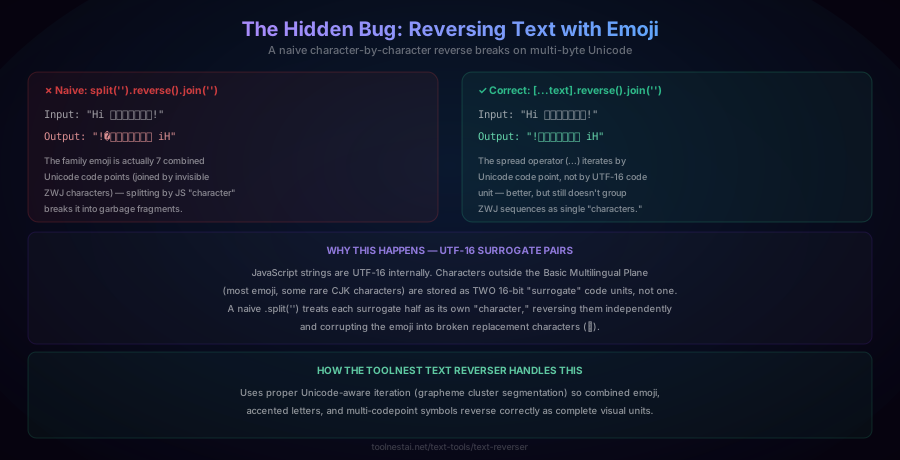
Here's a bug that catches even experienced developers: reversing a string containing emoji using the naive approach can corrupt the output entirely.
// Naive approach — breaks on complex emoji
"Hi 👨👩👧👦!".split('').reverse().join('');
// → "!�👦👧👩👨 iH" (broken/corrupted)Why this happens: JavaScript strings are encoded internally as UTF-16. Characters outside the Basic Multilingual Plane — which includes most modern emoji — are represented not as one 16-bit code unit, but as a pair of "surrogate" code units. A family emoji like 👨👩👧👦 is actually several Unicode code points joined together with invisible zero-width joiner (ZWJ) characters. A naive .split('') treats each surrogate half (or each joined code point) as an independent "character," splitting them apart in a way that reverses each half independently — corrupting the visual symbol into garbage or replacement characters (�).
A better approach uses the spread operator, which iterates by Unicode code point rather than by UTF-16 code unit:
[..."Hi 👨👩👧👦!"].reverse().join('');
// → "!👨👩👧👦 iH" (better, but still not perfect for all ZWJ sequences)This handles simple emoji and most accented characters correctly, but complex ZWJ sequences (like the family emoji, which combines four separate emoji into one visual glyph) can still be split apart, since the spread operator iterates by code point, not by complete "grapheme cluster" (the technical term for what a human perceives as a single visual character).
The most robust solution uses proper Unicode grapheme cluster segmentation (via Intl.Segmenter in modern JavaScript, or a dedicated library), which groups combined characters into their complete visual units before reversing. This is the approach the ToolNest AI Text Reverser uses, ensuring emoji, accented letters, and other multi-codepoint symbols reverse correctly as complete units rather than fragmenting into broken output.
How to Use the Text Reverser
The ToolNest AI Text Reverser runs entirely in your browser and supports all three reversal modes plus palindrome detection.
- Paste or type your text into the input field
- Select a mode — Reverse Characters, Reverse Words, or Reverse Lines
- View the reversed output instantly
- Check for palindromes — the tool automatically flags whether your input (in character-reversal mode) is a palindrome, after normalizing case, spaces, and punctuation
- Copy the result with one click
Text Reversal in Different Languages
JavaScript (Unicode-safe):
// Grapheme-aware reversal using Intl.Segmenter (modern browsers)
function reverseText(str) {
  const segmenter = new Intl.Segmenter(undefined, { granularity: 'grapheme' });
  return [...segmenter.segment(str)].map(s => s.segment).reverse().join('');
}

// Word reversal
const reverseWords = (str) => str.split(' ').reverse().join(' ');

// Palindrome check
function isPalindrome(str) {
  const normalized = str.toLowerCase().replace(/[^a-z0-9]/g, '');
  return normalized === [...normalized].reverse().join('');
}
Python (handles Unicode correctly by default):
def reverse_text(s):
    return s[::-1]

def reverse_words(s):
    return ' '.join(s.split()[::-1])

def is_palindrome(s):
    normalized = ''.join(c.lower() for c in s if c.isalnum())
    return normalized == normalized[::-1]
Python's string slicing (s[::-1]) handles most Unicode correctly because Python 3 strings are sequences of Unicode code points, though complex grapheme clusters (like ZWJ emoji sequences) can still split incorrectly without additional handling via a library like grapheme or regex.
PHP:
$reversed = strrev($string); // Warning: byte-based, breaks multi-byte UTF-8!
$reversed = implode('', array_reverse(mb_str_split($string))); // Unicode-safe
PHP's built-in strrev() operates on raw bytes, not Unicode characters, and will corrupt any multi-byte UTF-8 text (including accented characters and emoji). Always use mb_str_split() combined with array_reverse() for Unicode-safe reversal in PHP.
Common Mistakes
Mistake 1: Using naive byte or UTF-16 code unit splitting on Unicode text. As covered extensively above, this corrupts emoji and other multi-codepoint characters. Always use a Unicode-aware method (grapheme cluster segmentation, or a language's built-in Unicode-safe functions).
Mistake 2: Checking palindromes without normalizing first. Comparing "Racecar" directly against its raw reverse "racecaR" fails due to capitalization, even though it should be recognized as a palindrome. Always lowercase and strip non-alphanumeric characters before comparing.
Mistake 3: Confusing word reversal with character reversal. "Hello World" reversed by character is "dlroW olleH" (unreadable), while reversed by word is "World Hello" (still readable). Make sure you're using the mode appropriate for your goal.
Mistake 4: Assuming reversing a palindrome-check-passing string twice returns the original. This is actually always true for any correctly implemented character reversal — reversing a string twice returns the original string. If your implementation doesn't satisfy this property, there's likely a bug in how you're segmenting the text.
Frequently Asked Questions
How do I reverse a string of text?
Reversing a string means flipping the order of its characters so the last character becomes first and the first becomes last. In JavaScript, a Unicode-safe approach uses Intl.Segmenter or the spread operator ([...str].reverse().join('')); in Python, string slicing (s[::-1]) works correctly for most text. Avoid naive byte-based reversal methods (like PHP's strrev()) on text that may contain accented characters or emoji, since these can corrupt multi-byte Unicode sequences.
What is a palindrome?
A palindrome is a word, phrase, number, or sequence that reads identically forwards and backwards. Simple examples include "level," "racecar," and "121." Phrase-level palindromes like "A man, a plan, a canal: Panama!" require normalizing the text first — converting to lowercase and removing spaces and punctuation — before comparing it to its own reverse.
Why does reversing text with emoji sometimes produce broken characters?
Because many emoji, especially complex ones like the family emoji (👨👩👧👦), are encoded as multiple Unicode code points joined together (sometimes with invisible zero-width joiner characters), not as a single character. A naive character-by-character reversal splits these combined sequences apart, corrupting the emoji into broken replacement characters. Correctly handling this requires Unicode grapheme cluster segmentation, which treats the entire combined emoji as one indivisible unit.
Is reversing text useful for anything besides novelty or puzzles?
Yes. Palindrome-checking logic is a common programming interview question and teaches a normalization-then-compare pattern useful for many fuzzy text comparison tasks. Line reversal is practically useful for reordering lists or log entries. Character reversal is also occasionally used in simple text obfuscation (though it provides no real security) and in certain puzzle or word-game contexts.
Can I reverse just the words in a sentence without scrambling the letters?
Yes — this is "word reversal" as opposed to "character reversal." Word reversal splits the text by spaces, reverses the order of the resulting array of words, and rejoins them with spaces — each individual word remains spelled correctly, only their order changes. For example, "Hello World Today" becomes "Today World Hello."
How do I check if a number is a palindrome?
Convert the number to a string, then compare that string to its own reverse — the same technique used for text palindromes, but without needing to strip punctuation or normalize case, since digit strings don't have those issues. For example, 121 as a string is "121", and its reverse is also "121", confirming it's a palindromic number.
Does reversing text twice return the original text?
Yes, always — for any correctly implemented reversal function, reversing a string and then reversing the result again returns the exact original string. This is a useful property to verify your reversal implementation is correct: if reversing twice doesn't return the original (especially with Unicode text like emoji), there's likely a bug in how the text is being segmented into "characters."
What's the difference between reversing a string and sorting it in reverse alphabetical order?
These are entirely different operations. Reversing a string flips the positional order of its existing characters — "cab" reversed is "bac." Sorting in reverse alphabetical order rearranges the characters by their alphabetic value from Z to A — "cab" sorted in reverse order would produce "cba." The ToolNest AI Text Reverser performs positional reversal; for alphabetical sorting, use a dedicated text sorting tool instead.
About the author
Emir LočićI'm a developer focused on building practical online tools, with several years of experience in web development. I created ToolNest AI to make useful AI-powered tools simple, accessible, and free to use in one place.
Related Articles
Case Converter: UPPERCASE, camelCase, snake_case & More — Free Tool
Learn every text case format — UPPERCASE, Title Case, camelCase, snake_case, kebab-case, and more — when to use each for writing and code, and the real rules behind proper Title Case. Free, instant tool.
Word Counter: Count Words, Characters & Reading Time Free
Learn how to use a word counter to track words, characters, sentences, paragraphs and reading time — plus a complete reference of character limits for every major platform.