Slug Generator: Create SEO-Friendly URL Slugs Free Online
Learn how to build the perfect URL slug — why hyphens beat underscores, the ideal slug length, how to handle accented characters, and the mistakes that hurt SEO. Free, instant slug generator.
Founder & Developer, ToolNest AI
Published
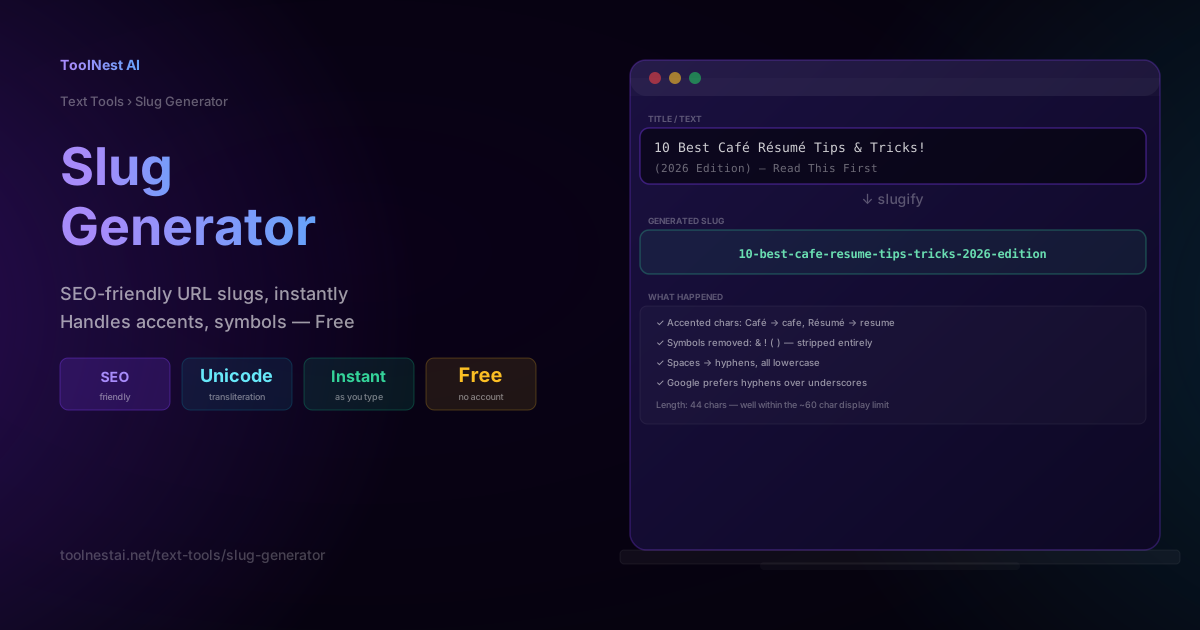
Every blog post, product page, and article needs a URL — and the difference between /blog/10-best-cafe-resume-tips-and-tricks-for-2026-that-actually-work and /blog/cafe-resume-tips-2026 is more than aesthetic. Slug length, structure, and character choices genuinely affect SEO, shareability, and how your URL displays in search results.
This guide covers exactly how a slug should be constructed, why hyphens beat underscores, and how long is too long. Convert any title into a clean, SEO-friendly slug instantly with the ToolNest AI Slug Generator.
What Is a URL Slug?
A slug is the human-readable identifier portion of a URL — everything that comes after the domain and any path prefix, uniquely identifying a specific page.
https://example.com/blog/best-coffee-shops-portland
                          └────────── slug ──────────┘
Slugs are typically derived from a page's title, but title text needs several transformations to become URL-safe: spaces, accented characters, punctuation, and symbols all need to be normalized into a consistent, readable, URL-compatible format.
The 4-Step Slug Transformation
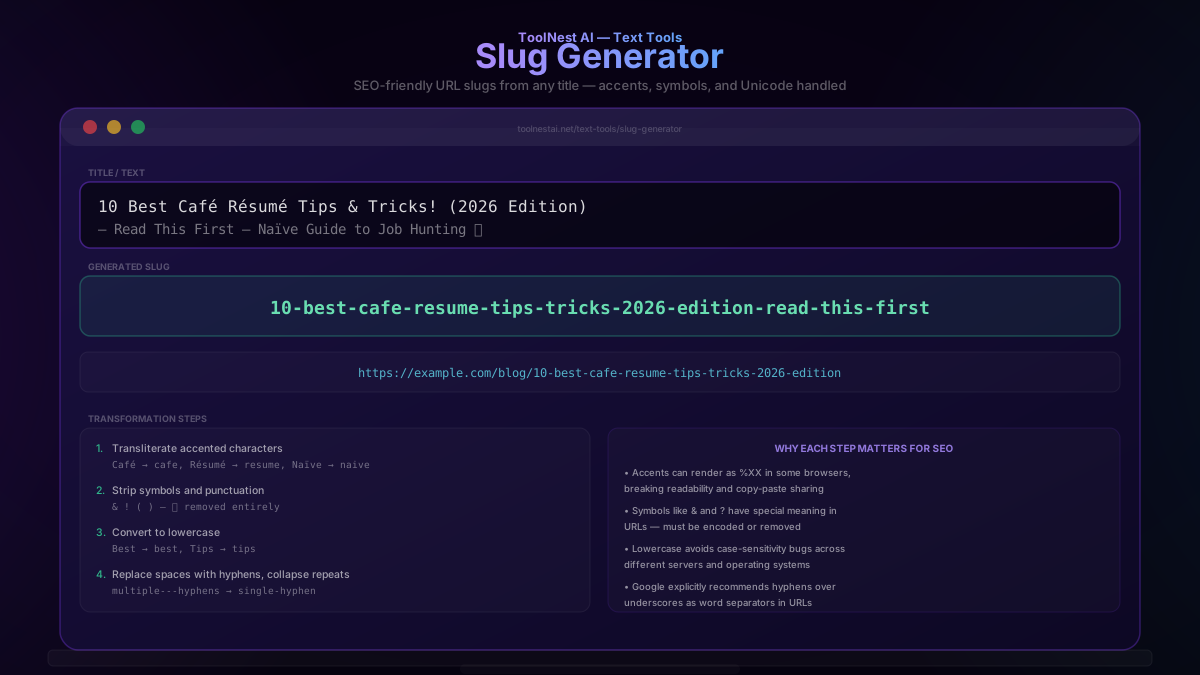
Converting a raw title into a slug involves four steps:
Step 1 — Transliterate accented characters. International characters need to be converted to their closest plain-ASCII equivalent: Café becomes cafe, Résumé becomes resume, Naïve becomes naive. Leaving accented characters in a URL can cause them to render as ugly percent-encoded sequences (%C3%A9 for é) in some browsers and break copy-paste sharing.
Step 2 — Strip symbols and punctuation. Characters like &, !, (, ), ?, and emoji are removed entirely, since they either have special meaning in URLs or simply don't belong in a clean slug.
Step 3 — Convert to lowercase. URLs can technically be case-sensitive depending on server configuration, and mixed-case slugs invite broken links from copy-paste or typing errors. Lowercase is the universal, safe default.
Step 4 — Replace spaces with hyphens, and collapse repeated hyphens into one. If step 2 leaves adjacent spaces (from removing a symbol between two words), the result should be a single hyphen, not word--word with a double hyphen.
Example — full transformation:
Input:  "10 Best Café Résumé Tips & Tricks! (2026 Edition)"
Output: "10-best-cafe-resume-tips-tricks-2026-edition"
Hyphens vs Underscores — Why It Matters
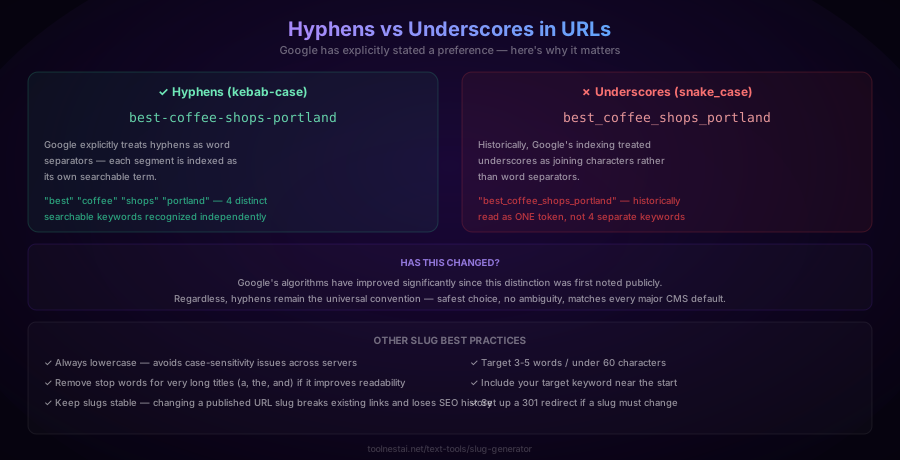
This is one of the most-cited SEO details about URL structure, and it's worth understanding precisely:
Hyphens (best-coffee-shops): Google's search documentation has explicitly stated that hyphens are treated as word separators during indexing — each hyphen-separated segment (best, coffee, shops) is recognized as its own distinct, searchable keyword.
Underscores (best_coffee_shops): Historically, search engines' text processing treated the underscore as a joining character rather than a separator, meaning best_coffee_shops risked being indexed as one long token rather than three distinct keywords.
Modern search algorithms have improved significantly since this distinction was first publicized, and the practical SEO impact of this specific difference is smaller than it once was. Regardless, hyphens remain the universal convention across virtually every major CMS, static site generator, and SEO tool — there's no good reason to deviate from it, and doing so introduces unnecessary risk for no benefit.
Slug Length — What Actually Matters
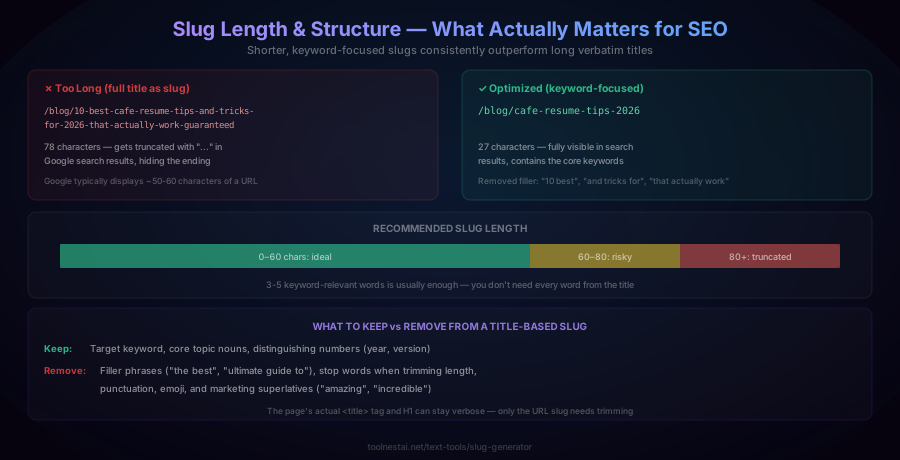
A common mistake is using a page's entire title, verbatim, as its slug. This produces unnecessarily long URLs that get truncated in search engine results pages — Google typically displays somewhere around 50-60 characters of a URL before truncating with an ellipsis.
Too long (78 characters):
/blog/10-best-cafe-resume-tips-and-tricks-for-2026-that-actually-work-guaranteed
Optimized (27 characters):
/blog/cafe-resume-tips-2026
The optimized version keeps the essential keywords ("cafe," "resume," "tips," "2026") while dropping filler phrases ("10 best," "and tricks for," "that actually work," "guaranteed") that add length without adding search value.
General guideline: aim for 3-5 words and under 60 characters. Your page's actual <title> tag and on-page <h1> heading can remain descriptive and full-length — only the URL slug itself benefits from trimming.
How to Use the Slug Generator
The ToolNest AI Slug Generator converts any text into a clean slug instantly, entirely in your browser.
- Paste your title or text into the input field
- View the generated slug update live as you type
- Choose your separator — hyphen (recommended) or underscore, if your system specifically requires it
- Copy the slug directly, or copy the full example URL with your domain prefixed
Slug Generation in Different Languages
JavaScript:
function slugify(text) {
  return text
    .normalize('NFD').replace(/[̀-ͯ]/g, '') // strip accents
    .toLowerCase()
    .replace(/[^a-z0-9\s-]/g, '')  // remove symbols
    .trim()
    .replace(/[\s_]+/g, '-')        // spaces to hyphens
    .replace(/-+/g, '-');           // collapse repeated hyphens
}

slugify("10 Best Café Résumé Tips & Tricks!");
// → "10-best-cafe-resume-tips-tricks"
Python:
import re
import unicodedata

def slugify(text):
    text = unicodedata.normalize('NFKD', text).encode('ascii', 'ignore').decode('ascii')
    text = re.sub(r'[^\w\s-]', '', text).strip().lower()
    return re.sub(r'[-\s]+', '-', text)

slugify("10 Best Café Résumé Tips & Tricks!")
# → "10-best-cafe-resume-tips-tricks"
PHP:
function slugify($text) {
    $text = iconv('UTF-8', 'ASCII//TRANSLIT', $text);
    $text = preg_replace('/[^A-Za-z0-9\s-]/', '', $text);
    $text = strtolower(trim($text));
    return preg_replace('/[\s-]+/', '-', $text);
}
Most modern CMS platforms (WordPress, Ghost, Shopify) generate slugs automatically using logic very similar to this, and typically allow manual override if the automatic result isn't ideal.
Common Mistakes
Mistake 1: Using the entire title verbatim as the slug. As covered above, this produces unnecessarily long URLs that get truncated in search results and dilute keyword focus with filler words.
Mistake 2: Changing a published slug without a redirect. Once a URL is live and indexed, changing its slug breaks every existing inbound link and resets any accumulated search ranking for that page. If a slug must change, always configure a 301 (permanent) redirect from the old URL to the new one.
Mistake 3: Leaving accented characters or emoji unencoded. Characters outside plain ASCII can render as ugly percent-encoded sequences in some contexts and break copy-paste sharing across different platforms and messaging apps.
Mistake 4: Using underscores instead of hyphens. While the practical SEO difference has narrowed over time, hyphens remain the universal, safe convention — there's no upside to using underscores instead.
Mistake 5: Including dates or version numbers that will quickly become stale. A slug like /blog/best-tools-2024 looks outdated within a year and may discourage clicks even if the content has been kept current. Consider whether a timeless slug (without the year) better serves long-term SEO for evergreen content.
Frequently Asked Questions
What is a URL slug?
A slug is the readable, unique identifier portion of a URL that comes after the domain and path prefix — for example, in example.com/blog/best-coffee-shops, the slug is best-coffee-shops. It's typically generated from a page's title, with spaces, accents, and special characters normalized into a clean, URL-safe format.
Why do hyphens work better than underscores in URLs?
Google's documentation has explicitly stated that hyphens are treated as word separators during search indexing — each hyphen-separated word is recognized as a distinct keyword. Underscores have historically been treated as joining characters rather than separators, risking multi-word phrases being indexed as a single token. While modern search algorithms have narrowed this gap, hyphens remain the safe, universal convention.
How long should a URL slug be?
Aim for roughly 3-5 words and under 60 characters. Google typically displays around 50-60 characters of a URL in search results before truncating with an ellipsis, so shorter, keyword-focused slugs stay fully visible and readable. There's no need to include every word from the original page title — keep the core keywords and drop filler phrases.
How are accented characters handled in slugs?
Accented and non-ASCII characters are transliterated to their closest plain-ASCII equivalent — for example, café becomes cafe, and résumé becomes resume. This process, called "slugification" or "transliteration," ensures the resulting URL displays cleanly across all browsers and doesn't get mangled into percent-encoded sequences.
Can I change a URL slug after publishing?
You can, but it comes with a real cost: any existing inbound links (from other websites, social media shares, or search engine indexes) pointing to the old URL will break unless you set up a 301 (permanent) redirect from the old slug to the new one. Search engines also need time to re-index the new URL, which can temporarily affect rankings. If a slug change is necessary, always implement the redirect rather than leaving the old URL to return a 404 error.
Should I include stop words like "the" or "and" in my slug?
It's generally fine either way for shorter titles, but removing stop words (a, an, the, and, of) can help shorten a slug that would otherwise be too long, without losing any meaningful keyword information. The core rule is keeping the slug focused on searchable, meaningful keywords rather than every word from the original title.
What's the difference between a slug and a permalink?
A permalink is the complete, permanent URL for a piece of content (e.g., https://example.com/blog/best-coffee-shops-portland), while a slug is specifically the identifying segment within that permalink (best-coffee-shops-portland). The permalink includes the domain and full path structure; the slug is just the final, page-specific portion.
Does the slug need to match the page title exactly?
No, and in most cases it shouldn't. The page's <title> tag and on-page heading can be fully descriptive and marketing-oriented ("The 10 Best Café Résumé Tips You'll Ever Need!"), while the URL slug should be a shortened, keyword-focused version of the same idea (cafe-resume-tips). Search engines and users benefit from a concise, scannable URL that doesn't need to carry the full weight of the page's marketing copy.
About the author
Emir LočićI'm a developer focused on building practical online tools, with several years of experience in web development. I created ToolNest AI to make useful AI-powered tools simple, accessible, and free to use in one place.
Related Articles
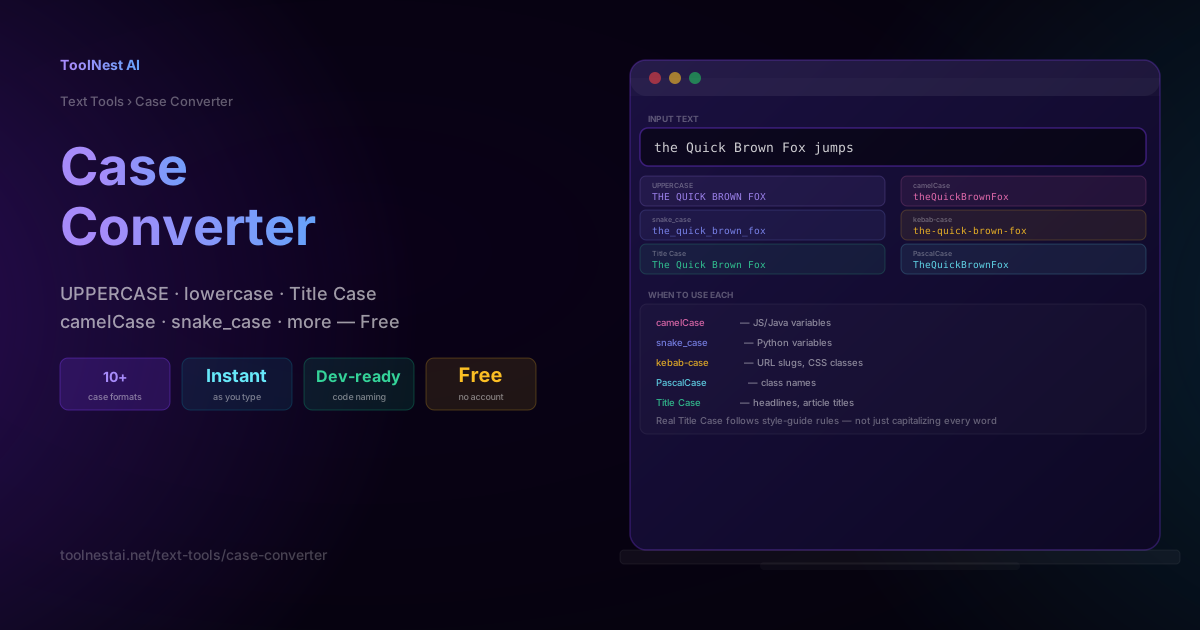
Case Converter: UPPERCASE, camelCase, snake_case & More — Free Tool
Learn every text case format — UPPERCASE, Title Case, camelCase, snake_case, kebab-case, and more — when to use each for writing and code, and the real rules behind proper Title Case. Free, instant tool.
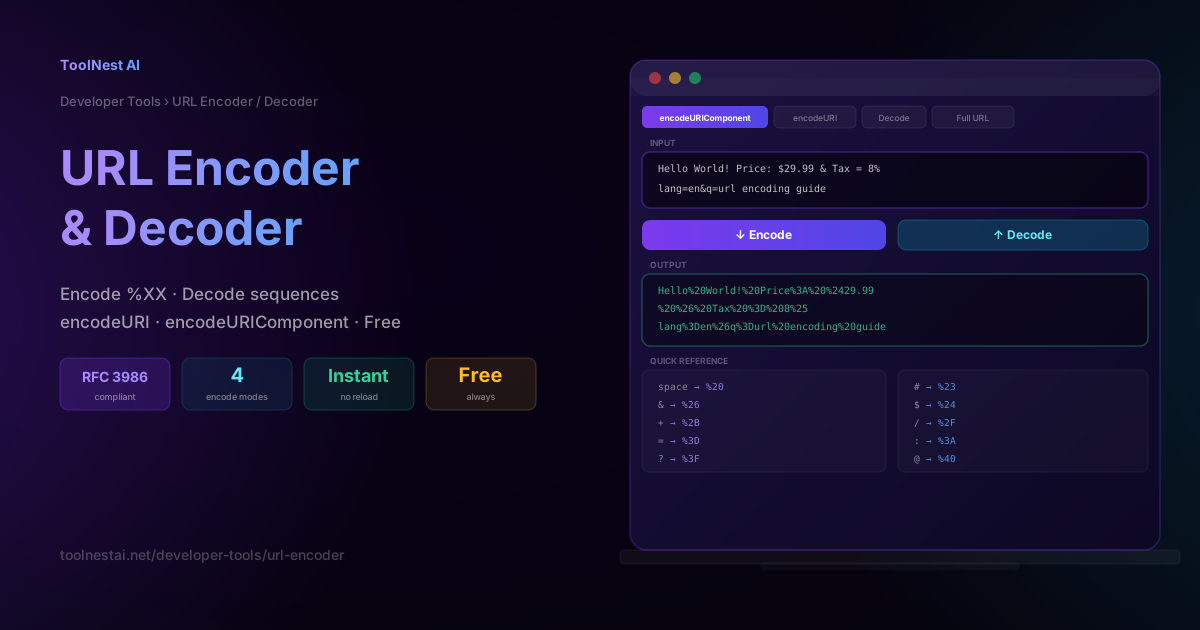
URL Encoder & Decoder: Percent-Encode URLs Free Online
Learn how URL percent-encoding works, when to use encodeURIComponent vs encodeURI, the full %XX character reference, and how to encode or decode any URL instantly — free, no sign-up.