Remove Extra Spaces: Clean Whitespace from Text Free Online
Learn the regex patterns for collapsing double spaces, trimming edges, and normalizing non-breaking spaces, why order of operations matters, and the real bugs invisible whitespace causes. Free, instant tool.
ToolNest AI Team
Author
Published
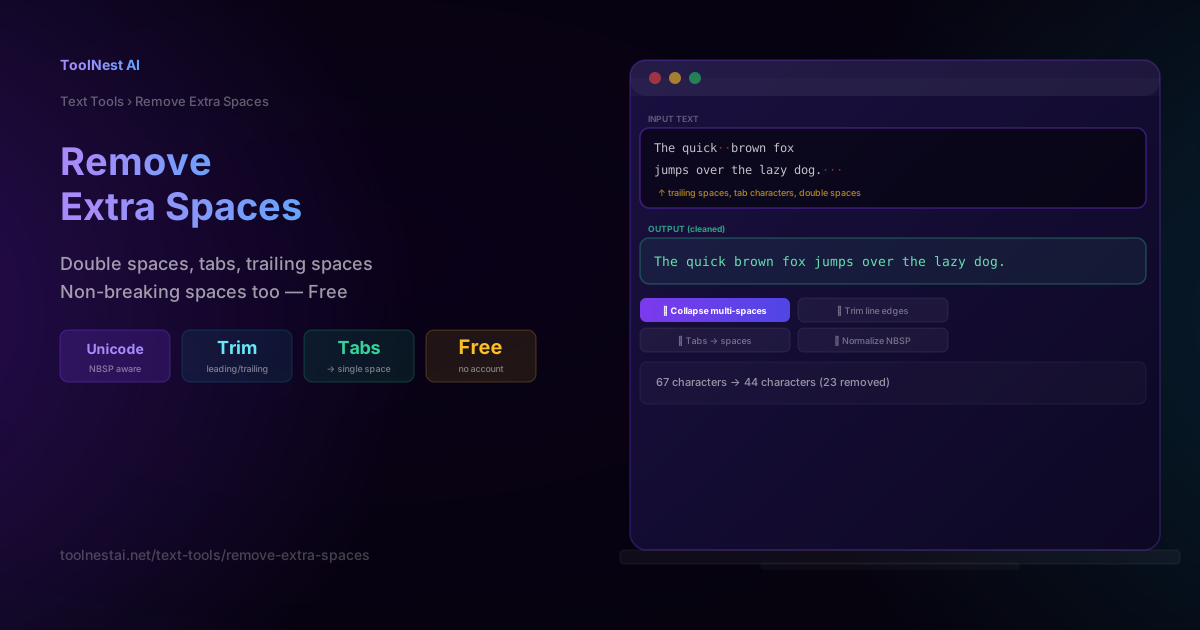
A double space between two words looks harmless — until it breaks a login check, creates a duplicate database record, or causes a Python script to throw an IndentationError. Whitespace is invisible to the human eye but exact to a computer, and cleaning it up correctly requires understanding a few character types most people have never thought about.
This guide covers the exact regex patterns behind whitespace cleanup, why the order you apply them matters, and the real production bugs extra spaces cause. Clean up any text instantly with the ToolNest AI Remove Extra Spaces tool.
Four Whitespace Characters You Should Know
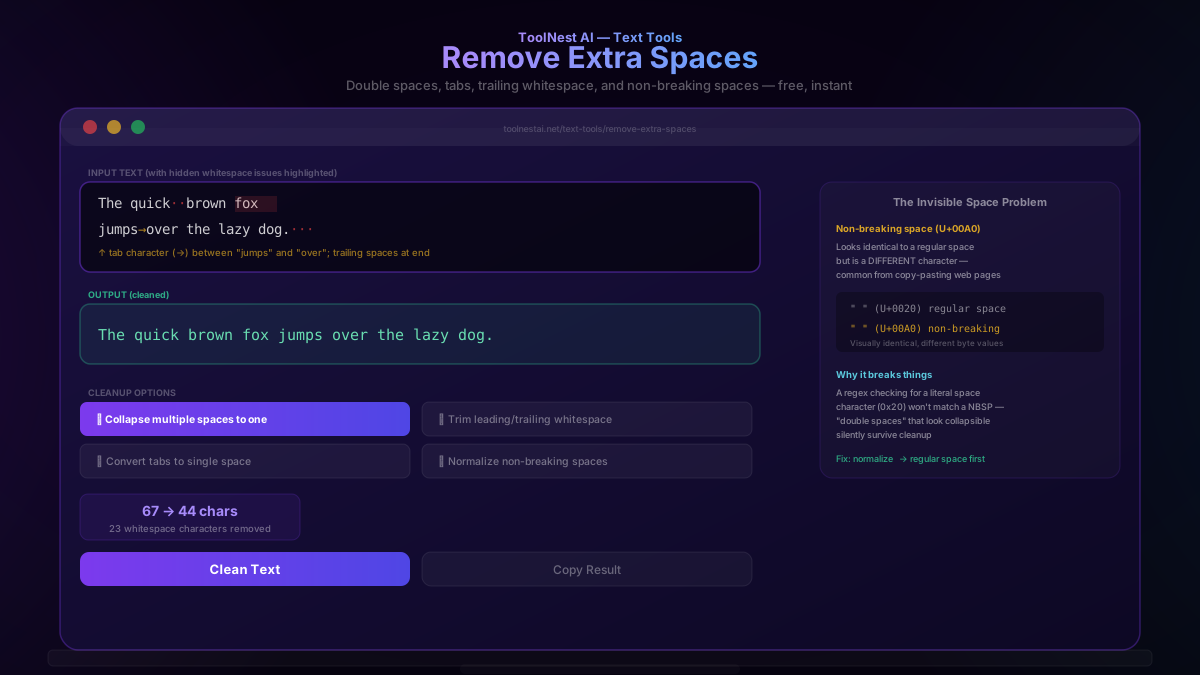
Not all "blank-looking" characters are the same underlying byte:
- Space (U+0020): the standard whitespace character typed with the spacebar.
- Tab (U+0009,
\t): typically produced by pressing Tab, common in code and spreadsheet data pasted as plain text. - Non-breaking space (U+00A0): visually identical to a regular space but a completely different character — commonly introduced when copy-pasting text from web pages, where it's used to prevent line-wrapping at that point (like keeping "10 MB" from wrapping between the number and unit).
- Zero-width space (U+200B): completely invisible — it renders as nothing at all but still occupies a character position in the string, occasionally introduced by certain text editors or web scraping.
The critical insight: a non-breaking space looks exactly like a regular space to a human reader, but a regex or string comparison checking for a literal space character (U+0020) will not match it. This is why "double spaces" that look perfectly collapsible sometimes silently survive a cleanup pass.
The Regex Patterns Behind Whitespace Cleanup
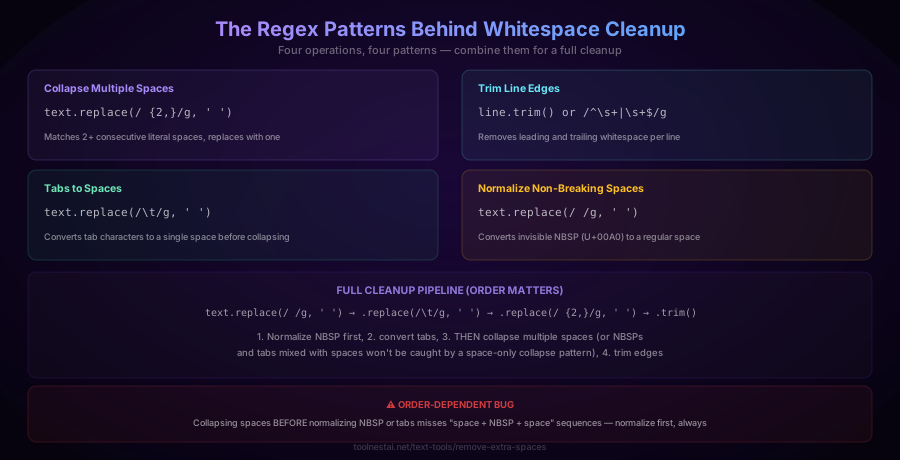
Collapse multiple spaces to one:
text.replace(/ {2,}/g, ' ')Trim leading and trailing whitespace:
line.trim()
// or explicitly: line.replace(/^\s+|\s+$/g, '')
Convert tabs to a single space:
text.replace(/\t/g, ' ')Normalize non-breaking spaces to regular spaces:
text.replace(/ /g, ' ')The full cleanup pipeline, in the correct order:
text
  .replace(/ /g, ' ')   // 1. normalize NBSP first
  .replace(/\t/g, ' ')        // 2. convert tabs
  .replace(/ {2,}/g, ' ')     // 3. THEN collapse multiple spaces
  .trim();                    // 4. trim edges
Why order matters: if you collapse multiple spaces before normalizing non-breaking spaces and tabs, a sequence like "space + NBSP + space" won't be caught, because the collapse pattern only matches literal space characters — it doesn't know the NBSP in the middle is "also whitespace" unless it's been normalized first. Always normalize other whitespace types to a regular space before running the collapse step.
Where Extra Whitespace Actually Causes Problems
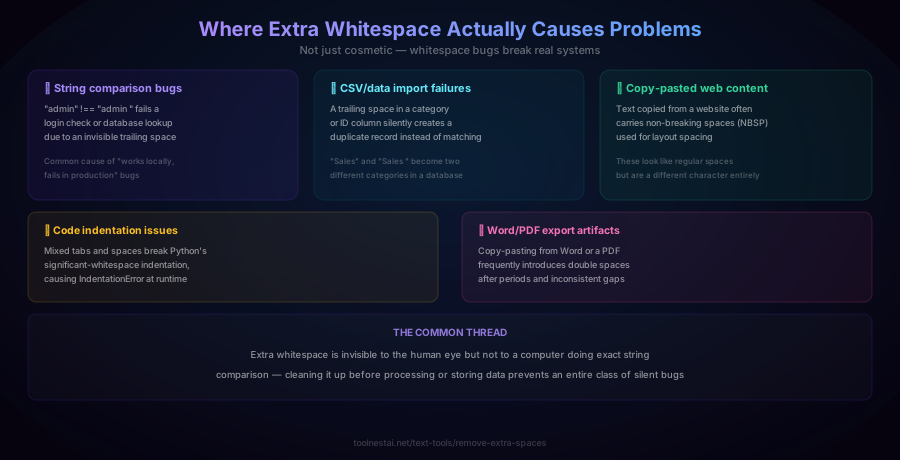
String comparison bugs. "admin" and "admin " (with a trailing space) are different strings in every programming language's equality check. This causes login checks, permission lookups, and configuration matching to silently fail — a classic "works locally, fails in production" bug when data gets a stray space somewhere in the pipeline.
Duplicate database records. A category field with a trailing space ("Sales " vs "Sales") creates two distinct entries where a human would expect one, silently fragmenting reports and lookups.
Copy-pasted web content. Text copied from a web page frequently carries non-breaking spaces used for layout purposes on the original page. These look identical to regular spaces but behave differently in downstream processing.
Code indentation issues. Python's significant-whitespace syntax means mixing tabs and spaces for indentation can cause a runtime IndentationError — a notoriously confusing error for anyone unfamiliar with how Python parses whitespace.
Word/PDF export artifacts. Copy-pasting from Word documents or PDFs frequently introduces double spaces after periods (a formatting convention some older typing styles used) and generally inconsistent spacing.
The common thread: whitespace differences are invisible to a human skimming the text but fully significant to any system doing exact comparison — cleaning it up before processing or storing data prevents an entire category of silent, hard-to-diagnose bugs.
How to Use the Remove Extra Spaces Tool
The ToolNest AI Remove Extra Spaces tool runs entirely in your browser.
- Paste your text into the input field
- Toggle "Collapse multiple spaces" to reduce any run of spaces down to one
- Toggle "Trim leading/trailing whitespace" to clean up line edges
- Toggle "Convert tabs to spaces" if your text contains tab characters
- Toggle "Normalize non-breaking spaces" if your text was copy-pasted from a web page
- Copy the cleaned result
Whitespace Cleanup in Different Languages
JavaScript:
function cleanWhitespace(text) {
  return text
    .replace(/ /g, ' ')
    .replace(/\t/g, ' ')
    .replace(/ {2,}/g, ' ')
    .trim();
}
Python:
import re

def clean_whitespace(text):
    text = text.replace(' ', ' ')
    text = text.replace('\t', ' ')
    text = re.sub(r' {2,}', ' ', text)
    return text.strip()
PHP:
$clean = trim(preg_replace('/\s+/', ' ', str_replace("\xC2\xA0", ' ', $text)));Command line (sed):
sed -e 's/[[:space:]]\+/ /g' -e 's/^ *//' -e 's/ *$//' input.txt > output.txtCommon Mistakes
Mistake 1: Collapsing spaces before normalizing NBSP or tabs. As covered above, this misses mixed sequences like "space + NBSP + space," leaving apparent double-spaces uncleaned. Always normalize other whitespace types first.
Mistake 2: Assuming all "blank-looking" characters are regular spaces. Non-breaking spaces and zero-width spaces are visually indistinguishable from regular spaces but behave differently in code — a regex targeting only U+0020 will silently miss them.
Mistake 3: Trimming only the start and end of the entire text, not each line. If your text has multiple lines, each with trailing whitespace, a single .trim() call on the whole string only cleans the very first and last line — you need to trim each line individually for a full cleanup.
Mistake 4: Not testing whitespace-sensitive edge cases before deploying cleanup logic. If your data pipeline uses exact-match comparisons downstream, verify that whitespace cleanup runs before those comparisons, not after — cleaning up display text is not the same as normalizing the data used for matching.
Frequently Asked Questions
How do I remove double spaces from text?
Use a regex pattern that matches two or more consecutive space characters and replaces them with a single space: text.replace(/ {2,}/g, ' ') in JavaScript, or re.sub(r' {2,}', ' ', text) in Python. For a complete cleanup, also normalize non-breaking spaces and tabs to regular spaces first, since a simple space-collapse pattern won't catch runs that mix different whitespace character types.
What is a non-breaking space and why does it cause problems?
A non-breaking space (Unicode U+00A0) is visually identical to a regular space (U+0020) but is a completely different character, originally designed to prevent text from wrapping at that specific point (e.g., keeping "10 MB" together on one line). It's commonly introduced when copy-pasting text from web pages. Because it's a different character, a regex or string function checking specifically for regular spaces won't match it — "double spaces" involving an NBSP can silently survive a naive cleanup.
What's the correct order to clean up whitespace?
Normalize non-breaking spaces to regular spaces first, then convert tabs to spaces, then collapse multiple consecutive spaces into one, and finally trim leading/trailing whitespace. Doing the collapse step before normalizing other whitespace types can miss mixed sequences (like "space + tab + space") that should have been collapsed together.
Why does a trailing space break my login or database lookup?
Because most programming languages and databases perform exact string comparisons by default. "admin" and "admin " (with a trailing space) are different strings character-for-character, so an equality check between them returns false even though they look identical to a person reading the screen. This is a common source of "works locally, fails in production" bugs when data gets an accidental extra space somewhere in an input form, file import, or copy-paste.
Can extra whitespace break code?
Yes, notably in Python, where indentation is syntactically significant. Mixing tabs and spaces for indentation within the same block can cause Python to throw an IndentationError, even though the code may look correctly aligned in some text editors. Most other languages don't treat whitespace as syntactically meaningful in this way, but inconsistent whitespace can still cause string-comparison bugs in any language.
How do I detect invisible whitespace characters like zero-width spaces?
Most text editors won't display zero-width spaces (U+200B) or clearly distinguish non-breaking spaces from regular ones visually. To detect them programmatically, you can check character codes directly (e.g., text.charCodeAt(i) === 0x200B in JavaScript) or use a regex targeting the specific Unicode code point. Some text editors have a "show invisible characters" or "show whitespace" display mode that can help visually identify these characters.
Does removing extra spaces affect the meaning of my text?
No, when done correctly — cleaning up extra whitespace (multiple spaces, trailing spaces, tabs) doesn't change the words or their order, only the amount and type of space between them. The one exception is intentional formatting that relies on precise spacing, such as certain plain-text tables or ASCII art, where collapsing spaces would visually break the intended alignment — review your specific use case before applying bulk whitespace cleanup to formatted content.
Is trimming whitespace the same as removing all spaces?
No. Trimming removes whitespace only from the beginning and end of a string (or each line), leaving spaces between words untouched. Removing all spaces would delete every space character throughout the text, joining all words together — a very different and rarely desired operation. The ToolNest AI Remove Extra Spaces tool offers trim and collapse as separate, combinable options specifically to avoid this confusion.
About the author
ToolNest AI Team
The ToolNest AI team builds free tools that help developers, marketers, and creators do more online — faster.
Related Articles
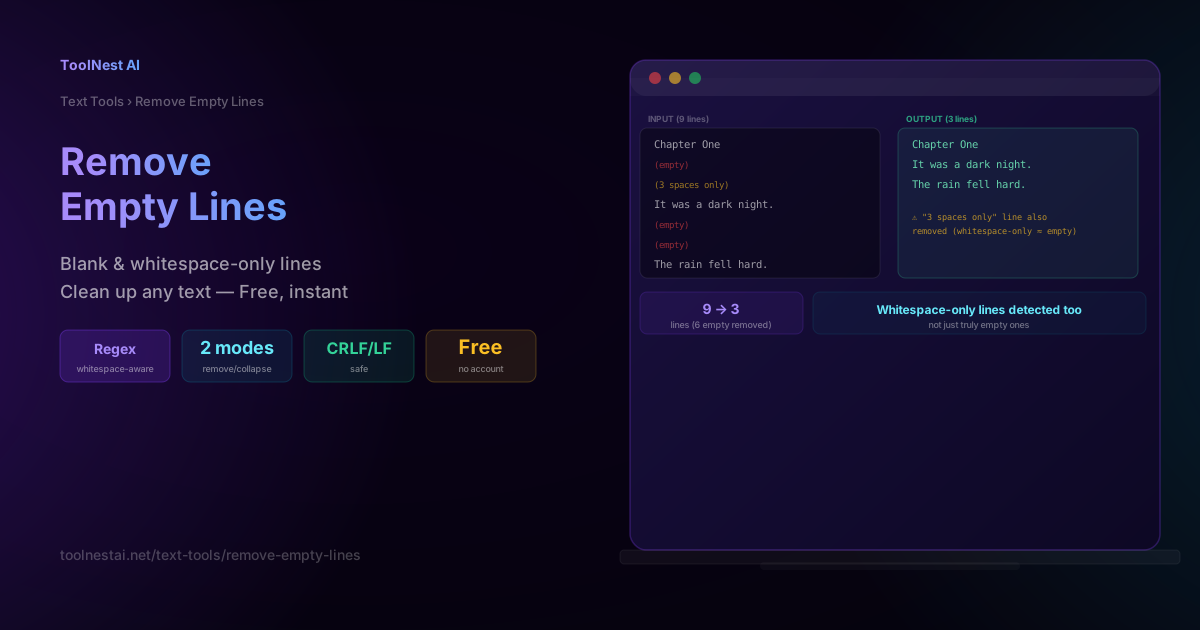
Remove Empty Lines: Clean Up Blank Lines Free Online
Learn the regex patterns behind removing blank lines correctly, why whitespace-only lines are easy to miss, the CRLF vs LF line-ending trap, and when to collapse instead of remove. Free, instant tool.
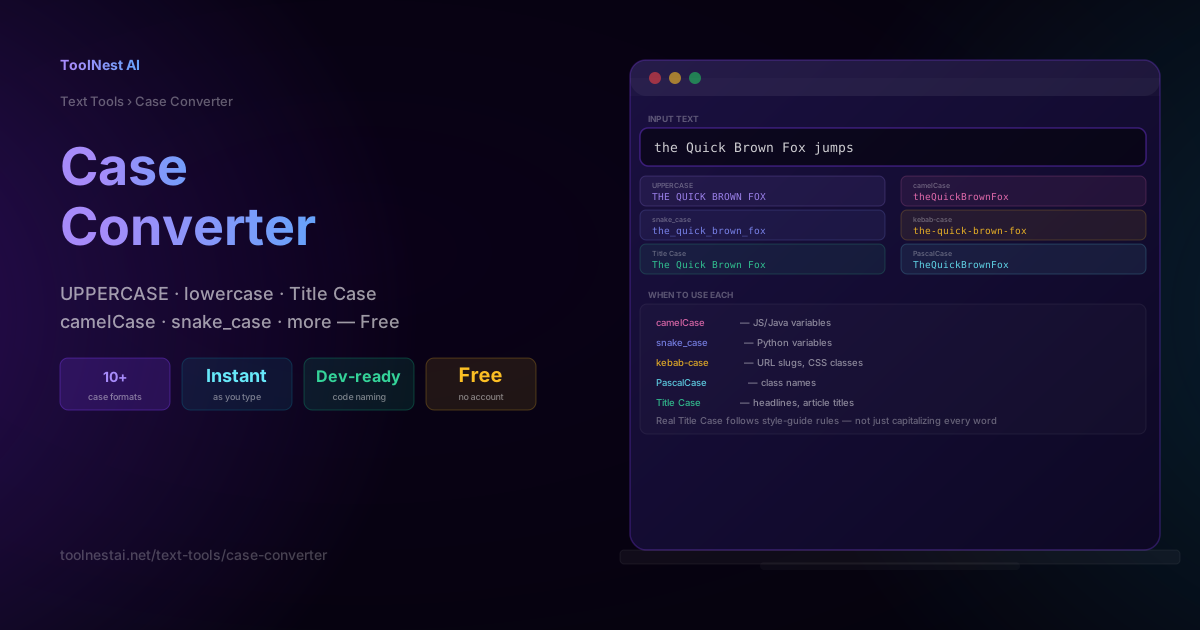
Case Converter: UPPERCASE, camelCase, snake_case & More — Free Tool
Learn every text case format — UPPERCASE, Title Case, camelCase, snake_case, kebab-case, and more — when to use each for writing and code, and the real rules behind proper Title Case. Free, instant tool.