Regex Tester: Complete Guide to Regular Expressions + Free Tool
Learn regular expression syntax from the ground up — character classes, quantifiers, groups, flags, and lookaround — plus 6 ready-to-use patterns, catastrophic backtracking, and how to test regex live, free online.
Founder & Developer, ToolNest AI
Published
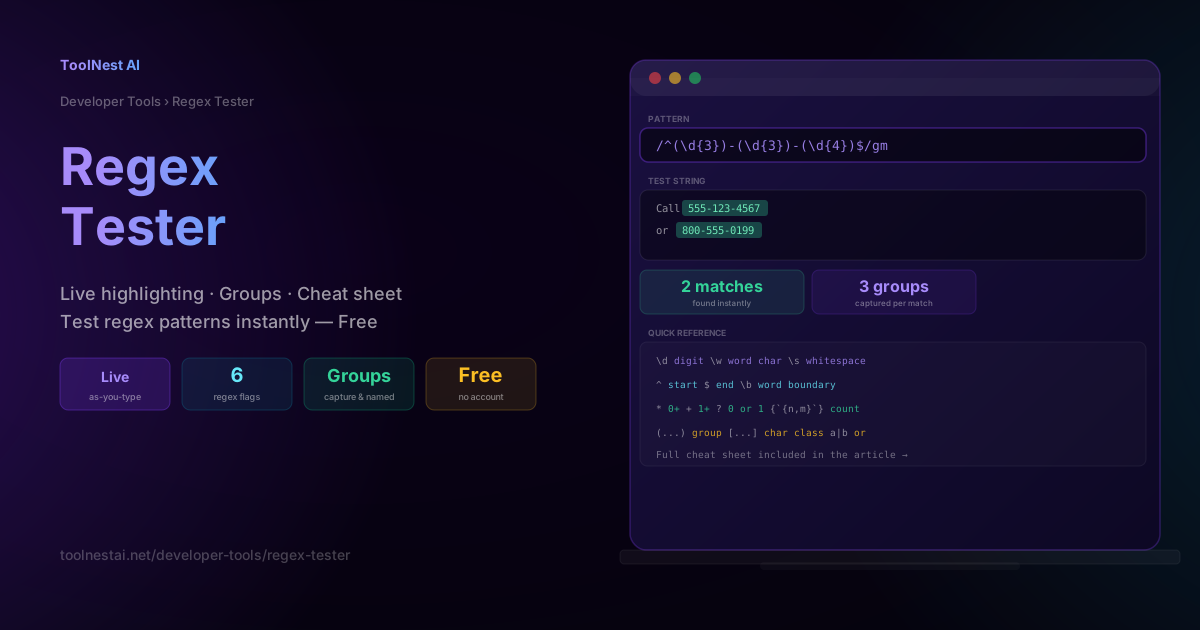
Regular expressions have a reputation for being unreadable — and a poorly written one can be. But the underlying rules are small and consistent: a handful of character classes, a handful of quantifiers, and a way to group things together. Once those pieces click, you can validate an email address, extract a phone number, or reformat a log file in a single line.
This guide walks through regex syntax from first principles, covers every JavaScript regex flag, gives you six ready-to-use patterns, and explains catastrophic backtracking — a performance trap that has caused real production outages. Test any pattern instantly with the ToolNest AI Regex Tester, which highlights matches live as you type.
What Is a Regular Expression?
A regular expression (regex) is a sequence of characters that defines a search pattern. Regex engines use this pattern to test whether a string matches, to find all matching substrings, or to replace matched text with something else. Regex is built into nearly every programming language, text editor, and command-line tool (grep, sed, awk are named after regex operations).
The theoretical foundation is decades old — formal "regular languages" were described by mathematician Stephen Kleene in the 1950s — but the syntax used in modern programming languages (JavaScript, Python, PCRE, .NET) has converged on a largely shared vocabulary, with small differences between engines.
The Building Blocks
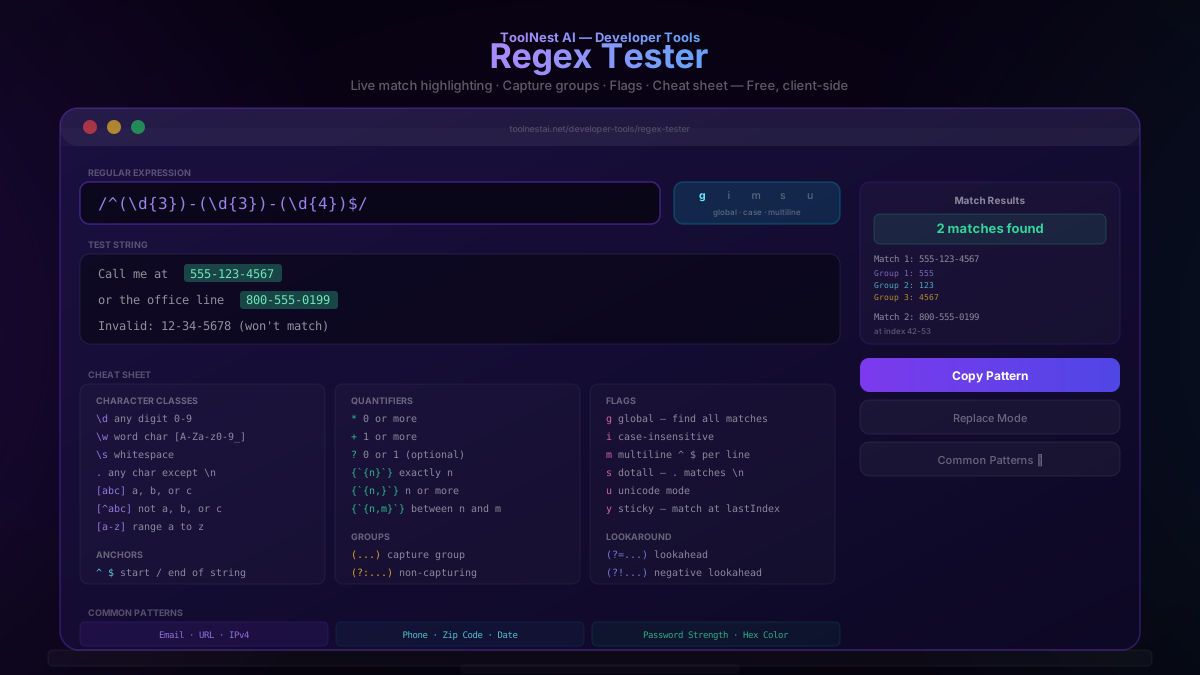
Character Classes
Character classes match a single character from a defined set:
| Pattern | Matches |
|---|---|
\d | any digit (0-9) |
\D | any non-digit |
\w | any word character (letters, digits, underscore) |
\W | any non-word character |
\s | any whitespace (space, tab, newline) |
\S | any non-whitespace |
. | any character except newline |
[abc] | any one of a, b, or c |
[^abc] | any character not a, b, or c |
[a-z] | any character in the range a to z |
Quantifiers
Quantifiers control how many times the preceding element repeats:
| Pattern | Meaning |
|---|---|
* | zero or more |
+ | one or more |
? | zero or one (optional) |
{n} | exactly n |
{n,} | n or more |
{n,m} | between n and m |
*? +? ?? | lazy versions — match as few as possible |
By default, quantifiers are greedy — they match as much as possible, then backtrack if needed. Adding ? after a quantifier makes it lazy — it matches as little as possible first.
"<a><b>".match(/<.+>/);   // greedy:  "<a><b>" (matches everything)
"<a><b>".match(/<.+?>/);  // lazy:    "<a>"     (matches the shortest span)
Anchors and Boundaries
Anchors match a position, not a character:
| Pattern | Meaning |
|---|---|
^ | start of the string (or line, with the m flag) |
$ | end of the string (or line, with the m flag) |
\b | word boundary (between a word character and a non-word character) |
\B | not a word boundary |
Groups and Alternation
| Pattern | Meaning |
|---|---|
(...) | capture group — remembers the matched text |
(?:...) | non-capturing group — groups without remembering |
(?<name>...) | named capture group |
a|b | alternation — matches a OR b |
Regex Flags Explained
JavaScript regular expressions support six flags, appended after the closing slash (/pattern/gi):
g(global): finds all matches in the string, not just the first one. Withoutg,.match()stops after the first match.i(ignore case): makes the match case-insensitive —/hello/imatches "Hello", "HELLO", "hello".m(multiline): changes^and$to match the start/end of each line within a multi-line string, rather than only the start/end of the entire string.s(dotall): makes.match newline characters too (by default,.does not match\n).u(unicode): enables full Unicode mode, correctly handling characters outside the Basic Multilingual Plane (emoji, some CJK characters) as single units rather than surrogate pairs.y(sticky): matches only starting from the position specified bylastIndex, without searching ahead — useful for tokenizing text incrementally.
6 Common Regex Patterns
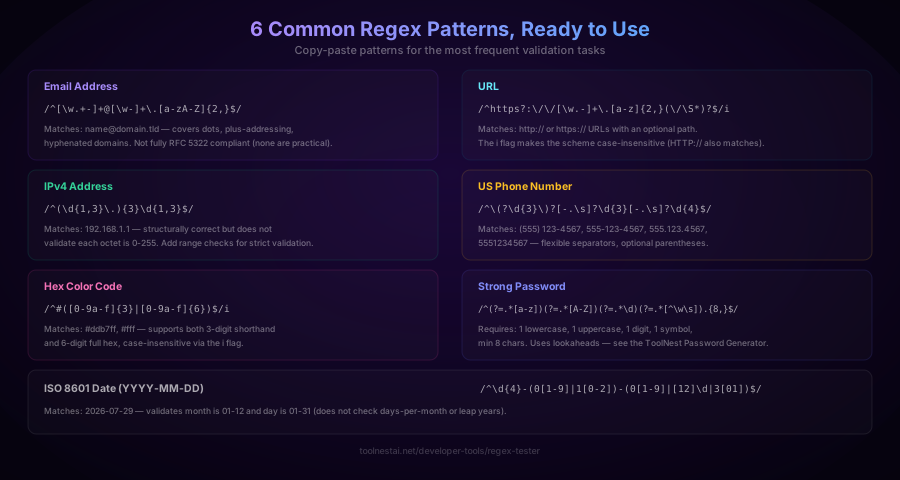
Email address:
/^[\w.+-]+@[\w-]+\.[a-zA-Z]{2,}$/
Matches name@domain.tld, including dots and plus-addressing in the local part. No regex fully implements RFC 5322 (the real email spec is far more permissive than most patterns assume) — this pattern covers the vast majority of real-world addresses.
URL:
/^https?:\/\/[\w.-]+\.[a-z]{2,}(\/\S*)?$/i
Matches http:// or https:// URLs with an optional path. The i flag makes the scheme case-insensitive.
IPv4 address:
/^(\d{1,3}\.){3}\d{1,3}$/
Matches the structural shape of an IPv4 address. It does not validate that each octet is between 0 and 255 — for strict validation, each \d{1,3} group needs to be replaced with a more specific pattern like (25[0-5]|2[0-4]\d|[01]?\d\d?).
US phone number:
/^\(?\d{3}\)?[-.\s]?\d{3}[-.\s]?\d{4}$/
Matches (555) 123-4567, 555-123-4567, 555.123.4567, and 5551234567 — flexible with optional parentheses and separators.
Hex color code:
/^#([0-9a-f]{3}|[0-9a-f]{6})$/i
Matches both 3-digit shorthand (#fff) and 6-digit full hex (#ddb7ff) colors, case-insensitively.
ISO 8601 date (YYYY-MM-DD):
/^\d{4}-(0[1-9]|1[0-2])-(0[1-9]|[12]\d|3[01])$/
Validates the month is 01-12 and the day is 01-31. It does not check for invalid combinations like February 30 — full calendar validation requires additional logic beyond regex.
Capture Groups and Extracting Data
Parentheses create a capture group, letting you extract specific parts of a match rather than the whole thing:
const match = "2026-07-29".match(/^(\d{4})-(\d{2})-(\d{2})$/);
match[0]; // "2026-07-29" — the full match
match[1]; // "2026" — group 1: year
match[2]; // "07"   — group 2: month
match[3]; // "29"   — group 3: day
Named groups make this more readable:
const match = "2026-07-29".match(/^(?<year>\d{4})-(?<month>\d{2})-(?<day>\d{2})$/);
match.groups.year;  // "2026"
match.groups.month; // "07"
match.groups.day;   // "29"
Named groups are especially useful in longer patterns where positional group numbers become hard to track.
Catastrophic Backtracking — A Regex Performance Trap
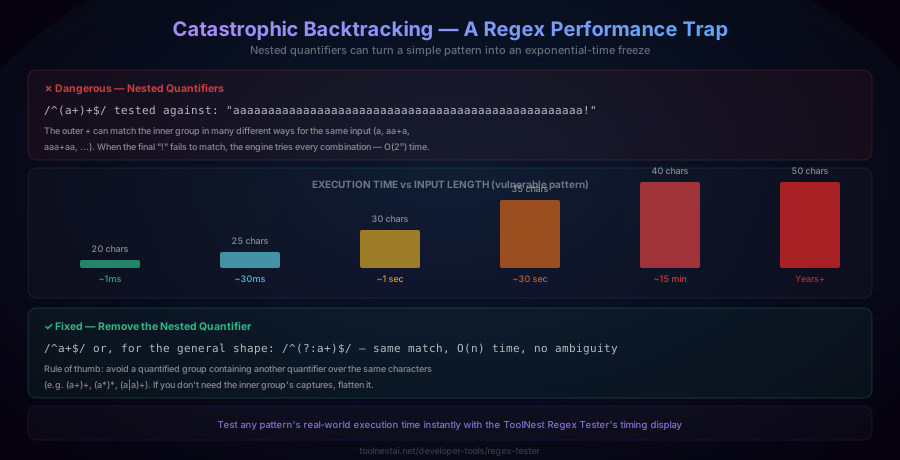
Some regex patterns can take exponentially longer to fail as input length grows — a phenomenon called catastrophic backtracking. It happens when a quantified group contains another quantifier over overlapping characters, such as (a+)+.
// Dangerous pattern
/^(a+)+$/.test("aaaaaaaaaaaaaaaaaaaaaaaaaaaaaaaaaaaaaaaaaaaaaaaaaa!");
Because the outer + can match the inner group in many different combinations for the same run of a characters, when the final ! fails to match, the engine tries every possible combination before giving up — an O(2ⁿ) blowup. A 20-character input might resolve in under a millisecond; a 40-character input can take many minutes; a 50-character input can effectively hang forever. This is not a hypothetical: several production outages have been caused by exactly this kind of pattern receiving malicious or unexpected input (sometimes called ReDoS — Regular Expression Denial of Service).
The fix: avoid nesting a quantifier inside another quantifier over the same character set. (a+)+ should almost always be simplified to a+ — the capture group serves no purpose if it isn't extracting something distinct, and removing the redundant quantifier eliminates the exponential blowup entirely.
The ToolNest AI Regex Tester displays execution time for every test, so you can catch a slow pattern during development rather than in production.
How to Use the Regex Tester
The ToolNest AI Regex Tester runs entirely in your browser — your patterns and test data are never sent to a server.
- Type or paste your pattern into the regex input field
- Toggle flags (g, i, m, s, u, y) using the flag buttons
- Paste your test string — matches highlight live, in real time, as you type either field
- Inspect results — the match count, each match's start/end index, any capture groups, and the pattern's execution time all appear in the results panel
- Copy the pattern with correct delimiters and flags for direct use in your code
Regex in Different Languages
The core syntax is nearly identical across languages, with small differences in delimiters and flag syntax:
JavaScript:
const re = /^\d{3}-\d{4}$/;
re.test("555-1234");        // true
"555-1234".match(re);       // ["555-1234"]
"a1b2".replace(/\d/g, "#"); // "a#b#"
Python:
import re
re.match(r"^\d{3}-\d{4}$", "555-1234")   # Match object
re.findall(r"\d+", "a1b22c333")          # ['1', '22', '333']
re.sub(r"\d", "#", "a1b2")               # 'a#b#'
PHP (PCRE, requires delimiters):
preg_match('/^\d{3}-\d{4}$/', '555-1234');
preg_replace('/\d/', '#', 'a1b2'); // 'a#b#'
Java:
Pattern p = Pattern.compile("^\\d{3}-\\d{4}$");
Matcher m = p.matcher("555-1234");
m.matches(); // true
Common Mistakes
Mistake 1: Forgetting to escape special characters. Characters like ., *, +, ?, (, ), [, ], {, }, |, ^, $, and \ all have special meaning in regex. To match them literally, escape with a backslash: \. matches a literal period, not "any character."
Mistake 2: Using . when you mean a literal dot. A common bug: /\d{3}.\d{4}/ (unescaped dot) will match "555X1234" because . matches any character. Use /\d{3}\.\d{4}/ to match a literal decimal point.
Mistake 3: Not anchoring the pattern. Without ^ and $, a pattern matches anywhere within the string, not the whole string. /\d{3}/.test("abc123def") returns true even though the full string is not purely digits — always anchor when validating complete input.
Mistake 4: Writing catastrophic-backtracking-prone patterns. As covered above, nested quantifiers over overlapping character sets can hang the regex engine. Test unusual or adversarial inputs, and watch the execution time shown by the ToolNest Regex Tester.
Mistake 5: Assuming g flag doesn't affect .test(). When the g flag is set, calling .test() repeatedly on the same regex object advances an internal lastIndex, so subsequent calls can unexpectedly return false for a string that should match. Reset lastIndex = 0 between calls, or avoid reusing a global-flagged regex object across multiple .test() calls.
Frequently Asked Questions
What is a regular expression?
A regular expression (regex) is a pattern made of literal characters and special metacharacters that defines a set of strings to match. Regex engines use this pattern to test whether text matches, find all matching substrings, or perform search-and-replace. It is a built-in feature of virtually every programming language and many command-line and text-editing tools.
What does the "g" flag do in regex?
The g (global) flag makes the regex find all matches within a string rather than stopping after the first one. Without g, String.match() returns only the first match; with g, it returns an array of every match found. The g flag also changes the behavior of .exec() and .test() on the same regex object, advancing an internal lastIndex property between calls.
What is a capture group in regex?
A capture group, written with parentheses (...), marks a portion of the pattern whose matched text you want to extract separately from the overall match. For example, /(\d{4})-(\d{2})-(\d{2})/ captures the year, month, and day of a date as three separate groups, accessible via match[1], match[2], match[3]. Named groups ((?<year>\d{4})) provide more readable access via match.groups.year.
What is catastrophic backtracking?
Catastrophic backtracking is a performance problem where certain regex patterns — typically ones with nested quantifiers over overlapping characters, like (a+)+ — take exponentially longer to fail as input length increases. A pattern that runs instantly on 20 characters might take 15+ minutes on 40 characters. This has caused real production outages (sometimes called ReDoS attacks) when user input is matched against a vulnerable pattern. The fix is to simplify nested quantifiers so there is no ambiguity in how the engine can match the same input.
What is the difference between greedy and lazy quantifiers?
By default, quantifiers (*, +, {n,m}) are greedy — they match as much text as possible, backtracking only if the overall pattern fails. Adding a ? after a quantifier (*?, +?) makes it lazy — it matches as little text as possible first, expanding only if needed. For example, on the string <a><b>, the greedy pattern <.+> matches the entire string <a><b>, while the lazy pattern <.+?> matches only <a>.
How do I test if a string matches a pattern without extracting matches?
Use the .test() method in JavaScript, which returns a boolean: /^\d+$/.test("12345") returns true. This is faster than .match() when you only need a yes/no answer and don't need the matched text. Be cautious with global-flagged (g) regex objects reused across multiple .test() calls, since lastIndex state persists between calls.
Why doesn't my regex match multi-line text the way I expect?
By default, ^ and $ match only the very start and end of the entire string, even if it contains newlines. Add the m (multiline) flag to make ^ and $ match the start and end of each individual line instead. Separately, the . character does not match newlines by default — add the s (dotall) flag if you need . to match across line breaks.
Can I use regex to validate an email address perfectly?
Not perfectly — the full email specification (RFC 5322) is far more permissive than any practical regex pattern captures, and it's easy to reject a technically valid but unusual address, or accept a malformed one. Most production systems use a reasonably permissive pattern like /^[\w.+-]+@[\w-]+\.[a-zA-Z]{2,}$/ for basic format checking, combined with sending a confirmation email to verify the address actually works — which is the only reliable way to confirm deliverability.
About the author
Emir LočićI'm a developer focused on building practical online tools, with several years of experience in web development. I created ToolNest AI to make useful AI-powered tools simple, accessible, and free to use in one place.
Related Articles
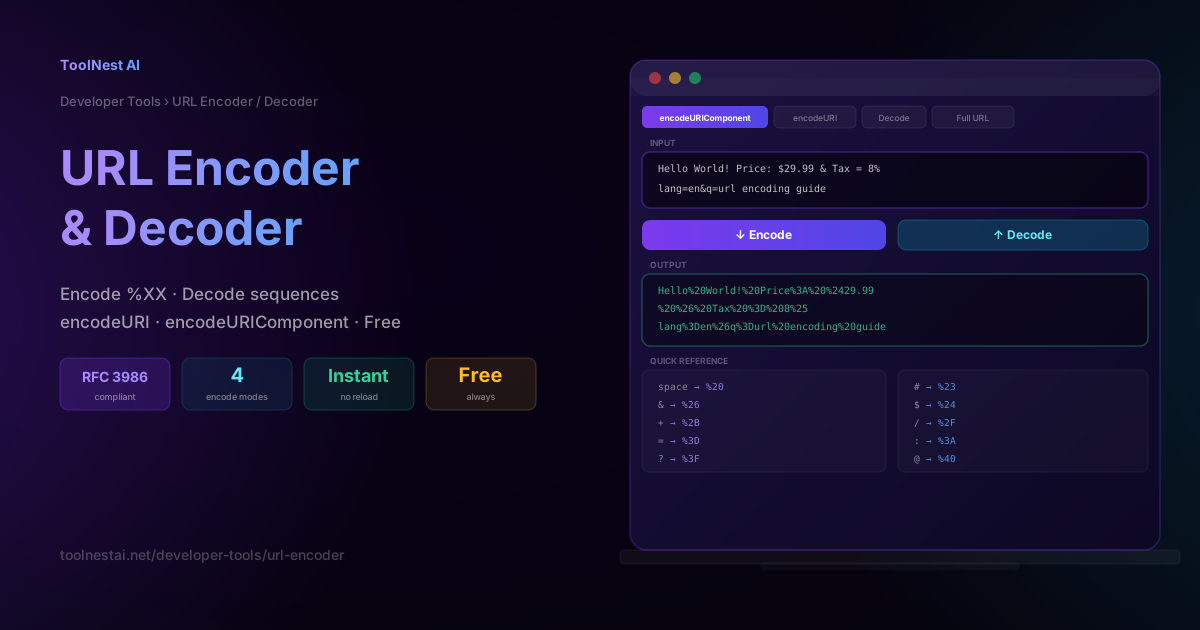
URL Encoder & Decoder: Percent-Encode URLs Free Online
Learn how URL percent-encoding works, when to use encodeURIComponent vs encodeURI, the full %XX character reference, and how to encode or decode any URL instantly — free, no sign-up.
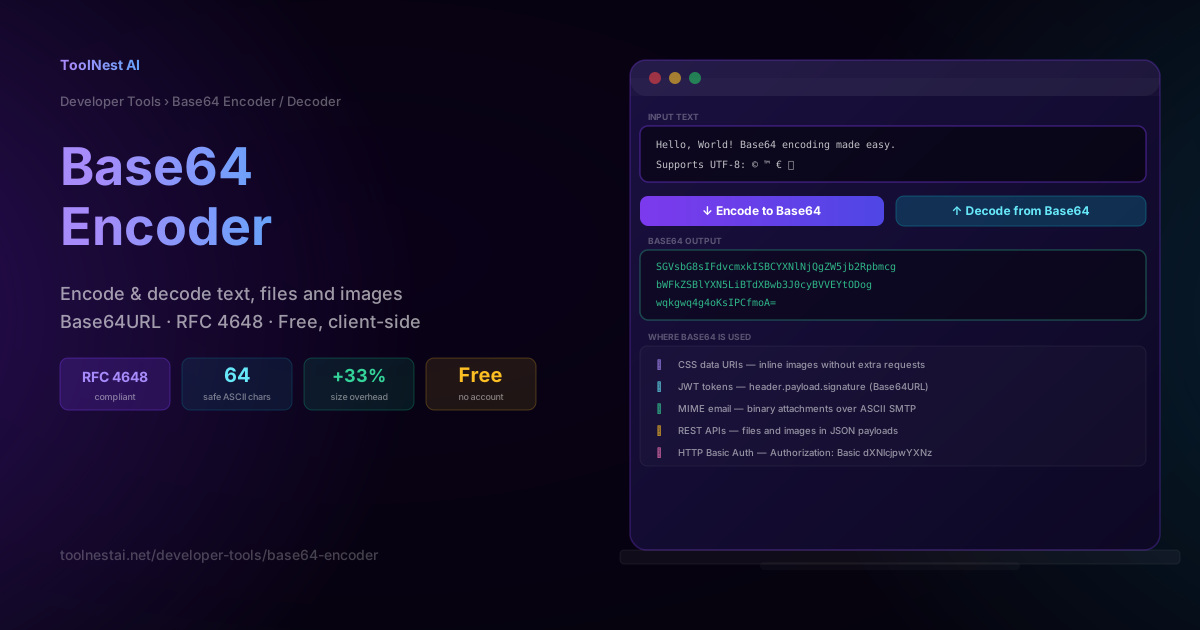
Base64 Encoder & Decoder: Complete Guide + Free Online Tool
Learn how Base64 encoding works, when to use it, the difference between Base64 and Base64URL, real-world use cases in JWTs, data URIs, and MIME email, and how to encode or decode anything free online.