Hash Generator: MD5, SHA-1, SHA-256, SHA-512 Explained + Free Tool
Learn how cryptographic hash functions work, why MD5 and SHA-1 are broken, the avalanche effect, hashing vs encryption vs encoding, and how to hash text or files free online.
ToolNest AI Team
Author
Published
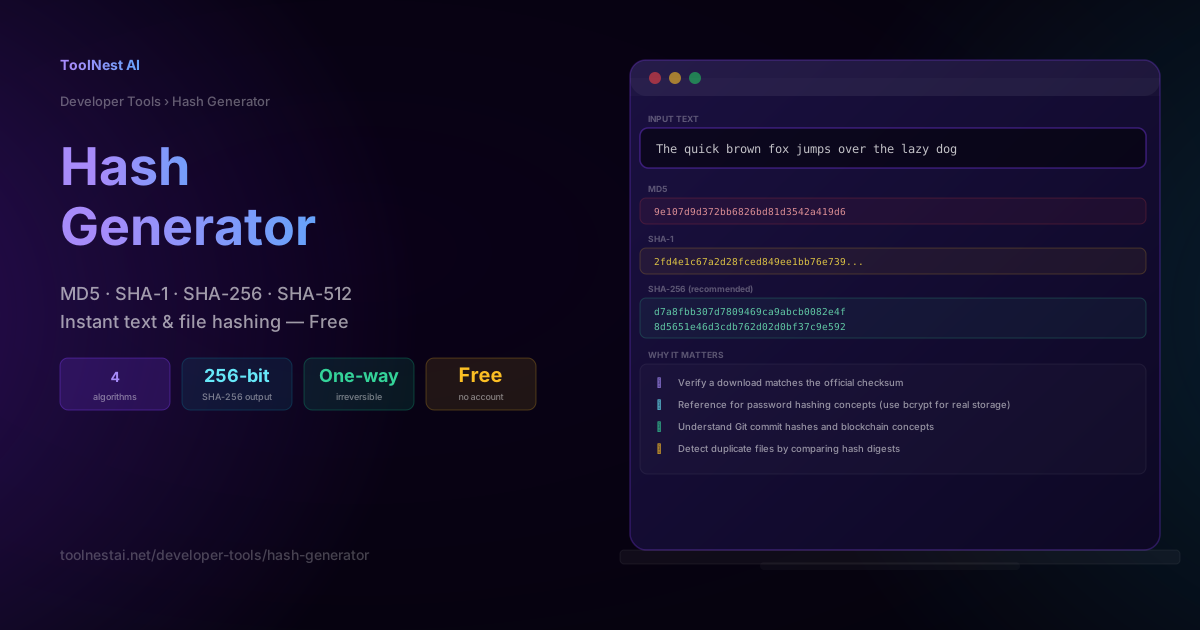
Every time you download a file and see a string of letters and numbers labeled "SHA-256 checksum," or every time an application checks your password without technically knowing what it is, a cryptographic hash function is doing the work. Hashing is one of the most foundational tools in computer security, yet the difference between MD5, SHA-1, SHA-256, and SHA-512 — and which one is actually safe to use — trips up even experienced developers.
This guide explains how hash functions work, why some algorithms are considered broken, the required properties every cryptographic hash must have, and how hashing differs from encryption and encoding. Generate any of the four common hashes instantly with the ToolNest AI Hash Generator.
What Is a Hash Function?
A cryptographic hash function takes an input of any size — a single character or an entire file — and produces a fixed-size output called a digest or hash. No matter how large the input, the output is always the same length for a given algorithm (128 bits for MD5, 256 bits for SHA-256, and so on).
The defining properties of a cryptographic hash function are:
- Deterministic — the same input always produces the exact same hash.
- Pre-image resistant — given a hash, it is computationally infeasible to find the input that produced it.
- Avalanche effect — changing even a single bit of the input produces a completely different, unpredictable output (roughly 50% of output bits change).
- Collision resistant — it should be computationally infeasible to find two different inputs that produce the same hash.
If any of these properties is broken, the algorithm is no longer considered cryptographically secure — which is exactly what happened to MD5 and SHA-1.
The Avalanche Effect
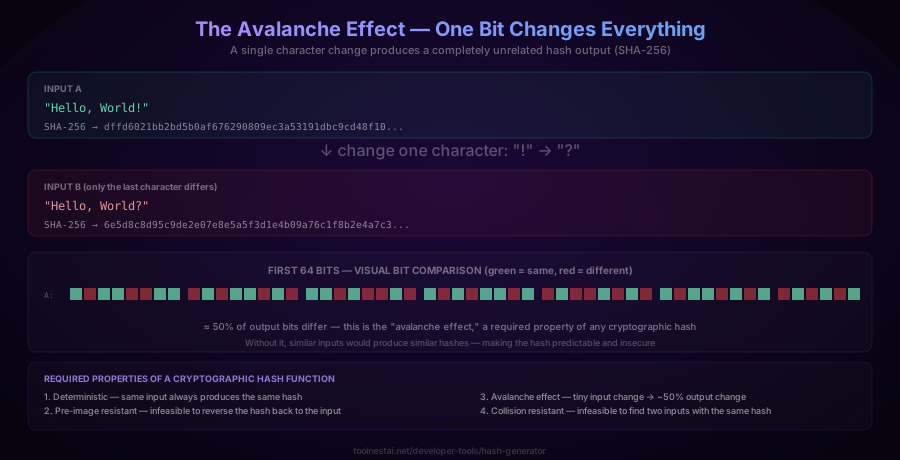
The avalanche effect is easy to see in practice. Hashing "Hello, World!" and "Hello, World?" — a single-character difference — produces two SHA-256 outputs that share no discernible pattern:
SHA-256("Hello, World!") = dffd6021bb2bd5b0af676290809ec3a53191dbc9cd48f10...
SHA-256("Hello, World?") = 6e5d8c8d95c9de2e07e8e5a5f3d1e4b09a76c1f8b2e4a7c3...
Roughly half the bits differ between these two outputs, despite the inputs differing by exactly one character. This unpredictability is precisely what makes hashes useful for verifying integrity: if even one byte of a file changes — whether from corruption or tampering — the hash changes completely and the mismatch is immediately obvious.
Algorithm Comparison — MD5 vs SHA-1 vs SHA-256 vs SHA-512
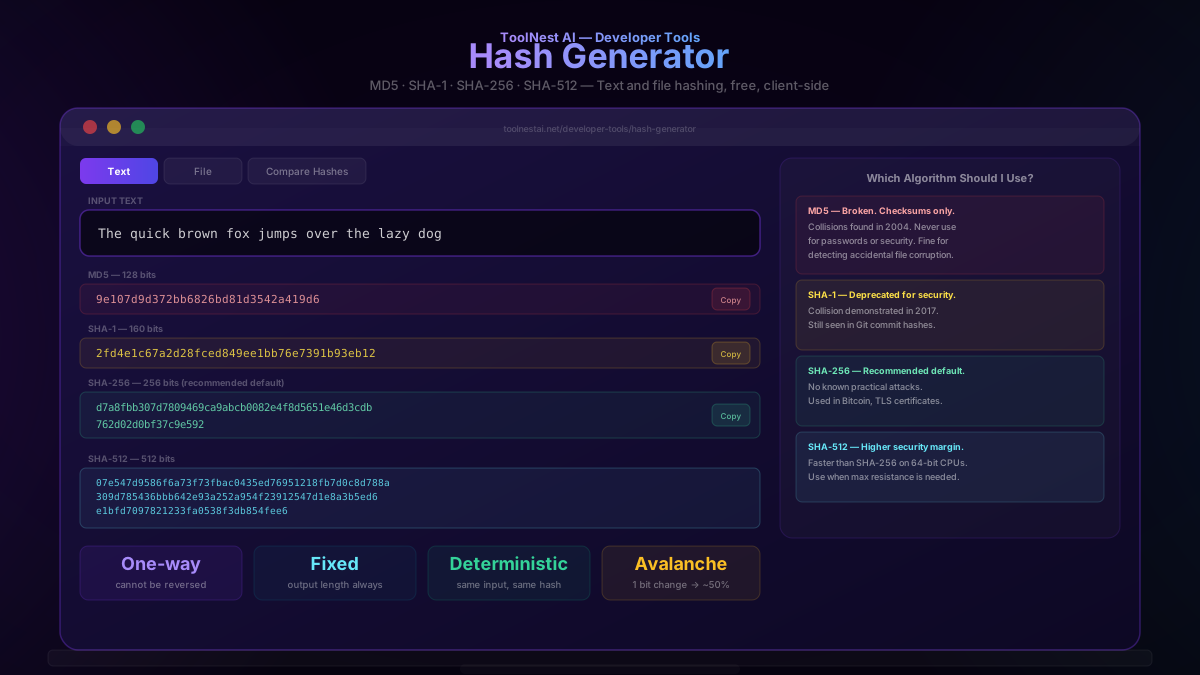
MD5 (128-bit) — Broken
MD5 was designed in 1991 and was the standard checksum algorithm for years. In 2004, researchers demonstrated practical hash collisions — two different inputs producing the identical MD5 hash — and by 2008 those techniques had been used to forge a fraudulent SSL certificate. MD5 must never be used for any security purpose — password hashing, digital signatures, or certificate validation. It remains acceptable only for non-security checksums, like detecting accidental data corruption during a file transfer.
SHA-1 (160-bit) — Deprecated
SHA-1, published in 1995, was the successor to MD5 and was considered secure for over a decade. In 2017, Google and CWI Amsterdam publicly demonstrated the "SHAttered" attack, producing two different PDF files with an identical SHA-1 hash. All major browsers and certificate authorities have since deprecated SHA-1 for TLS certificates. It is still used internally by Git to identify commit objects (Git is transitioning to SHA-256), but should not be used for any new security-sensitive application.
SHA-256 (256-bit) — Recommended Default
Part of the SHA-2 family (designed by the NSA, published 2001), SHA-256 has no known practical collision attacks as of 2026 and is the recommended default for general-purpose hashing. It underpins Bitcoin's proof-of-work algorithm, is the standard for TLS certificate signatures, and is widely used for file integrity verification.
SHA-512 (512-bit) — Higher Security Margin
Also part of the SHA-2 family, SHA-512 produces a larger 512-bit output, giving it a bigger security margin against future cryptanalytic advances. Counterintuitively, SHA-512 is often faster than SHA-256 on 64-bit processors, because its internal operations are designed around 64-bit words. Use it when you want extra headroom against theoretical future attacks, or on 64-bit server hardware where its performance advantage matters.
Quick recommendation: for anything security-relevant today, use SHA-256 as the default, or SHA-512 if you want a larger margin. Never use MD5 or SHA-1 for new security-sensitive work.
Hashing vs Encryption vs Encoding
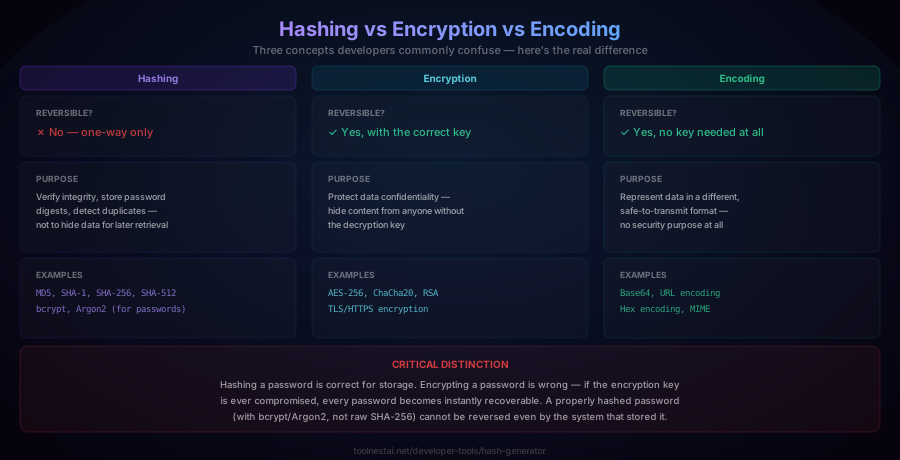
These three concepts are frequently confused, but they serve entirely different purposes:
| Hashing | Encryption | Encoding | |
|---|---|---|---|
| Reversible? | No — one-way only | Yes, with the correct key | Yes, no key needed |
| Purpose | Verify integrity, store password digests | Protect confidentiality | Safe data transmission format |
| Examples | MD5, SHA-256, bcrypt | AES-256, RSA, TLS | Base64, URL encoding |
The critical distinction: hashing a password for storage is correct. Encrypting a password for storage is wrong — if the encryption key is ever compromised, every stored password becomes instantly recoverable in plaintext. A properly hashed password (using bcrypt or Argon2, not raw SHA-256) cannot be reversed even by the system that stored it, because hashing has no key to steal.
Real-World Use Cases
File integrity verification. When you download software, the publisher often provides a SHA-256 checksum alongside the file. After downloading, you hash the file yourself and compare it to the published value — if they match, the file was not corrupted or tampered with in transit.
Password storage (with caveats). Storing a plain SHA-256 hash of a password is better than plaintext but still insufficient on its own, because SHA-256 is designed to be fast — which makes brute-force and dictionary attacks against stolen hash databases feasible with modern hardware. Production systems should use a purpose-built password hashing function like bcrypt, scrypt, or Argon2, which are deliberately slow and incorporate a per-user salt to prevent both brute-forcing and rainbow-table attacks.
Git commit identifiers. Every Git commit, tree, and blob is identified by a SHA-1 hash of its content (Git is in the process of migrating to SHA-256 for new repositories). This is why changing even a single character in a file changes the commit hash entirely.
Deduplication. Cloud storage systems and backup tools hash file contents to detect duplicate files without comparing the entire file byte-by-byte — if two files share the same SHA-256 hash, they are (for all practical purposes) identical.
Digital signatures and blockchain. Cryptographic hashes are core building blocks of digital signature schemes and blockchain proof-of-work systems, where computing a hash meeting certain criteria (e.g., a certain number of leading zero bits) requires provable computational effort.
How to Use the Hash Generator
The ToolNest AI Hash Generator runs entirely in your browser using the Web Crypto API — your text and files are never sent to a server.
To hash text:
- Select "Text" mode
- Type or paste your input
- All four hashes (MD5, SHA-1, SHA-256, SHA-512) generate instantly as you type
- Click "Copy" next to any hash to copy it to your clipboard
To hash a file (verify a download):
- Select "File" mode
- Upload the file you want to verify
- Compare the generated SHA-256 (or other algorithm) against the publisher's official checksum
- If they match exactly, the file is intact and unmodified
To compare two hashes directly:
- Select "Compare Hashes" mode
- Paste both hash values
- The tool tells you immediately whether they match, character by character
Hashing in Different Languages
JavaScript (Web Crypto API):
async function sha256(text) {
  const data = new TextEncoder().encode(text);
  const hashBuffer = await crypto.subtle.digest('SHA-256', data);
  return Array.from(new Uint8Array(hashBuffer))
    .map(b => b.toString(16).padStart(2, '0')).join('');
}
Node.js:
const crypto = require('crypto');
crypto.createHash('sha256').update('Hello, World!').digest('hex');
Python:
import hashlib
hashlib.sha256(b"Hello, World!").hexdigest()
hashlib.md5(b"Hello, World!").hexdigest()   # for non-security checksums only
PHP:
hash('sha256', 'Hello, World!');Command line (Linux/macOS):
echo -n "Hello, World!" | sha256sum
shasum -a 256 myfile.zip   # macOS
sha256sum myfile.zip       # Linux
Command line (Windows PowerShell):
Get-FileHash myfile.zip -Algorithm SHA256Common Mistakes
Mistake 1: Using SHA-256 (or any fast general-purpose hash) directly for password storage. These algorithms are designed to be computed quickly, which is exactly the wrong property for password hashing — it makes brute-force attacks against a stolen database fast for attackers too. Use bcrypt, scrypt, or Argon2, which are intentionally slow and computationally expensive.
Mistake 2: Hashing passwords without a salt. Without a unique random salt per user, two users with the same password produce the identical hash, and attackers can use precomputed "rainbow tables" to reverse common password hashes instantly. Modern password hashing functions (bcrypt, Argon2) incorporate salting automatically.
Mistake 3: Using MD5 or SHA-1 for anything security-sensitive. Both have publicly demonstrated collision attacks. If a system still relies on MD5 or SHA-1 for certificate signatures, digital signatures, or integrity verification against untrusted input, it should be migrated to SHA-256 or better.
Mistake 4: Confusing hashing with encryption. A hash cannot be "decrypted" — there is no key, and the process is intentionally one-way. If you find code that claims to "decrypt" an MD5 or SHA-256 hash, it is either using a lookup/rainbow table of precomputed common values (which only works for weak, guessable inputs) or is simply incorrect.
Mistake 5: Truncating a hash and assuming full security. Some systems only display or store the first N characters of a hash for brevity. This significantly weakens collision resistance — a 32-character (128-bit) truncation of a SHA-256 hash offers far less security than the full 64-character (256-bit) output. Only truncate if you understand and accept the reduced security margin.
Frequently Asked Questions
What is a hash function?
A cryptographic hash function takes an input of any length and produces a fixed-size output (the "hash" or "digest"). It is deterministic (same input → same output), one-way (the output cannot be reversed to recover the input), and exhibits an avalanche effect (a tiny input change produces a completely different output). Hash functions are used for password storage, file integrity verification, digital signatures, and more.
Is MD5 still safe to use?
No, not for any security purpose. Practical collision attacks against MD5 were demonstrated in 2004, meaning two different inputs can be crafted to produce the identical MD5 hash. This has been used to forge fraudulent SSL certificates. MD5 remains acceptable only for non-security uses, such as detecting accidental (not malicious) data corruption.
What's the difference between SHA-256 and SHA-512?
Both are part of the SHA-2 family. SHA-256 produces a 256-bit (32-byte) output; SHA-512 produces a 512-bit (64-byte) output. SHA-512 offers a larger security margin and, somewhat counterintuitively, often runs faster than SHA-256 on 64-bit hardware because its internal operations are optimized for 64-bit words. For most general-purpose uses, SHA-256 is the standard default; SHA-512 is chosen when a larger security margin is desired.
Can I use a hash generator to check if a password is secure?
Not directly — the hash generator tells you what a password's hash looks like, not whether the password itself is strong. For evaluating password strength (length, character variety, resistance to guessing), use a dedicated tool like the ToolNest Password Generator, which can also generate strong random passwords for you.
Why shouldn't I hash passwords with SHA-256 directly?
SHA-256 is designed to be computed extremely quickly — a property that's beneficial for file integrity checks but harmful for password storage. If an attacker steals a database of SHA-256 password hashes, modern GPUs can compute billions of SHA-256 hashes per second, making brute-force and dictionary attacks against common passwords fast. Purpose-built password hashing algorithms like bcrypt, scrypt, and Argon2 are deliberately slow and memory-intensive, making large-scale brute-force attacks impractical even with powerful hardware.
How do I verify a downloaded file's checksum?
Hash the downloaded file using the same algorithm the publisher used (usually specified alongside the checksum, commonly SHA-256). Compare your computed hash character-by-character against the publisher's published value. If they match exactly, the file was not corrupted during download and has not been tampered with. The ToolNest AI Hash Generator supports file hashing directly in your browser for this purpose.
What does "collision resistant" mean?
A hash function is collision resistant if it is computationally infeasible to find two different inputs that produce the same hash output. Collisions technically always exist (because the input space is infinite but the output space is fixed), but for a secure hash function, discovering one should require more computational effort than is practically achievable. MD5 and SHA-1 have both had practical collisions demonstrated, which is why they are considered broken for security purposes.
Is hashing reversible?
No — that is the defining property of a cryptographic hash function. Unlike encoding (Base64, URL encoding) or encryption (AES, RSA), there is no operation that takes a hash and recovers the original input. Tools that claim to "crack" or "decrypt" a hash are actually using precomputed lookup tables (rainbow tables) of common inputs and their hashes — this only works against weak, guessable inputs, not against a properly random value or a well-salted password hash.
About the author
ToolNest AI Team
The ToolNest AI team builds free tools that help developers, marketers, and creators do more online — faster.
Related Articles
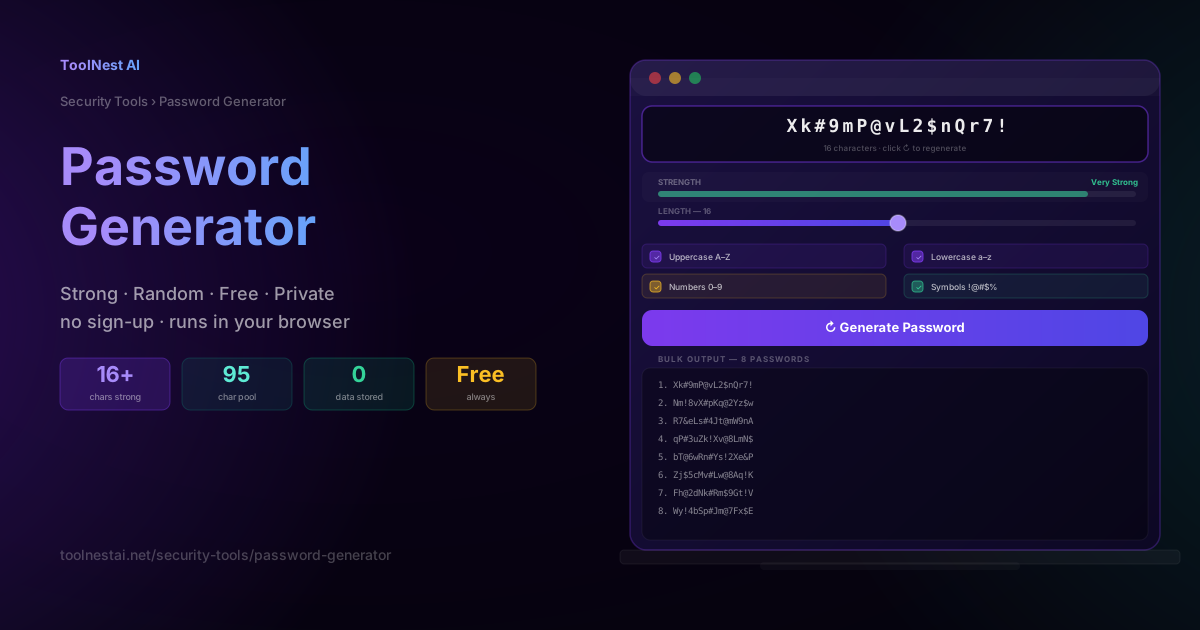
Password Generator: Create Strong, Random Passwords Free
Learn what makes a password strong, how password entropy works, which character sets to use, and how to generate uncrackable passwords instantly with a free tool — no sign-up required.
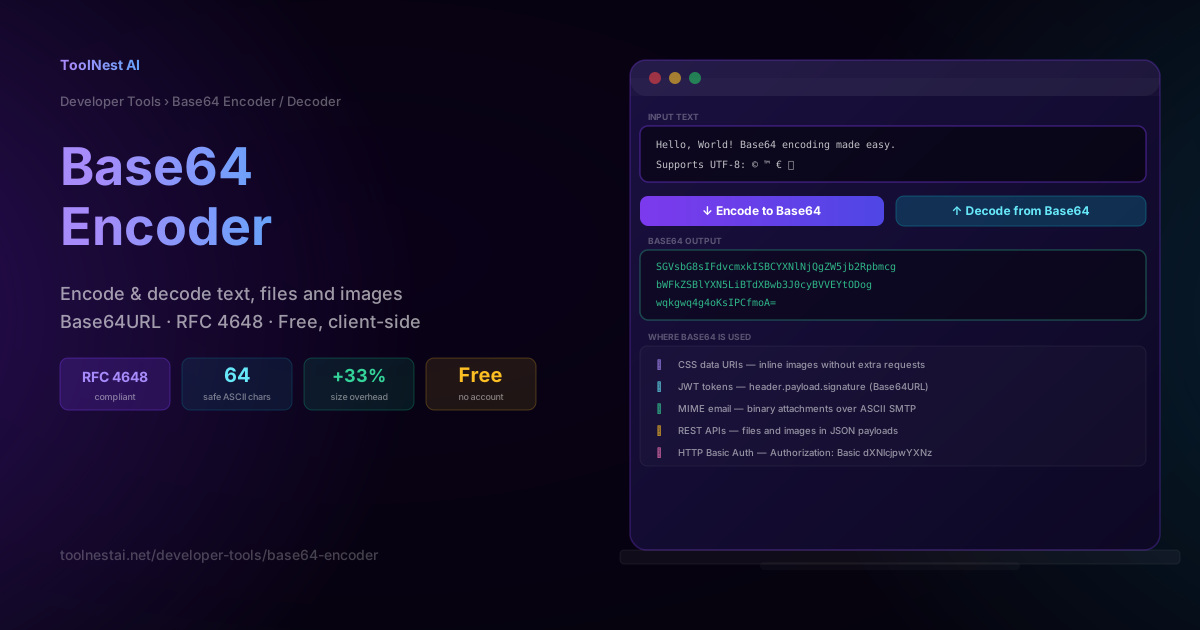
Base64 Encoder & Decoder: Complete Guide + Free Online Tool
Learn how Base64 encoding works, when to use it, the difference between Base64 and Base64URL, real-world use cases in JWTs, data URIs, and MIME email, and how to encode or decode anything free online.