Schema Validator: How to Validate Schema Markup & JSON-LD for Better SEO (2026 Guide)
Use a free schema validator to check your structured data for errors, validate JSON-LD, Microdata and RDFa, and unlock rich results in Google Search. Step-by-step guide, common errors and fixes, schema type examples, tool comparison and 8 expert FAQs.
ToolNest AI Team
Author
Published
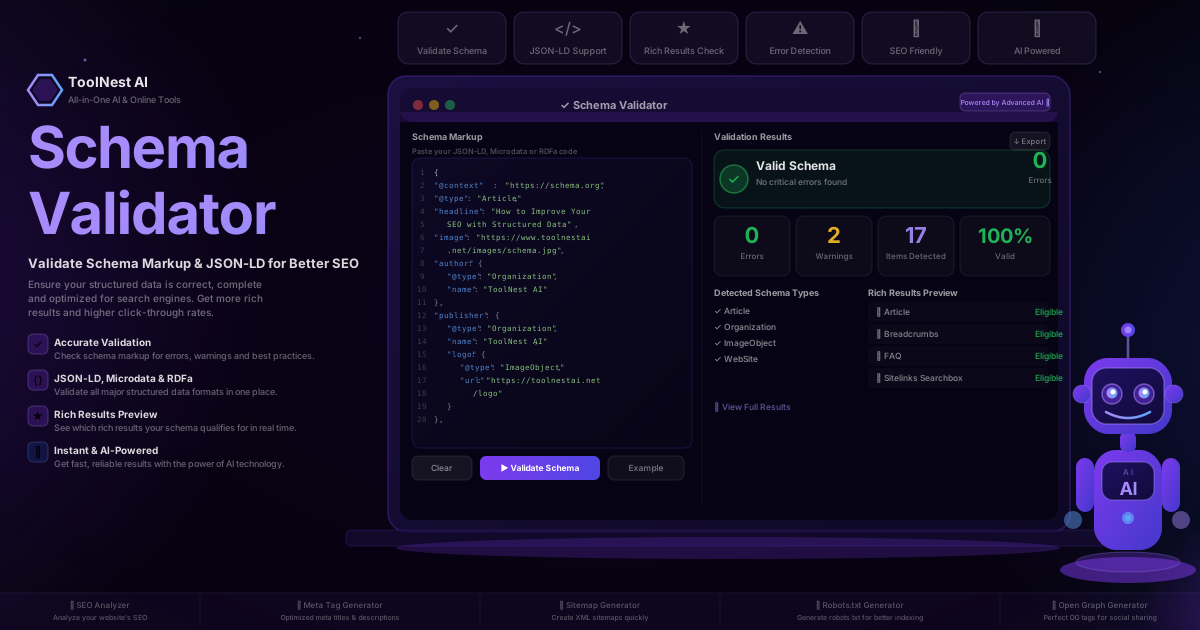
You can write the best article on the internet and still not appear as a rich result in Google Search. Not because your content is poor — but because your structured data has a single missing property that Google silently ignores.
Schema markup is how you communicate with search engines in their own language. But structured data that contains errors is worse than no structured data at all: it consumes crawl budget, triggers validation warnings in Google Search Console and disqualifies your pages from the rich results that competitors with clean schemas are already claiming.
A schema validator catches every error before Google does. This guide explains what schema markup is, why validation matters, how to use a free validator step by step, and how to fix the most common issues — with real examples you can copy directly.
Table of Contents
- What Is Schema Markup?
- JSON-LD, Microdata and RDFa: Which Format Should You Use?
- What Is a Schema Validator and Why Do You Need One?
- How to Validate Your Schema Markup (Step-by-Step)
- 5 Essential Schema Types and How to Use Them
- Common Schema Validation Errors and How to Fix Them
- Schema Validator Tool Comparison
- Google Rich Results and Why Schema Matters for SEO
- Pros and Cons of Structured Data
- Frequently Asked Questions
What Is Schema Markup?
Schema markup is structured data added to a webpage that tells search engines exactly what the content means — not just what it says. It is a shared vocabulary developed by Schema.org, a collaborative project launched in 2011 by Google, Bing, Yahoo and Yandex to standardise how machines interpret web content.
Without schema, a search engine reads your article and makes educated guesses: this looks like it was written by a person, this looks like a date, this looks like a product price. With schema, you remove all ambiguity: this is an Article, written by an Organization named ToolNest AI, published on 2026-07-10, with a dateModified of the same date, and an image at this URL.
That precision enables rich results — the enhanced search listings that display star ratings, FAQ dropdowns, article carousels, breadcrumb trails and product prices directly in Google Search. Rich results consistently achieve 20–30% higher click-through rates than standard blue-link results, which makes structured data one of the highest-leverage SEO investments available.
JSON-LD, Microdata and RDFa: Which Format Should You Use?
Schema.org vocabulary can be implemented in three formats. Understanding the differences helps you choose the right one and validate correctly.
JSON-LD (Recommended)
JSON-LD (JavaScript Object Notation for Linked Data) is Google's recommended format. It is added as a <script type="application/ld+json"> block anywhere in the <head> or <body> — completely separate from your visible HTML. This makes it the easiest to add, maintain and validate because you never risk breaking your layout when editing it.
<script type="application/ld+json">
{
  "@context": "https://schema.org",
  "@type": "Article",
  "headline": "Schema Validator Guide 2026",
  "author": {
    "@type": "Organization",
    "name": "ToolNest AI"
  },
  "datePublished": "2026-07-10"
}
</script>
Microdata
Microdata is embedded directly inside HTML elements using attributes like itemscope, itemtype and itemprop. It is harder to maintain because schema properties are scattered throughout your markup, making it easy to accidentally break during CMS updates or template changes.
RDFa
RDFa (Resource Description Framework in Attributes) works similarly to Microdata but uses a different attribute syntax. It was more common in older CMS platforms. Unless you are working with a legacy system that already uses RDFa, there is no reason to choose it over JSON-LD for new implementations.
Verdict: Use JSON-LD for all new structured data. The ToolNest AI Schema Validator validates all three formats.
What Is a Schema Validator and Why Do You Need One?
A schema validator is a tool that parses your structured data, checks it against the Schema.org specification and Google's rich results requirements, and reports errors, warnings and detected schema types.
You need one because:
Errors are invisible without one. Invalid JSON-LD produces no browser error, no visual change on your page and no immediate SEO signal. The only indication that something is wrong is that your pages never appear as rich results — which you might not notice for weeks.
63% of structured data in the wild contains at least one error. This is not a niche problem. Most implementations have issues ranging from missing required properties to invalid date formats to property values that do not match visible page content.
Google is unforgiving with structured data policy violations. Schema that misrepresents page content — like adding a five-star rating to a page with no visible reviews — can trigger manual actions in Google Search Console that suppress your entire site's rich results.
CMS updates break schema silently. A WordPress plugin update, a theme change or a CDN configuration can corrupt your JSON-LD without any visible symptom. Regular validation catches these regressions before they cost you rankings.
How to Validate Your Schema Markup (Step-by-Step)
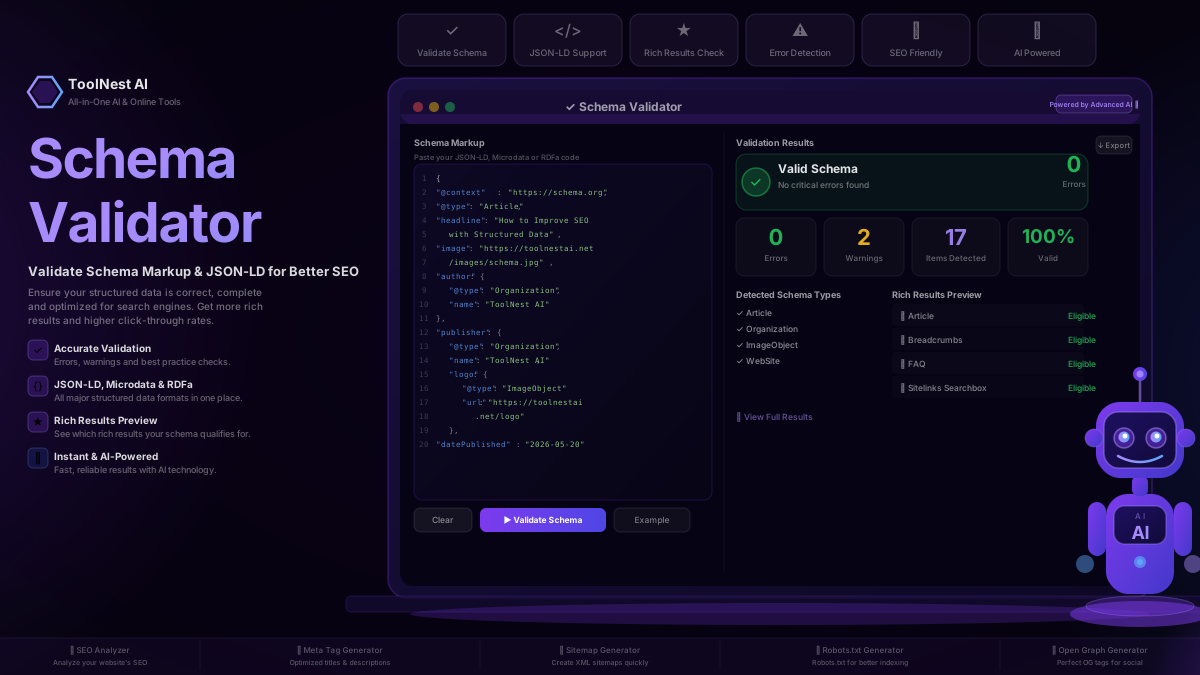
The ToolNest AI Schema Validator is free, requires no account and returns results in under five seconds. Here is the full process.
Step 1 — Open the Schema Validator
Navigate to toolnestai.net/seo-tools/schema-validator. No login, no subscription, no browser extension required.
Step 2 — Paste Your Schema Code or Enter a URL
You have two options. Paste your JSON-LD, Microdata or RDFa directly into the code editor — or enter your page URL to have the validator fetch and extract structured data automatically. The code editor includes line numbers and syntax highlighting to make it easier to read and spot issues before validating.
Step 3 — Click Validate Schema
The validator parses your code, checks all properties and values against the Schema.org specification, and runs Google rich results eligibility checks. Results appear within seconds.
Step 4 — Review Errors, Warnings and Items
The results panel shows:
- Errors — critical issues that prevent Google from processing your schema. These must be fixed.
- Warnings — non-critical issues that reduce rich result eligibility but do not break parsing. These should be fixed.
- Items detected — the total number of structured data entities found in your code.
- Detected schema types — which
@typevalues were recognised (Article, FAQPage, Product, etc.). - Rich Results Preview — which rich result formats your schema is currently eligible for.
Step 5 — Fix and Re-Validate
Use the error descriptions to fix each issue directly in the code editor, then click Validate Schema again. Repeat until you reach 0 errors. Export your clean schema to deploy it on your site.
5 Essential Schema Types and How to Use Them
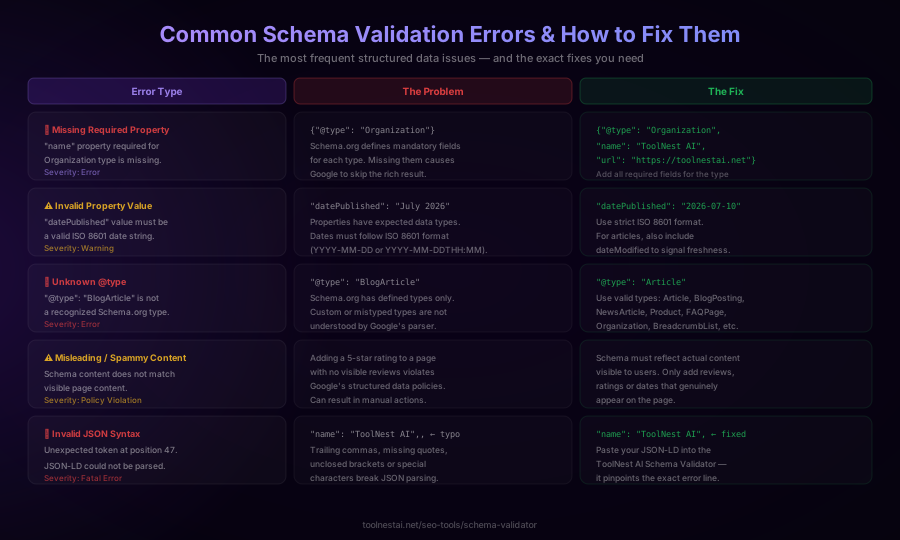
Schema.org defines over 800 types, but five account for the vast majority of SEO value for content, e-commerce and local sites.
Article
Use Article (or the more specific BlogPosting or NewsArticle) for editorial content. Required properties are headline, image, datePublished and author. Adding dateModified and publisher increases your eligibility for Top Stories and article rich results.
FAQPage
FAQPage is one of the highest-impact schema types available. Each question is a Question entity with an acceptedAnswer. A page with valid FAQPage schema can show expandable Q&A directly in Google Search results, effectively doubling your SERP real estate without any change in ranking.
Product
Product schema unlocks star ratings, pricing and availability badges in search results. Required for full eligibility: name, image, aggregateRating (with ratingValue and reviewCount), and offers (with price, priceCurrency and availability).
Organization
Organization schema on your homepage or about page helps Google build your Knowledge Panel and enables Sitelinks Searchbox. At minimum, include name, url and logo. Adding sameAs links to your social profiles strengthens entity recognition.
BreadcrumbList
Breadcrumb schema is one of the easiest rich results to implement and one of the most consistently rendered in Google Search. Each breadcrumb is a ListItem with a position, name and item (URL). Valid breadcrumbs show the page hierarchy below your title in search results and meaningfully improve CTR.
Common Schema Validation Errors and How to Fix Them
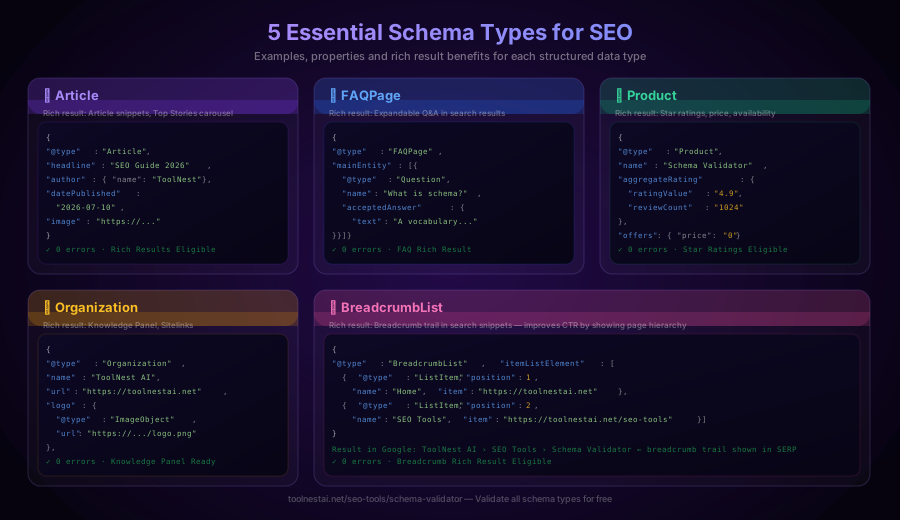
Missing Required Property
Error: "name" property required for Organization is missing.
The fix is straightforward: add the missing property. Every Schema.org type has a list of required properties for rich result eligibility. For Organization, that is name and url. For Article, it is headline, image and datePublished. Refer to the Schema.org type reference and ensure all required fields are present.
Invalid Property Value
Error: "datePublished" must be a valid ISO 8601 date string.
Dates must follow the ISO 8601 standard: YYYY-MM-DD or YYYY-MM-DDTHH:MM:SSZ. Formats like "July 2026", "07/10/2026" or "10th July 2026" are invalid. Use "datePublished": "2026-07-10" and "dateModified": "2026-07-10" for articles.
Unknown @type
Error: "@type": "BlogArticle" is not a recognized Schema.org type.
Custom or misspelled types are silently ignored by Google. Use only official Schema.org types. Common correct alternatives: Article, BlogPosting, NewsArticle, Product, FAQPage, Organization, BreadcrumbList, Event, Review, VideoObject.
Misleading or Spammy Content
Policy violation: Schema content does not match visible page content.
Adding schema properties that misrepresent your page — like review ratings on a page with no visible reviews, or a low price on a product that is actually more expensive — violates Google's structured data policies. This can result in manual actions applied to your Search Console property. Schema must reflect only what is genuinely visible to users on the page.
Invalid JSON Syntax
Error: Unexpected token at position 47. JSON-LD could not be parsed.
Trailing commas, missing quote marks, unclosed brackets or curly braces, and special characters that are not properly escaped all break JSON parsing completely. The validator pinpoints the exact line and character position. Paste your JSON-LD into the ToolNest AI editor and errors appear highlighted before you even validate.
Schema Validator Tool Comparison
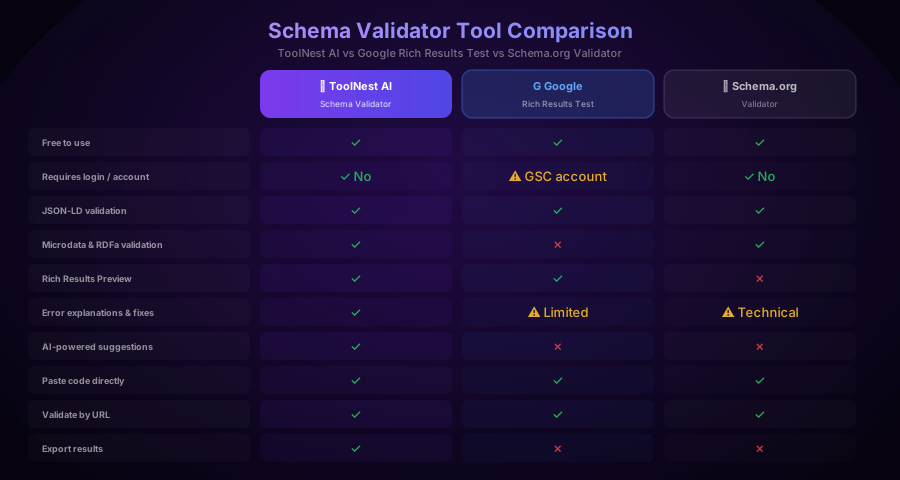
There are three main tools for validating structured data. Here is how they compare.
| Feature | ToolNest AI | Google Rich Results Test | Schema.org Validator |
|---|---|---|---|
| Free | ✓ | ✓ | ✓ |
| No login required | ✓ | ✗ (GSC account) | ✓ |
| JSON-LD validation | ✓ | ✓ | ✓ |
| Microdata & RDFa | ✓ | ✗ | ✓ |
| Rich Results Preview | ✓ | ✓ | ✗ |
| Error explanations & fixes | ✓ | Limited | Technical only |
| AI-powered suggestions | ✓ | ✗ | ✗ |
| Paste code directly | ✓ | ✓ | ✓ |
| Validate by URL | ✓ | ✓ | ✓ |
| Export results | ✓ | ✗ | ✗ |
The Google Rich Results Test is authoritative for checking Google-specific eligibility but requires a Google Search Console account and does not support Microdata or RDFa. Schema.org Validator covers all formats but returns technical output without actionable fix guidance. ToolNest AI's Schema Validator combines all three capabilities with AI-powered error explanations and export functionality — free with no account.
Google Rich Results and Why Schema Matters for SEO
Rich results are the enhanced search listings that appear when Google can confidently interpret your structured data and determine that your content meets its quality guidelines. They include:
- Article rich results — enhanced article snippets with image, author and date in Google Discover and Top Stories
- FAQ rich results — expandable question-and-answer dropdowns below your search result
- Product rich results — star ratings, price and availability displayed inline in search results
- Breadcrumb rich results — hierarchical page path shown below the page title
- Sitelinks Searchbox — a search field within your Knowledge Panel result
- Review snippets — star ratings aggregated from reviews on your page
Across virtually every category, rich results generate higher click-through rates than standard results. FAQ rich results in particular can increase SERP real estate by up to 300%, showing multiple questions that surface your content for additional query variations without any additional ranking work.
Structured data does not directly improve your ranking position. But it dramatically improves the conversion rate of your existing ranking — meaning more traffic from the same position. For competitive keywords where you are already on page one, clean schema is often the single fastest way to increase organic traffic.
The prerequisite for any of this is schema that passes validation. Invalid structured data produces zero rich results regardless of content quality.
Pros and Cons of Structured Data
Pros
- Higher click-through rates — rich results consistently outperform standard blue-link listings
- More SERP real estate — FAQ and breadcrumb rich results expand your visible presence without additional ranking
- Better content understanding — search engines can more confidently match your content to relevant queries
- Knowledge Panel eligibility — Organization schema helps Google build entity recognition for your brand
- Competitive advantage — many sites still have no structured data or invalid implementations you can outperform
Cons
- No direct ranking benefit — schema helps with CTR, not with ranking position itself
- Maintenance required — CMS updates, plugin changes and template edits can silently break schema
- Policy risk — misleading schema can result in manual actions if it misrepresents page content
- Implementation complexity — deeply nested types like Product with AggregateRating and Offers require care to implement correctly
- Rich results are not guaranteed — valid schema makes you eligible for rich results, but Google decides whether to display them
Frequently Asked Questions
What is a schema validator?
A schema validator is a tool that parses structured data code — JSON-LD, Microdata or RDFa — and checks it against the Schema.org specification and Google's rich results requirements. It reports errors, warnings, detected schema types and which rich results the schema is eligible for. Valid schema is a prerequisite for rich results appearing in Google Search.
Is the ToolNest AI Schema Validator free?
Yes. The ToolNest AI Schema Validator is 100% free. No account is required, there is no subscription and there is no limit on how many schemas you can validate. Paste your code or enter a URL and get results in under five seconds.
What is the difference between JSON-LD, Microdata and RDFa?
All three are ways to implement Schema.org vocabulary. JSON-LD is added as a separate <script> block and does not touch your HTML — it is the easiest to implement, maintain and validate, and it is Google's recommended format. Microdata and RDFa are embedded directly in HTML elements using special attributes. Unless you are working with a legacy system, use JSON-LD for all new structured data.
Does schema markup improve my Google rankings?
Schema markup does not directly improve your ranking position. It improves the visual appearance and click-through rate of your existing ranking. Rich results — star ratings, FAQ dropdowns, breadcrumbs — generate more clicks from the same position. For sites already ranking on page one, clean structured data often produces the fastest measurable traffic increase of any SEO tactic.
What is the Google Rich Results Test and how does it differ from ToolNest AI?
The Google Rich Results Test is Google's official tool for checking whether a page's structured data makes it eligible for specific rich results. It requires a Google Search Console account and only supports JSON-LD. The ToolNest AI Schema Validator supports JSON-LD, Microdata and RDFa; requires no login; includes AI-powered fix suggestions; and allows direct code pasting, URL validation and result export — all free.
How do I fix a "missing required property" error?
Each Schema.org type has required properties for rich result eligibility. For Organization, the minimum is name and url. For Article, it is headline, image and datePublished. Open the Schema.org documentation for the specific type showing the error and add all listed required properties. The ToolNest AI validator links each error to its fix.
How often should I validate my schema?
Validate before deploying any new structured data. Re-validate after CMS updates, plugin changes, theme changes or template edits — all of these can silently corrupt JSON-LD. If you manage a large site, consider running validation as part of your monthly SEO audit. The ToolNest AI SEO Analyzer can also flag structured data issues across your site during a full SEO audit.
Can I validate schema for an entire website at once?
The ToolNest AI Schema Validator validates one page at a time — either by pasting code or entering a URL. For site-wide structured data auditing, use the ToolNest AI SEO Analyzer to crawl your site and surface structured data issues across multiple pages simultaneously. For enterprise-scale auditing, tools like Screaming Frog with schema extraction can identify which pages have structured data and flag common errors in bulk.
About the author
ToolNest AI Team
The ToolNest AI editorial team covers AI tools, productivity, and the future of online work.
Related Articles
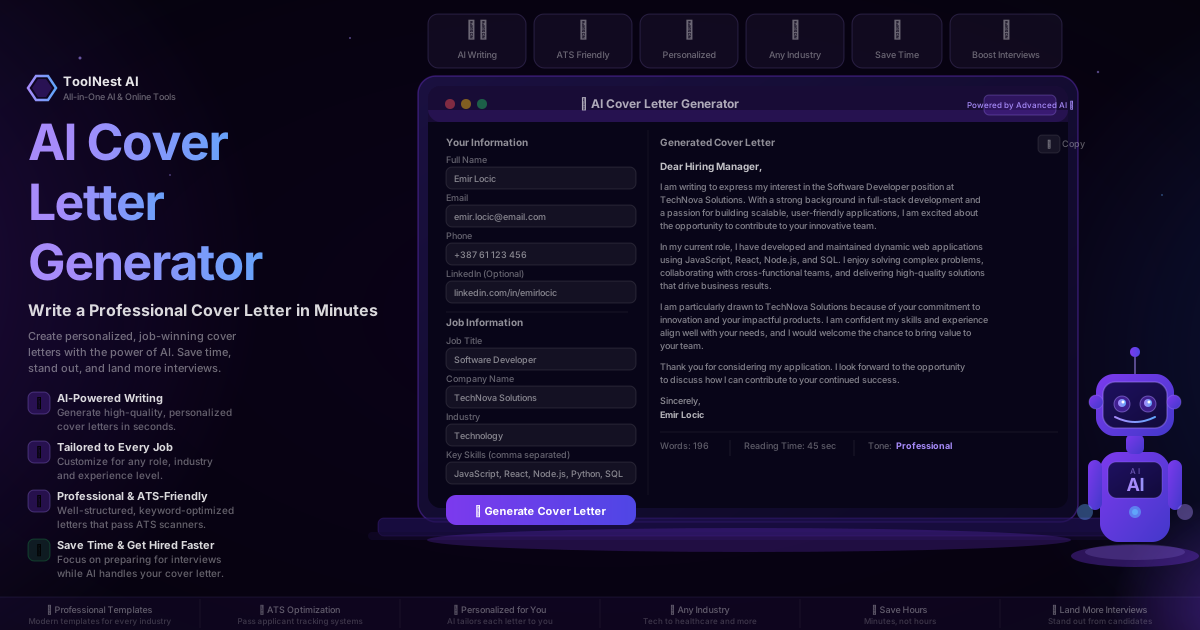
AI Cover Letter Generator: Write a Professional Cover Letter in Minutes (2026 Guide)
Use a free AI cover letter generator to write personalized, ATS-optimised cover letters in under 60 seconds. Step-by-step guide, examples for entry-level, IT, marketing, healthcare and remote jobs, common mistakes, pros and cons, and 8 expert FAQs.
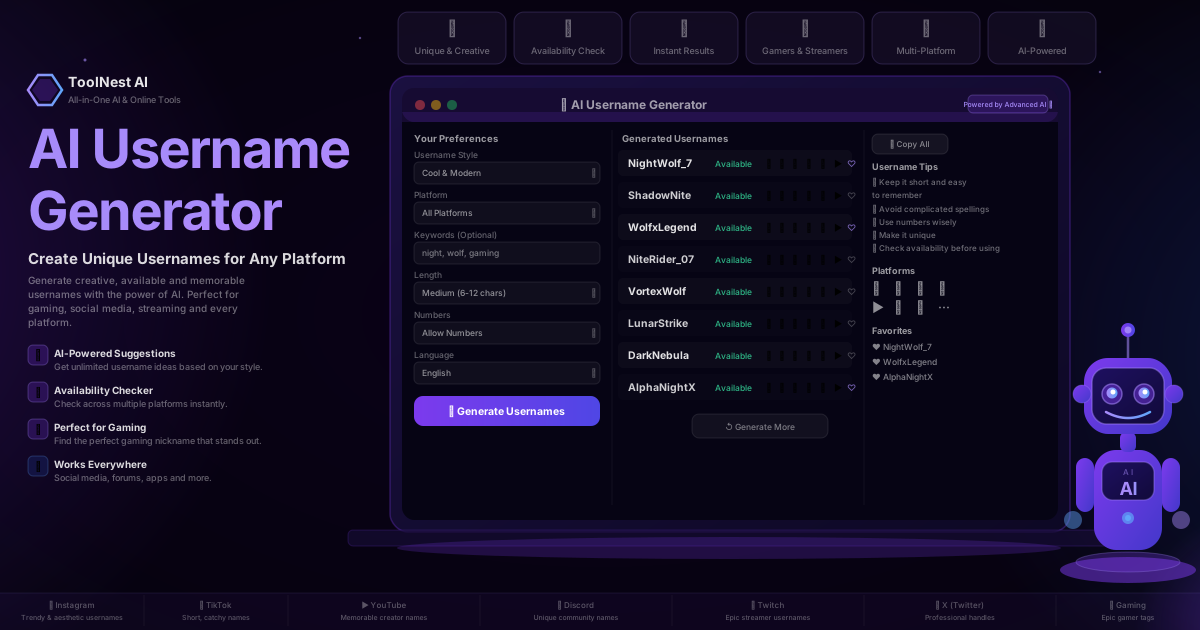
AI Username Generator: Create Unique Usernames for Any Platform (2026 Guide)
Use a free AI username generator to create unique, available and memorable usernames for Instagram, TikTok, YouTube, Discord, Twitch, X and gaming. Step-by-step guide, platform examples, common mistakes, pros and cons, and 8 expert FAQs.