Meta Tag Generator: Create Perfect SEO Meta Tags (2026 Guide)
Learn how to use a meta tag generator to create perfect SEO meta tags — title, description, robots, canonical, Open Graph and Twitter Card — in under 10 seconds.
Founder & Developer, ToolNest AI
Published
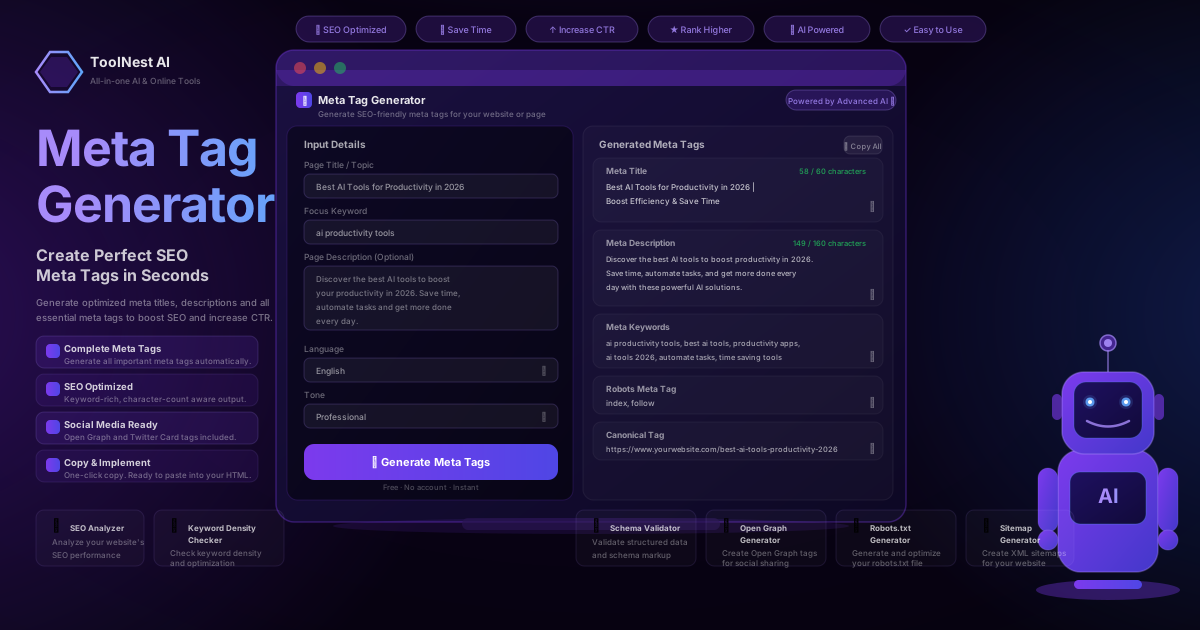
Every page on your website is invisible to Google until you give it context. That context lives inside a few lines of HTML that most visitors never see — your meta tags. Get them right and your pages rank higher, earn more clicks and look great when shared on social media. Get them wrong and even your best content struggles to compete.
This guide explains every important HTML meta tag, shows you how Google uses them, walks through the most common mistakes, and demonstrates how a free meta tag generator lets you build a complete, optimised tag set in seconds instead of minutes.
Table of Contents
- What Are Meta Tags?
- The Eight Meta Tags That Matter for SEO
- Title Tags Explained
- Meta Descriptions Explained
- Robots and Canonical Tags
- Open Graph and Twitter Card Tags
- How Google Uses Meta Tags
- Common Meta Tag SEO Mistakes
- How to Generate SEO Meta Tags in Seconds
- Meta Tag Generator: Pros and Cons
- Tool Comparison
- Frequently Asked Questions
What Are Meta Tags?
Meta tags are HTML elements placed inside the <head> section of a webpage. They are not visible to readers but are read by search engine crawlers, social media platforms and browsers. They communicate the purpose, content and behaviour of a page without altering what visitors see.
A basic example:
<head>
  <title>Best AI Tools for Productivity in 2026 | ToolNest AI</title>
  <meta name="description" content="Discover the best AI tools to boost your productivity in 2026. Save time, automate tasks and get more done — reviewed and ranked for free." />
  <meta name="robots" content="index, follow" />
  <link rel="canonical" href="https://yoursite.com/best-ai-tools-2026" />
</head>
That handful of tags tells Google what the page is about, how to index it, and which URL is the definitive version. Add Open Graph and Twitter Card tags on top and social shares become rich preview cards instead of bare links.
The challenge is doing this correctly for every page on a site. A free HTML meta tag generator automates the repetitive parts and enforces character limits, so you never publish a truncated title or a missing canonical again.
The Eight Meta Tags That Matter for SEO
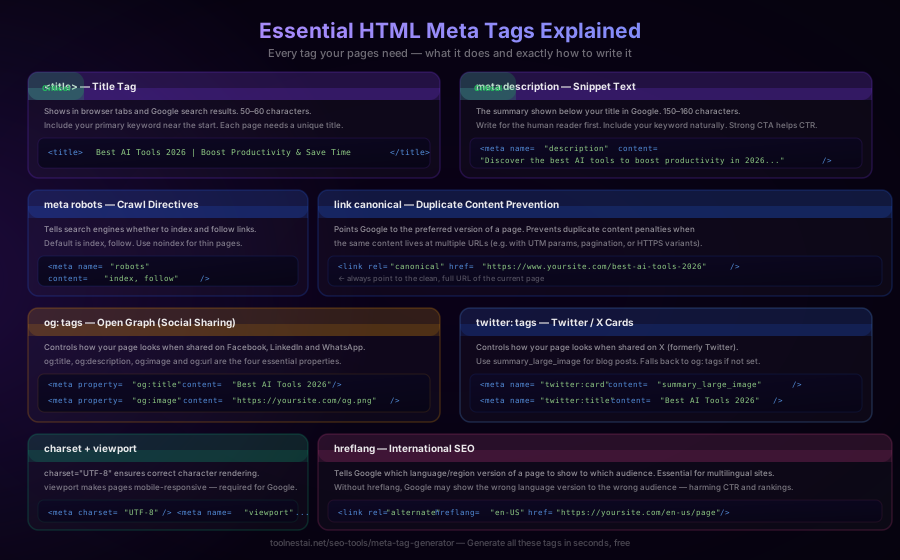
Not all meta tags carry equal weight. Here are the eight that have a direct impact on search visibility and social sharing.
1. Title Tag (<title>)
The single most important on-page SEO element. Displayed as the clickable blue link in Google search results. Aim for 50–60 characters with your primary keyword near the start.
2. Meta Description (<meta name="description">)
A 150–160 character summary shown beneath the title in search results. Google does not use it as a direct ranking signal but it strongly influences click-through rate (CTR). A compelling description is free advertising space.
3. Meta Robots (<meta name="robots">)
Controls crawl and index behaviour. index, follow tells Google to index the page and follow its links. noindex removes the page from search results. nofollow tells crawlers not to follow outgoing links.
4. Canonical Tag (<link rel="canonical">)
Specifies the preferred URL for a page. Essential when the same content is accessible at multiple addresses — with and without trailing slashes, with UTM parameters, over HTTP and HTTPS. Without it, Google may split ranking signals across duplicate URLs.
5. Open Graph Tags (og:title, og:description, og:image, og:url)
Used by Facebook, LinkedIn and most other platforms to generate link previews. The og:image (recommended size: 1200×630px) is the thumbnail shown when your page is shared. Without it, platforms pull a random image — or show nothing at all.
6. Twitter Card Tags (twitter:card, twitter:title, twitter:description, twitter:image)
Twitter's own version of Open Graph. The summary_large_image card type produces the most prominent previews and drives significantly higher engagement than a plain text tweet.
7. Charset and Viewport (<meta charset>, <meta name="viewport">)
Technical foundations. charset="UTF-8" prevents character encoding errors. The viewport meta tag makes pages responsive on mobile, which Google requires for a good Core Web Vitals score.
8. Hreflang (<link rel="alternate" hreflang>)
Signals to Google which language and regional variant of a page to show in which country. Critical for multilingual sites to avoid serving the wrong language version in search results.
Title Tags Explained
The title tag is your page's headline in search. It appears:
- As the clickable link in Google search results
- As the browser tab label
- As the default text when a page is bookmarked
- As the heading in social shares (when no
og:titleis set)
Title Tag Best Practices
Length: Google typically displays 50–60 characters before truncating. Titles under 30 characters waste keyword space. Use a meta title generator that counts characters in real time so you stay within range.
Keyword placement: Your primary keyword should appear as close to the start of the title as possible. Users and algorithms scan left to right.
Uniqueness: Every indexed page must have a distinct title. Duplicate titles confuse Google about which page to rank for a given query.
Branding: A common and effective format is Primary Keyword — Secondary Phrase | Brand Name. The brand at the end uses fewer characters but is still present for recognition.
What to avoid: Do not stuff keywords. Titles like "buy shoes cheap shoes discount shoes online shoes" trigger spam filters and deter clicks. Write for people first; optimise second.
Meta Descriptions Explained
The meta description is the two-line excerpt beneath the title in search results. Google does not count it as a direct ranking factor, but it affects CTR — and CTR affects rankings indirectly.
Meta Description Best Practices
Length: 150–160 characters for desktop. Mobile snippets can be slightly shorter. A meta description generator that flags over-length descriptions saves you from having your copy cut mid-sentence.
Include the keyword: Google bolds keywords in snippets that match the search query. A matching description looks more relevant and attracts more eyes.
Write a soft CTA: Phrases like "Learn how to…", "Get your free…" or "Discover the…" encourage clicks without sounding pushy.
Be accurate: Google increasingly rewrites descriptions that do not match page content. The closer your description reflects what visitors will actually find, the more likely Google is to use it.
One per page: Identical descriptions across multiple pages prevent Google from understanding what makes each page unique.
Robots and Canonical Tags
Robots Meta Tag
<meta name="robots" content="index, follow" />The most common directives:
| Value | Meaning |
|---|---|
index, follow | Default — index this page, follow links |
noindex, follow | Don't index, but follow links |
noindex, nofollow | Ignore this page completely |
noarchive | Don't show a cached version |
noimageindex | Don't index images on this page |
Use noindex on thank-you pages, staging environments, paginated archive pages beyond page 2, and anything you do not want appearing in search results.
Canonical Tag
<link rel="canonical" href="https://yoursite.com/page-slug" />Place a self-referencing canonical on every page — including the canonical version itself. This consolidates link equity to one URL and prevents accidental duplicate content penalties from tracking parameters, session IDs or protocol variations.
Open Graph and Twitter Card Tags
Open Graph
Developed by Facebook and now the standard for social link previews across most platforms:
<meta property="og:title" content="Best AI Tools for Productivity in 2026" />
<meta property="og:description" content="Discover the best AI tools to save time and get more done." />
<meta property="og:image" content="https://yoursite.com/images/og-image.jpg" />
<meta property="og:url" content="https://yoursite.com/best-ai-tools-2026" />
<meta property="og:type" content="article" />
The image should be 1200×630px at minimum. Too small and platforms will either not show it or show it scaled down. Use the Open Graph Generator to build and preview these tags before deploying.
Twitter Cards
<meta name="twitter:card" content="summary_large_image" />
<meta name="twitter:title" content="Best AI Tools for Productivity in 2026" />
<meta name="twitter:description" content="Discover the best AI tools to save time and get more done." />
<meta name="twitter:image" content="https://yoursite.com/images/twitter-card.jpg" />
summary_large_image produces a full-width image card — the most visible and click-friendly format. summary is the fallback small-thumbnail card.
How Google Uses Meta Tags
Understanding what Google actually does with meta tags helps you prioritise your efforts.
Title tag: Used directly as the headline in search results — most of the time. Google rewrites titles it considers misleading, too long or too short. Titles that match the page's H1 and describe the content accurately are rewritten less often.
Meta description: Used as the snippet beneath the title when it is relevant to the query. If your description does not match the user's search intent, Google will pull text from the page body instead. This is why accurate, keyword-relevant descriptions are shown more often.
Robots: Followed precisely. A noindex tag will remove a page from search results within the next crawl cycle regardless of how many backlinks point to it.
Canonical: Treated as a strong hint, not an absolute command. Google may override a canonical if it determines a different URL is the true original. Self-referencing canonicals on every page help prevent this.
Open Graph and Twitter: Not used for ranking, but indirectly important. Better social previews drive more shares, which drive more visits, which send positive engagement signals back to Google.
Charset and Viewport: The viewport meta tag is required for a page to pass Google's mobile-friendliness test. Pages without it are flagged in Search Console and may rank lower on mobile.
Common Meta Tag SEO Mistakes
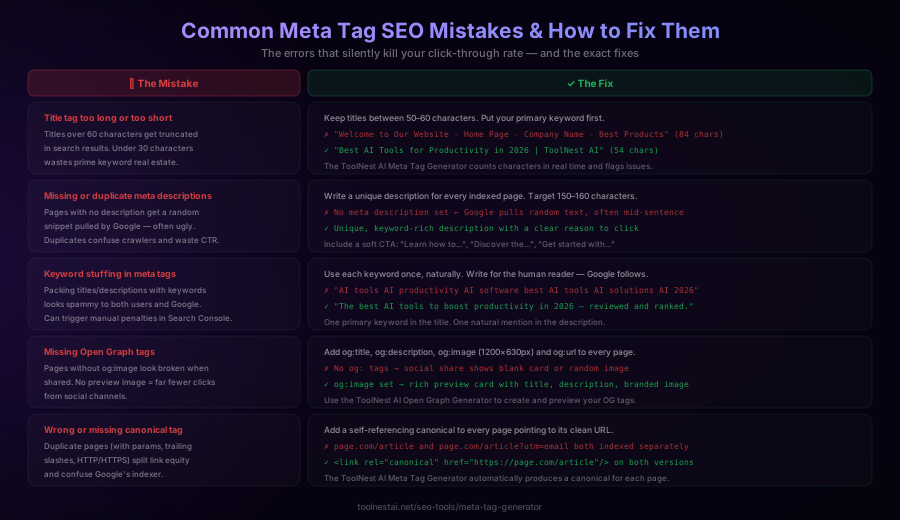
Even experienced developers make these errors. A free meta tag generator catches most of them automatically.
1. Title too long or too short. Titles over 60 characters are truncated in search results, hiding the keyword or brand. Titles under 30 characters waste precious ranking space. Target 50–60 characters and put the keyword first.
2. Missing or duplicate meta descriptions. Pages without descriptions get random text pulled from the page body — often a sentence that begins mid-paragraph. Duplicate descriptions across pages confuse crawlers. Every indexed page needs a unique, keyword-relevant description.
3. Keyword stuffing. Titles and descriptions that repeat the target keyword multiple times look spammy to both users and Google's quality algorithms. Use each keyword once, naturally. Google is sophisticated enough to understand synonyms.
4. Missing Open Graph tags. A page without og:image shows a blank or broken preview when shared on social media — devastating for any content marketing strategy. Every public-facing page should have a full set of OG tags.
5. Wrong or missing canonical. Pages accessible at multiple URLs without a canonical split their link equity. Common culprits: http vs https, www vs non-www, trailing slashes, UTM parameters and session IDs. Always set a self-referencing canonical that points to the clean, preferred URL.
How to Generate SEO Meta Tags in Seconds
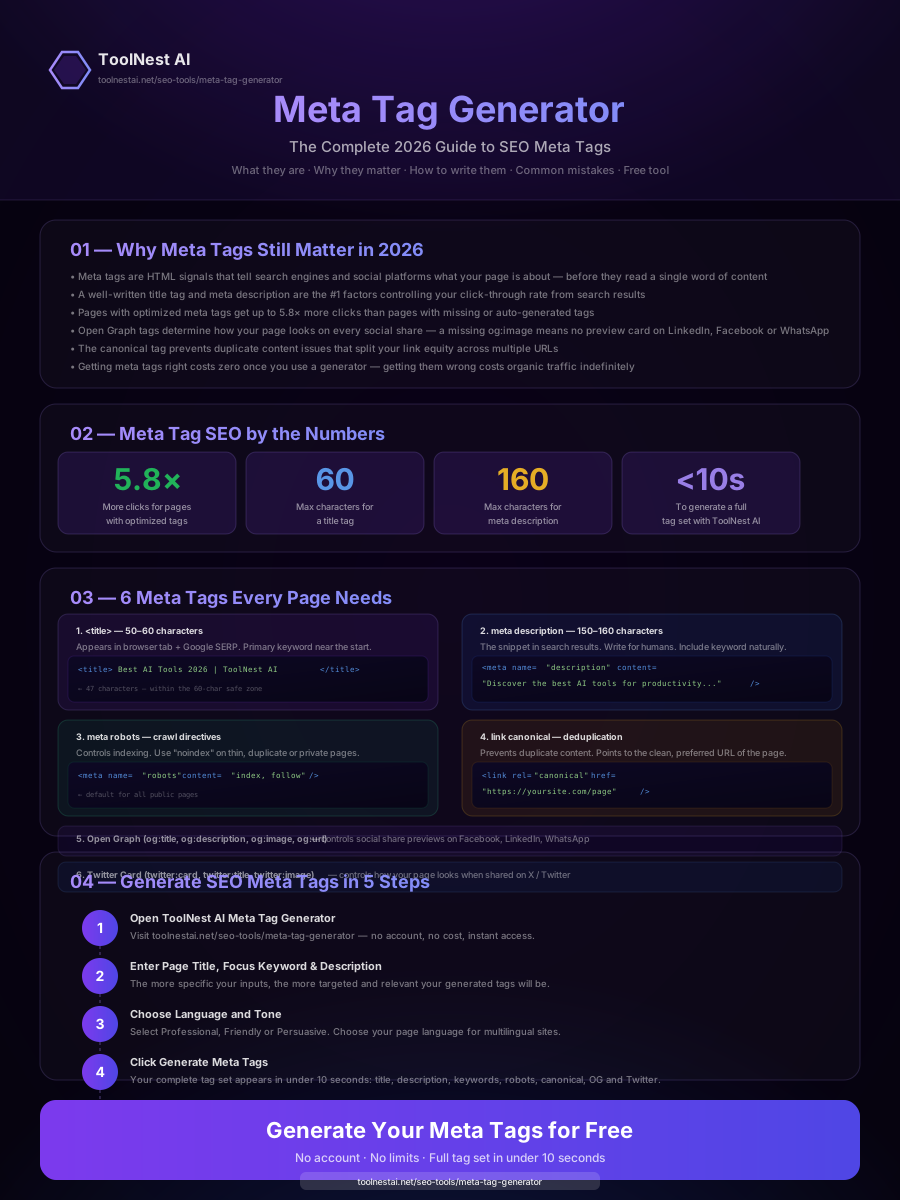
The ToolNest AI Meta Tag Generator produces a complete tag set — title, description, keywords, robots, canonical, Open Graph and Twitter Card — in under ten seconds. Here is how to use it:
Step 1: Enter Your Page Title or Topic
Type the main topic of the page. This becomes the base for your <title> tag. Be specific: "Best AI Tools for Productivity in 2026" works better than "AI Tools".
Step 2: Add Your Focus Keyword
Enter the primary keyword you want this page to rank for. The generator places it naturally in the title and description rather than forcing it in awkwardly.
Step 3: Paste or Summarise the Page Description
A few sentences about the page helps the generator produce an accurate meta description. The more specific you are, the more on-brand the output.
Step 4: Choose Language and Tone
Select the target language (supports 20+ languages) and the tone that fits your brand — Professional, Friendly, Formal, Conversational or Technical.
Step 5: Copy and Implement
Click Generate Meta Tags. Character counters show green when within limits and amber or red when over. Copy all tags at once or copy each individually. Paste them into your CMS, HTML, or page builder.
The generator supports every CMS and platform: WordPress, Shopify, Webflow, Squarespace, Wix, Framer, raw HTML — anywhere you can edit a page's <head> section.
Meta Tag Generator: Pros and Cons
Pros
- Speed. Generate a full tag set in under 10 seconds vs 15–30 minutes writing from scratch.
- Character limits enforced. Real-time counters prevent over-length titles and descriptions.
- Complete coverage. Produces all eight tag types in one pass, including OG and Twitter Card tags that are easy to forget.
- No coding required. Non-technical content creators and marketers can produce valid HTML meta tags without touching code.
- CMS-agnostic. The generated HTML works anywhere.
- Free. No account, no subscription, no limits.
Cons
- Output needs review. AI-generated copy is a starting point, not a final draft. Always read the output and adjust to match your exact brand voice.
- Keyword context. The tool produces one page at a time; bulk generation for large sites requires a separate workflow.
- Custom robots directives. Complex robots configurations (multiple directives, per-crawler rules via X-Robots-Tag) still require manual editing.
Tool Comparison
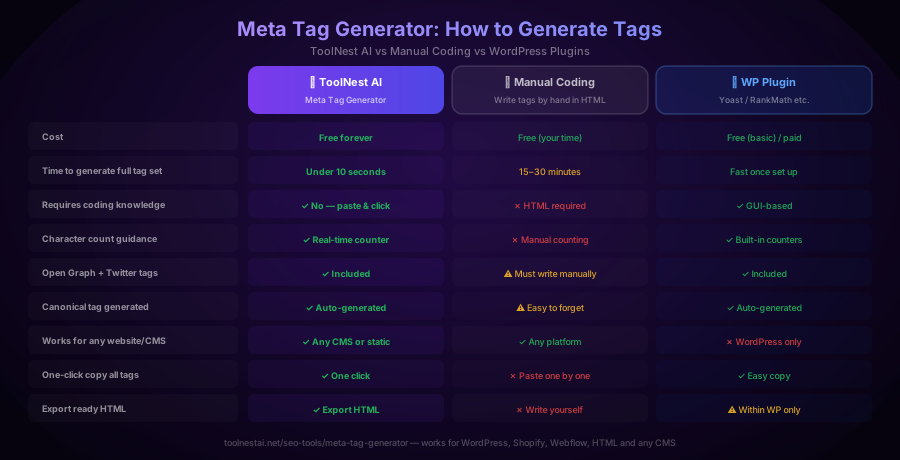
For most content creators and small-to-medium sites, the ToolNest AI Meta Tag Generator is the fastest path from blank page to production-ready meta tags. WordPress site owners on Yoast or RankMath already have a built-in solution. Developers building static sites or working outside WordPress will find the generator far faster than writing tags from scratch.
Frequently Asked Questions
What is a meta tag generator?
A meta tag generator is a free online tool that takes your page title, keyword and description as inputs and produces ready-to-paste HTML meta tags — including the title tag, meta description, robots tag, canonical tag, Open Graph tags and Twitter Card tags.
Do meta tags directly affect Google rankings?
The title tag has a direct impact on rankings. The meta description does not directly influence rankings but strongly influences click-through rate, which sends indirect signals. The robots and canonical tags control how Google indexes your content. Open Graph and Twitter Card tags are not ranking factors but drive social traffic.
How long should a meta title be?
Between 50 and 60 characters. Google typically truncates titles longer than 60 characters in desktop search results and even shorter on mobile. Titles under 30 characters waste keyword space. The ToolNest AI Meta Tag Generator shows a live character count and flags when you are out of range.
How long should a meta description be?
Between 150 and 160 characters. Descriptions over 160 characters are truncated mid-sentence. Too-short descriptions leave valuable SERP real estate empty. Always include your primary keyword and a soft call to action within this limit.
Are meta keywords still used by Google?
No. Google announced in 2009 that it does not use the <meta name="keywords"> tag as a ranking signal, and this has not changed. Some other search engines still read it, which is why it is included as an optional output, but it has no impact on Google rankings.
What is a canonical tag and when should I use it?
A canonical tag (<link rel="canonical">) tells search engines which URL is the authoritative version of a page. Use it on every page, including the canonical version itself (a self-referencing canonical). It prevents duplicate content issues caused by URL parameters, trailing slashes, protocol variations and paginated pages.
What is the difference between Open Graph and Twitter Card tags?
Open Graph tags (og:*) are used by Facebook, LinkedIn, Pinterest and most other platforms to generate link preview cards. Twitter Card tags (twitter:*) are Twitter's own implementation. In practice the platforms often fall back to OG tags if Twitter Card tags are absent, but defining both ensures maximum compatibility and the best previews across every network.
Can I use a meta tag generator for any website platform?
Yes. The ToolNest AI Meta Tag Generator produces standard HTML that you paste into the <head> section of your page. It works with WordPress (via theme editor or a plugin's custom code field), Shopify (theme.liquid), Webflow (page settings), Squarespace (header injection), raw HTML, Next.js, Nuxt, and any other platform that lets you edit the page head.
Start Generating Perfect Meta Tags
Your pages deserve to be found. A complete, optimised meta tag set is one of the fastest, highest-leverage SEO improvements you can make — and with the right tool, it takes less than a minute per page.
Use the free ToolNest AI Meta Tag Generator to generate your title, description, robots, canonical, Open Graph and Twitter Card tags in one click. No account required. No limits. Just copy, paste and publish.
While you are here, explore more free SEO tools including the Open Graph Generator for social previews and the Schema Validator to verify your structured data.
About the author
Emir LočićI'm a developer focused on building practical online tools, with several years of experience in web development. I created ToolNest AI to make useful AI-powered tools simple, accessible, and free to use in one place.
Related Articles
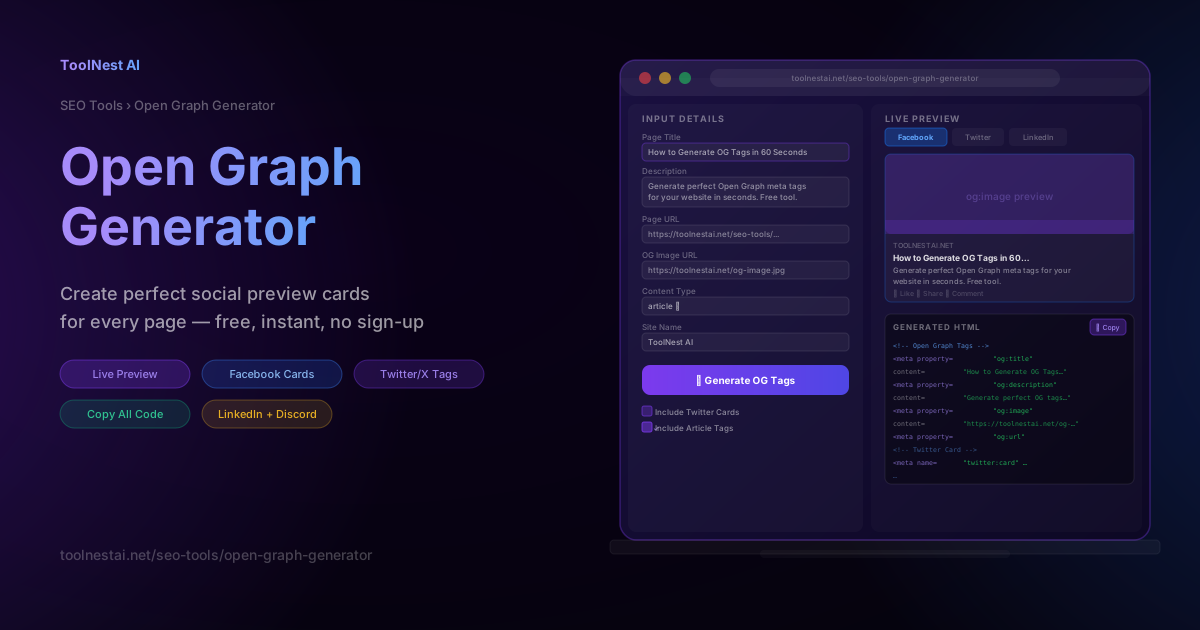
Open Graph Generator: Create Perfect Social Preview Cards Free
Learn how Open Graph tags work, which tags every page needs, and how to generate them instantly with a free OG generator. Includes live previews for Facebook, LinkedIn, Twitter/X, and Discord.
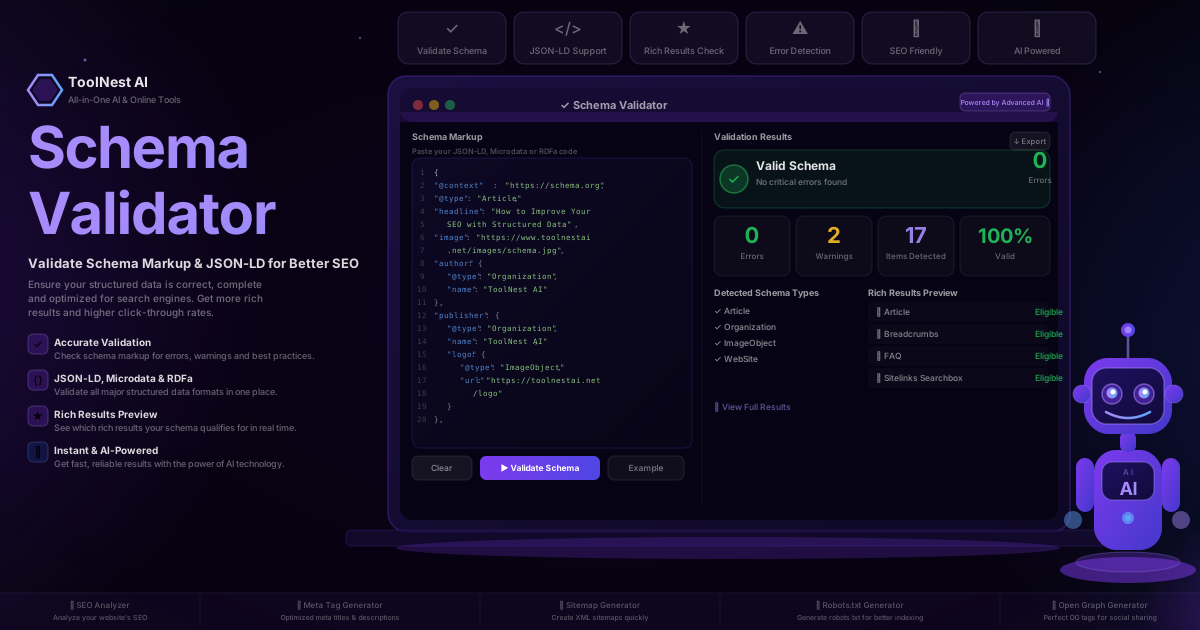
Schema Validator: How to Validate Schema Markup & JSON-LD for Better SEO (2026 Guide)
Valid JSON-LD syntax does not guarantee Google will show rich results — the schema also has to match required properties per type. Here is where validators stop and Google Search Console starts.